

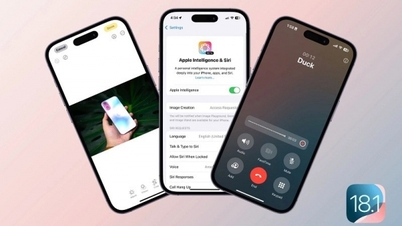
The iOS 18.1 update brings a long-awaited feature to iPhone users: the ability to record phone calls or FaceTime calls directly.
iOS 18.1 introduces several improvements to the iPhone, including camera controls, spatial photography, bug fixes, and security updates.
One feature many users have been waiting for is iPhone call recording.
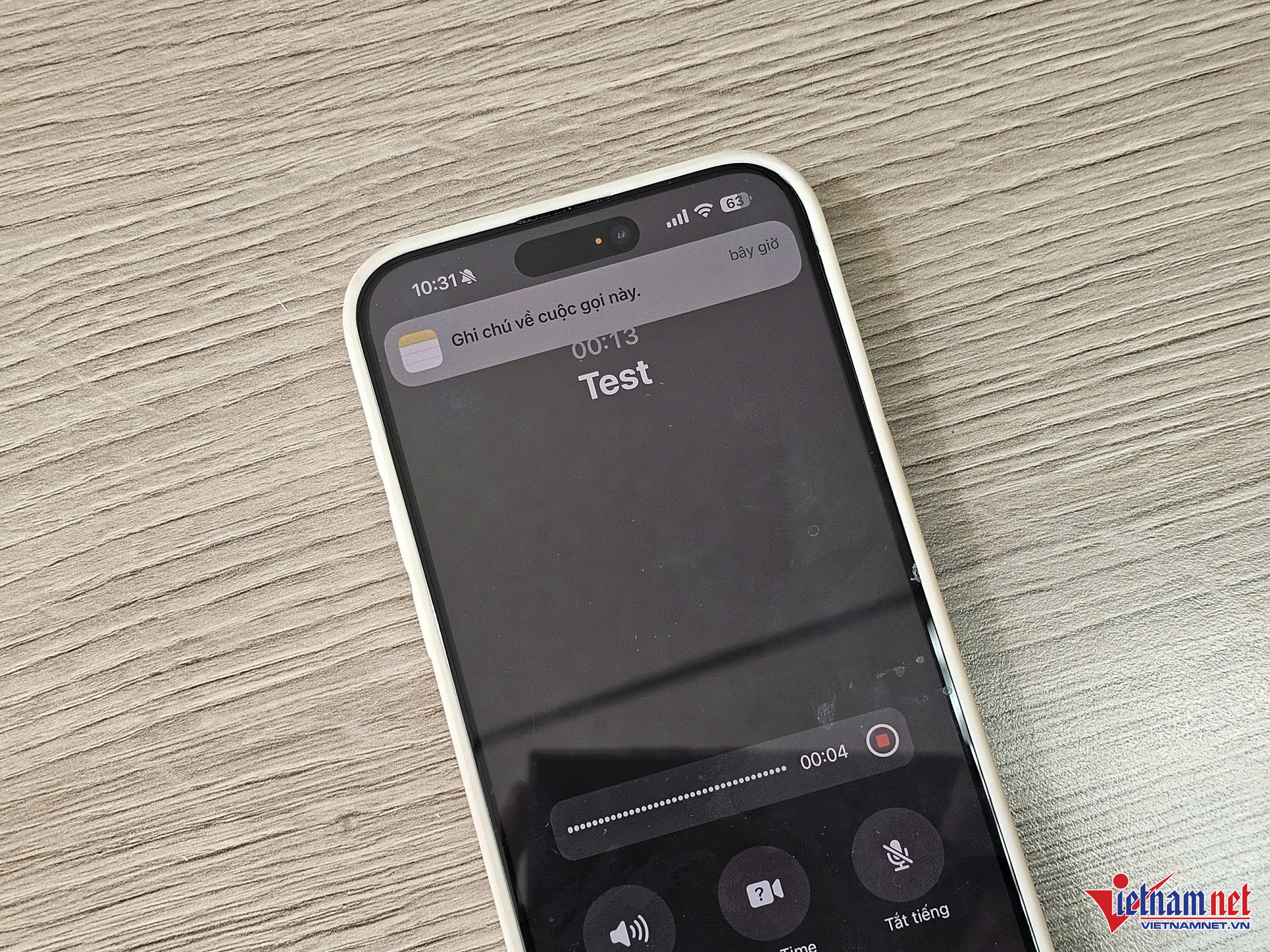
iOS 18.1 allows you to record phone calls or FaceTime calls directly, making it easy to record important conversations, store them, and even access transcripts thanks to Apple Intelligence right on your iPhone.
To record calls on your iPhone, first, you need to update to iOS 18.1 by going to Settings > General > Software Update . iOS 18.1 is compatible with iPhone XS and later. Then, follow these steps:
Step 1: Open the Phone app on your iPhone.
Step 2: Make or answer an incoming call.
Step 3: While on a call, tap the Start Call Recording button in the upper left corner.
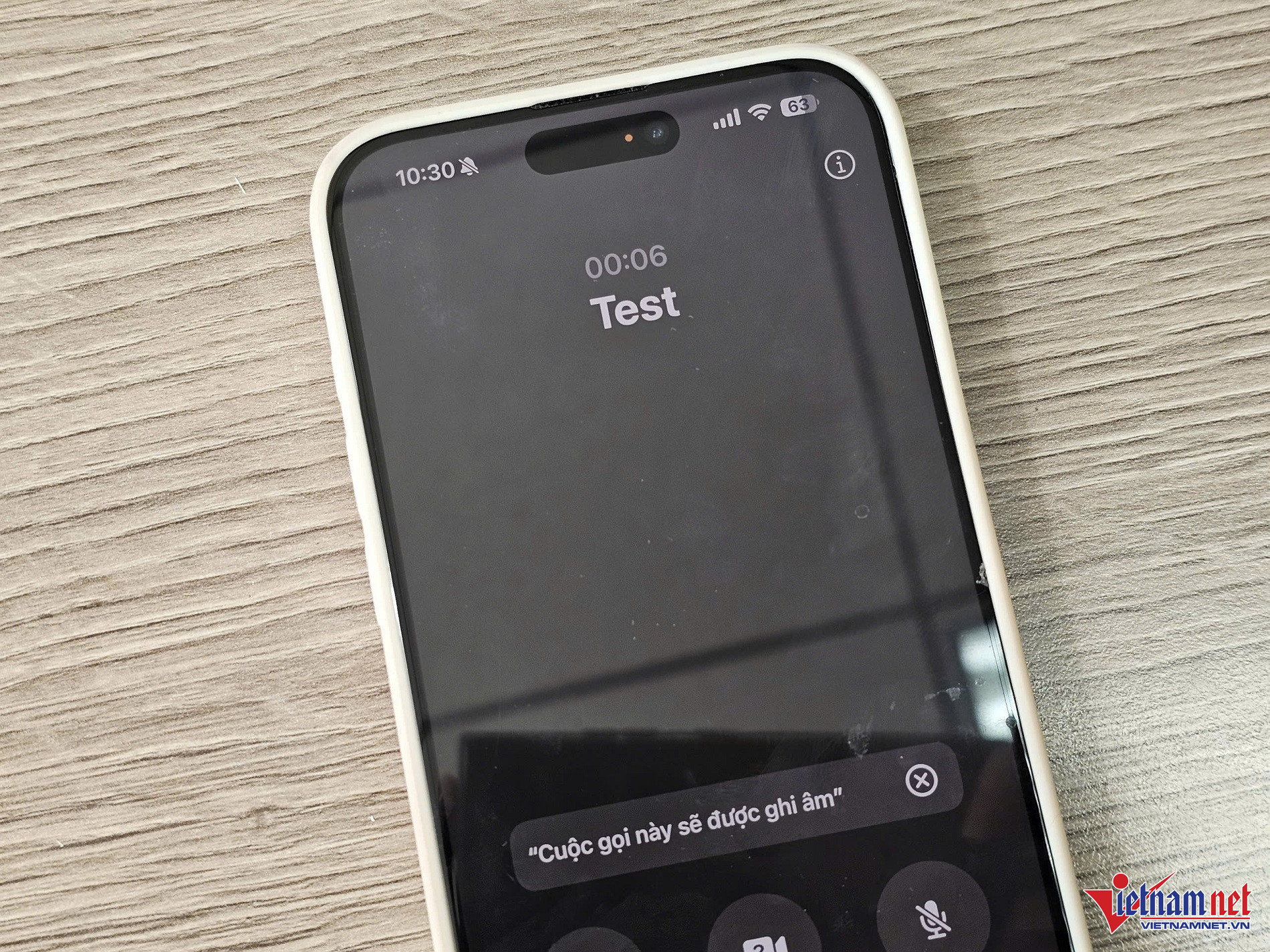
Step 4: Both the listener and the caller will hear a notification that the call is being recorded to ensure transparency.
Step 5: Once you have finished recording, press the stop button or hang up.
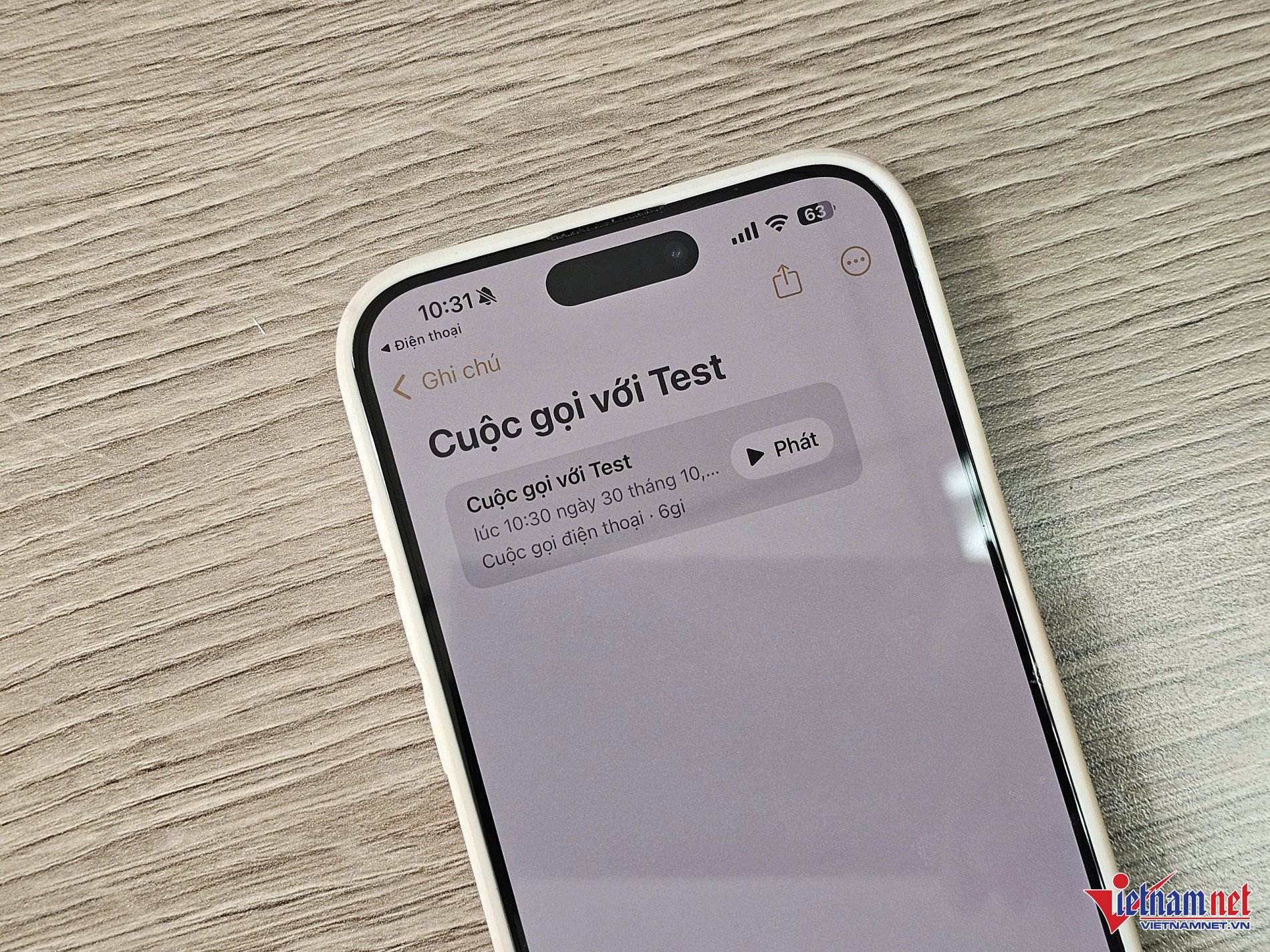
All call recordings are automatically saved in a separate folder within the Notes app. Here, you can listen to the recordings, view transcripts, and even see a summary of the conversation generated by Apple Intelligence.
Previously, Apple did not allow iPhone call recording because it was prohibited in many countries. Privacy remains a major concern globally. However, it seems Apple has changed its stance with iOS 18.
Source: https://vietnamnet.vn/cach-ghi-am-cuoc-goi-iphone-voi-ios-18-1-2337042.html

![[Live] 2025 Community Action Awards Gala](/_next/image?url=https%3A%2F%2Fvphoto.vietnam.vn%2Fthumb%2F1200x675%2Fvietnam%2Fresource%2FIMAGE%2F2025%2F12%2F16%2F1765899631650_ndo_tr_z7334013144784-9f9fe10a6d63584c85aff40f2957c250-jpg.webp&w=3840&q=75)
![[Image] The tenacious fighting spirit of Vietnamese women's football](/_next/image?url=https%3A%2F%2Fvphoto.vietnam.vn%2Fthumb%2F1200x675%2Fvietnam%2Fresource%2FIMAGE%2F2025%2F12%2F17%2F1765990260956_ndo_br_4224760955870434771-copy-jpg.webp&w=3840&q=75)
![[Photo] Prime Minister Pham Minh Chinh receives Lao Minister of Education and Sports Thongsalith Mangnormek](/_next/image?url=https%3A%2F%2Fvphoto.vietnam.vn%2Fthumb%2F1200x675%2Fvietnam%2Fresource%2FIMAGE%2F2025%2F12%2F16%2F1765876834721_dsc-7519-jpg.webp&w=3840&q=75)
![[Photo] Prime Minister Pham Minh Chinh receives the Governor of Tochigi Province (Japan)](/_next/image?url=https%3A%2F%2Fvphoto.vietnam.vn%2Fthumb%2F1200x675%2Fvietnam%2Fresource%2FIMAGE%2F2025%2F12%2F16%2F1765892133176_dsc-8082-6425-jpg.webp&w=3840&q=75)
![[Image] Leaked images ahead of the 2025 Community Action Awards gala.](/_next/image?url=https%3A%2F%2Fvphoto.vietnam.vn%2Fthumb%2F1200x675%2Fvietnam%2Fresource%2FIMAGE%2F2025%2F12%2F16%2F1765882828720_ndo_br_thiet-ke-chua-co-ten-45-png.webp&w=3840&q=75)









![[Video] Exhibition space "Great Poet Nguyen Du - Remembered for a Thousand Years"](https://vphoto.vietnam.vn/thumb/402x226/vietnam/resource/IMAGE/2025/12/17/1765983645796_khong-gian-trung-bay-dai-thi-hao-nguyen-du-ngan-nam-nho-mai-3610-jpg.webp)















































![[Live] Closing Ceremony and Award Presentation for the "Impressive Vietnam Tourism" Video/Clip Creation Contest 2025](https://vphoto.vietnam.vn/thumb/402x226/vietnam/resource/IMAGE/2025/12/17/1765974650260_z7273498850699-00d2fd6b0972cb39494cfa2559bf85ac-1765959338756946072104-627-0-1338-1138-crop-1765959347256801551121.jpeg)

















Comment (0)