

If you're using a MacBook and want to improve your productivity, install Office for MacBook for free. Here's a guide to installing Office for MacBook for free in 2024!
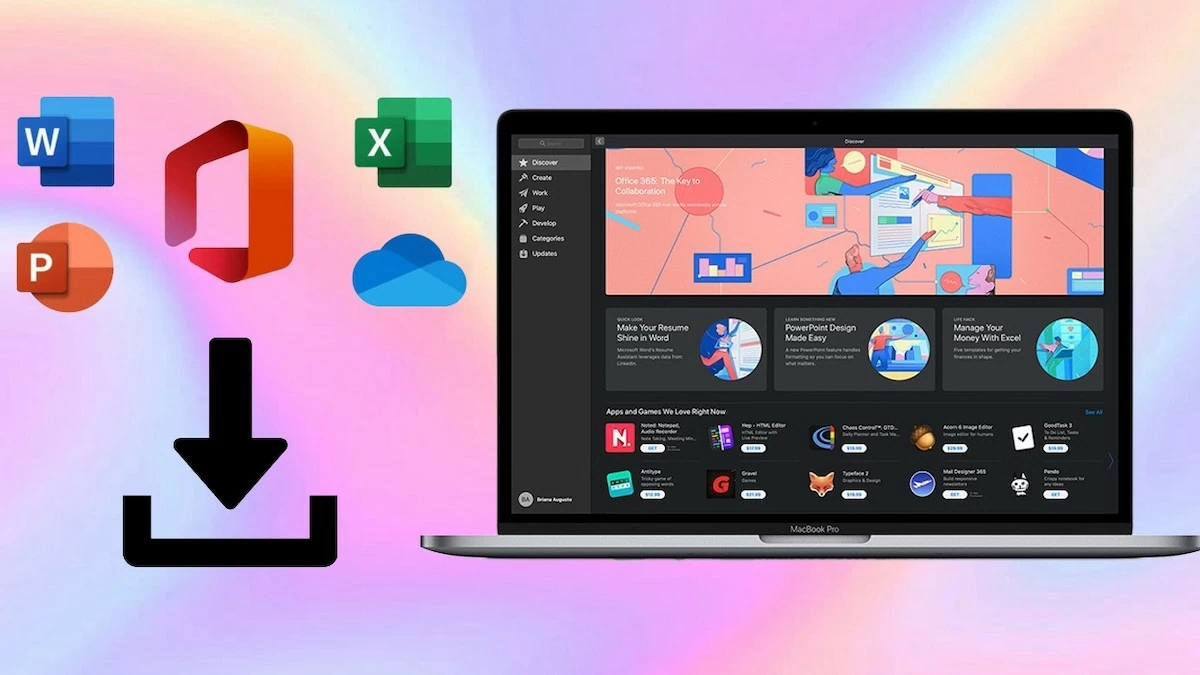 |
A guide on how to quickly download and install Office on a MacBook.
Download Office for Macbook
To download Office for MacBook, follow these steps:
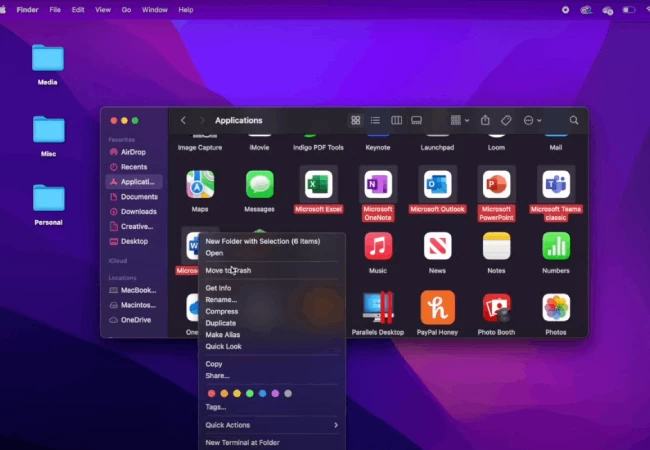
Step 1: Uninstall the old version of Office on your MacBook.
Open Finder, select Applications. Find the Microsoft Office applications you want to delete, right-click, and select Move to Trash.
 |
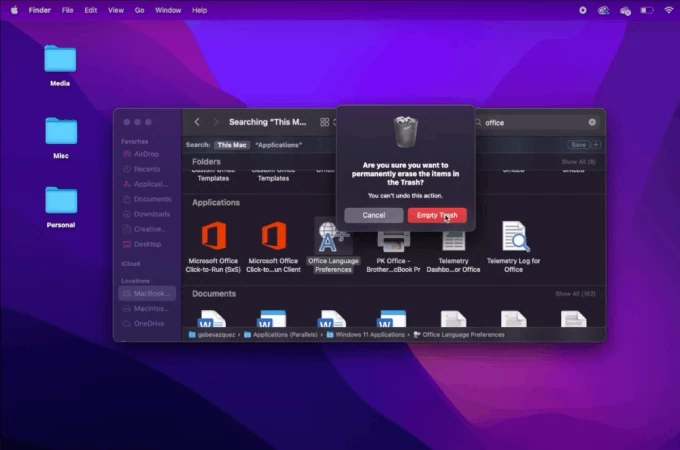
Step 2: When the screen prompts for the administrator password, enter your computer's login password. Next, right-click on the Recycle Bin and select Empty Recycle Bin.
 |
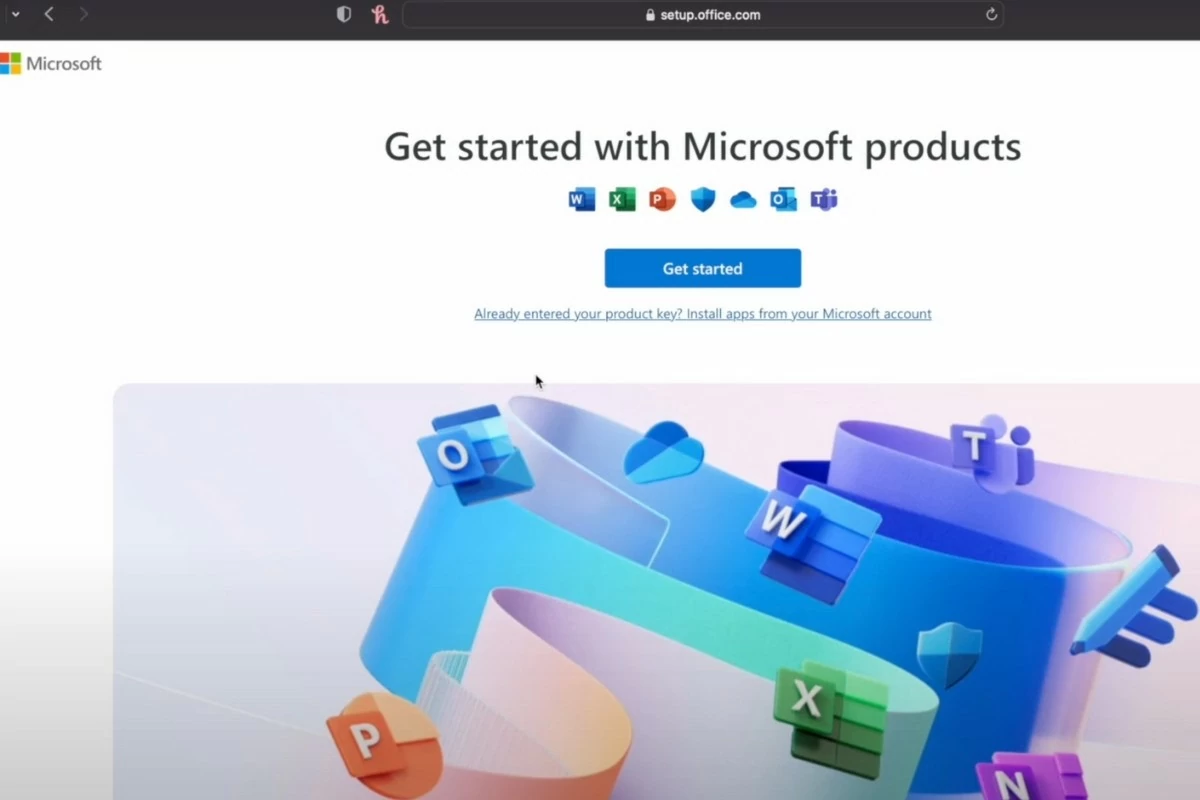
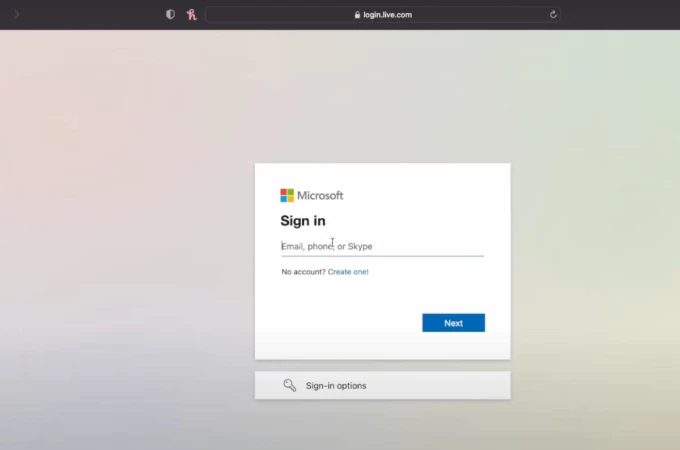
Step 3: Go to setup.office.com, click Sign in, and log in to your Microsoft account. Then, enter the code sent to your email.
 |
 |
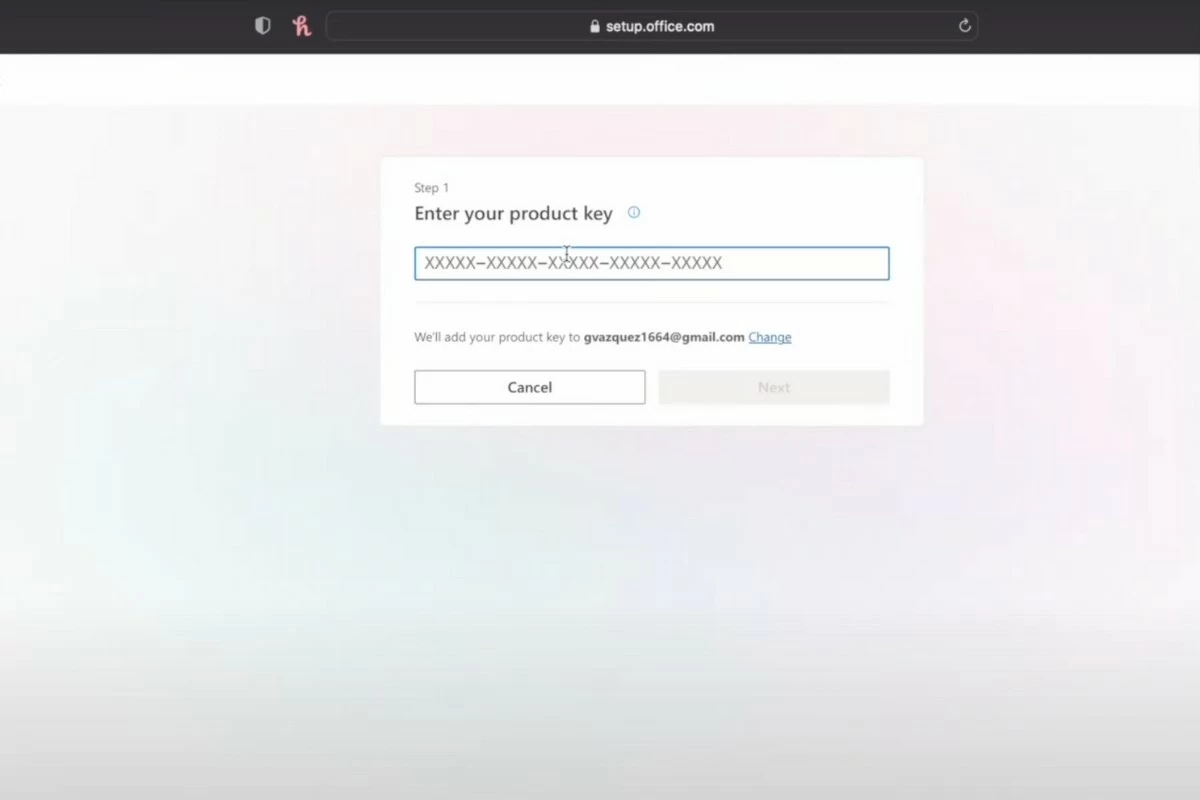
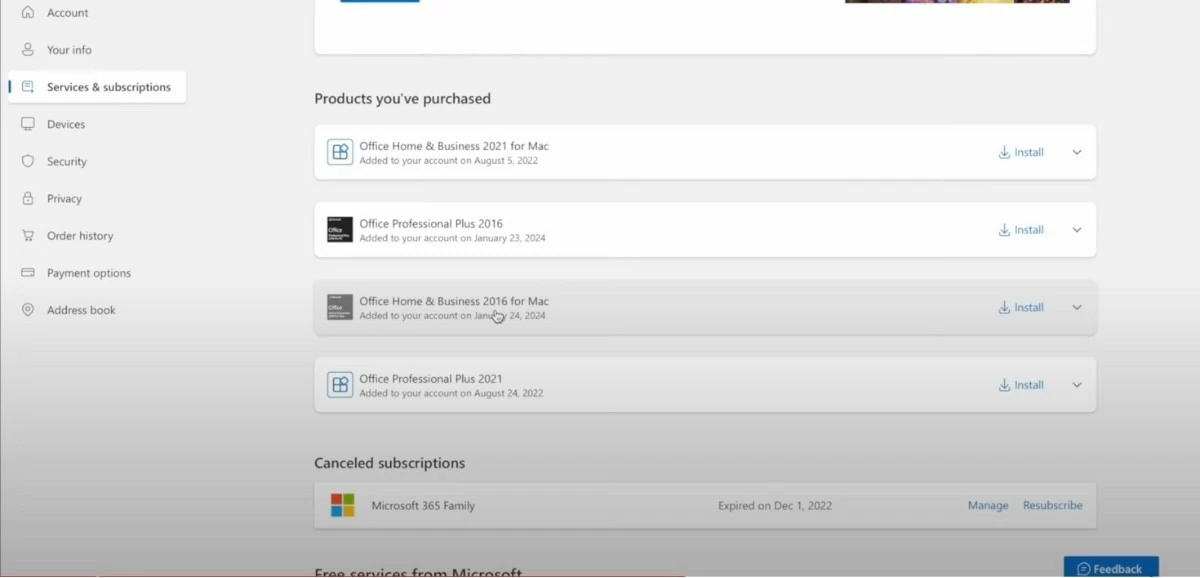
Step 4: Enter the product key. The system will verify it and redirect you to the service and registration page, where you can view your purchased applications.
 |
Step 5: In the Office Home & Business 2016 for Mac section, click the Download button, then select Install. The file will be downloaded as a .pkg file.
 |
Instructions on how to install Office on a Macbook
Step 1: After the download is complete, double-click the file to begin the installation.
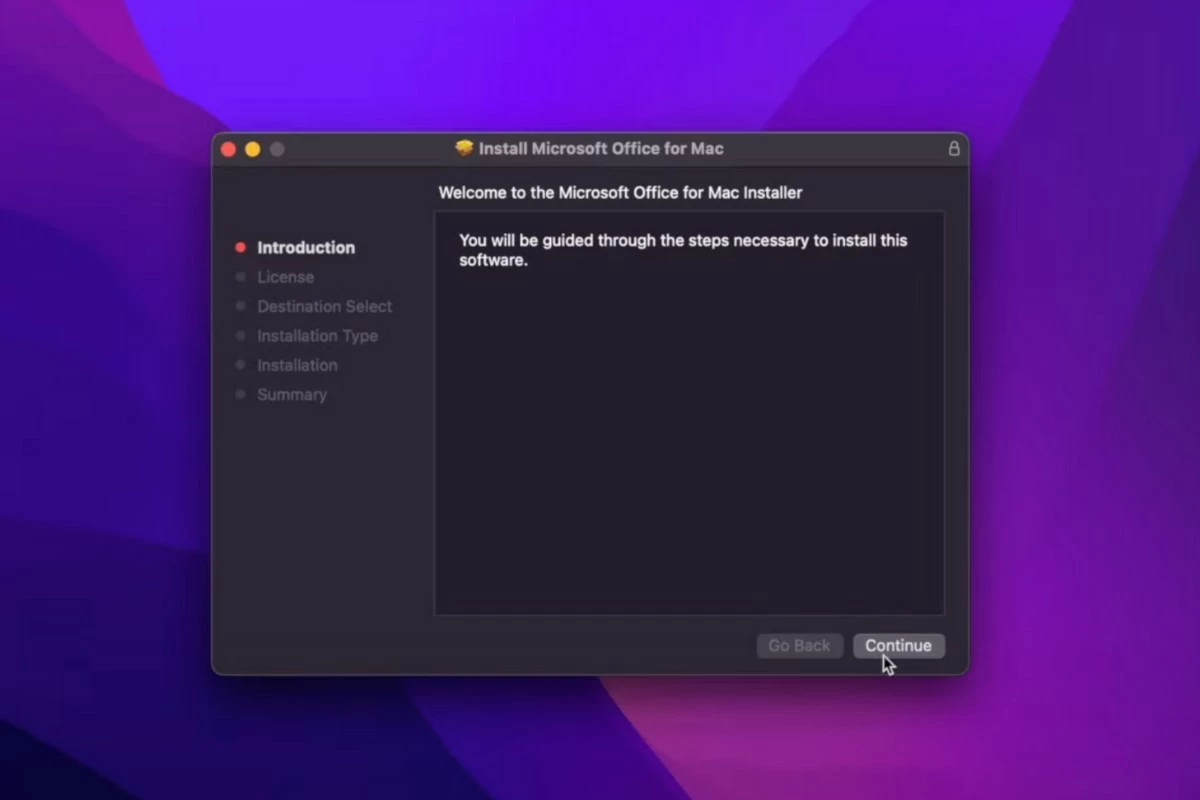 |
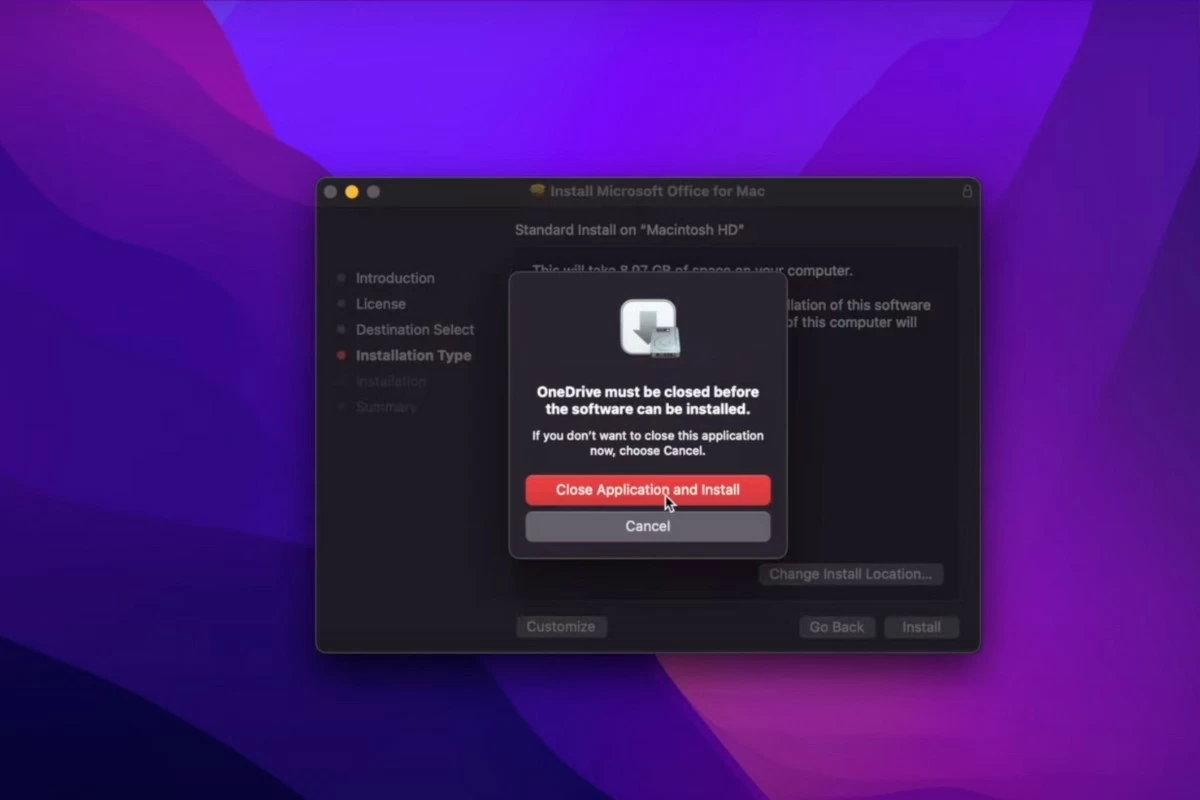
Step 2: Click Continue to proceed, then select Agree. Next, click Install and select Close Application and Install to begin the installation.
 |
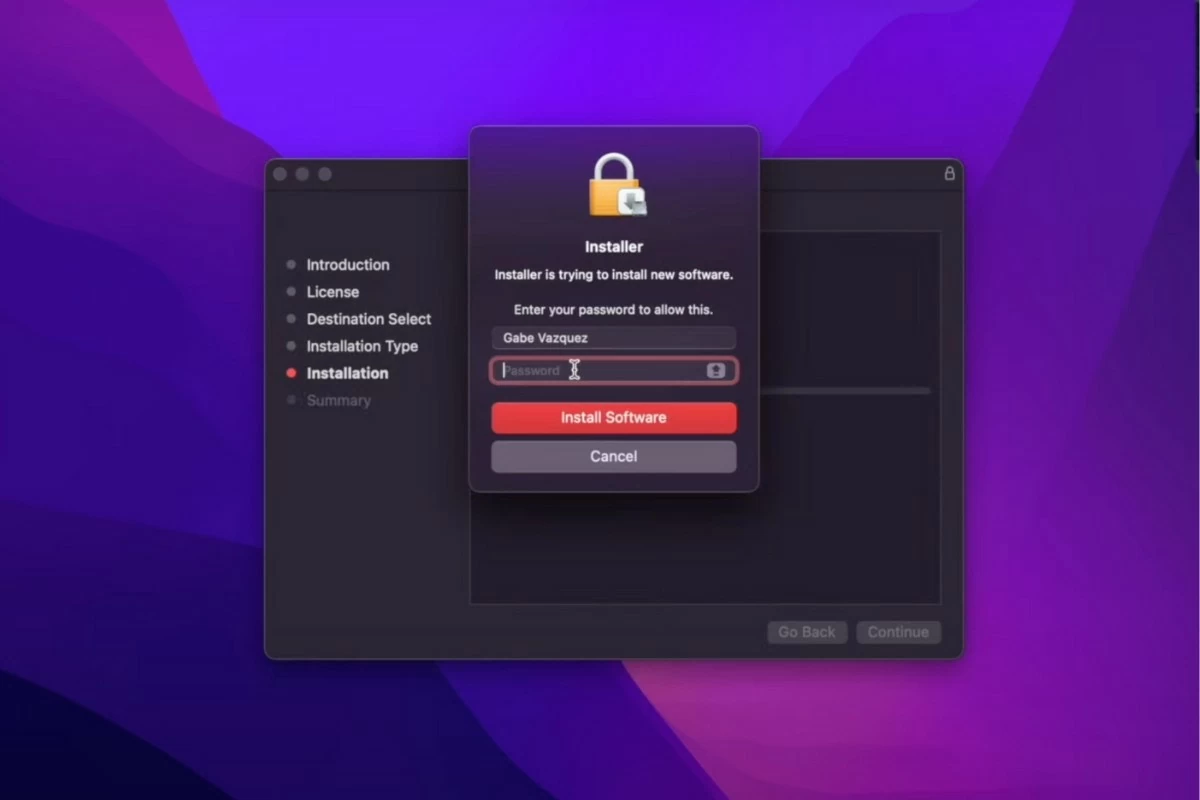
Step 3: The screen will ask you to enter your password. Simply enter the password you use to log in to your computer.
 |
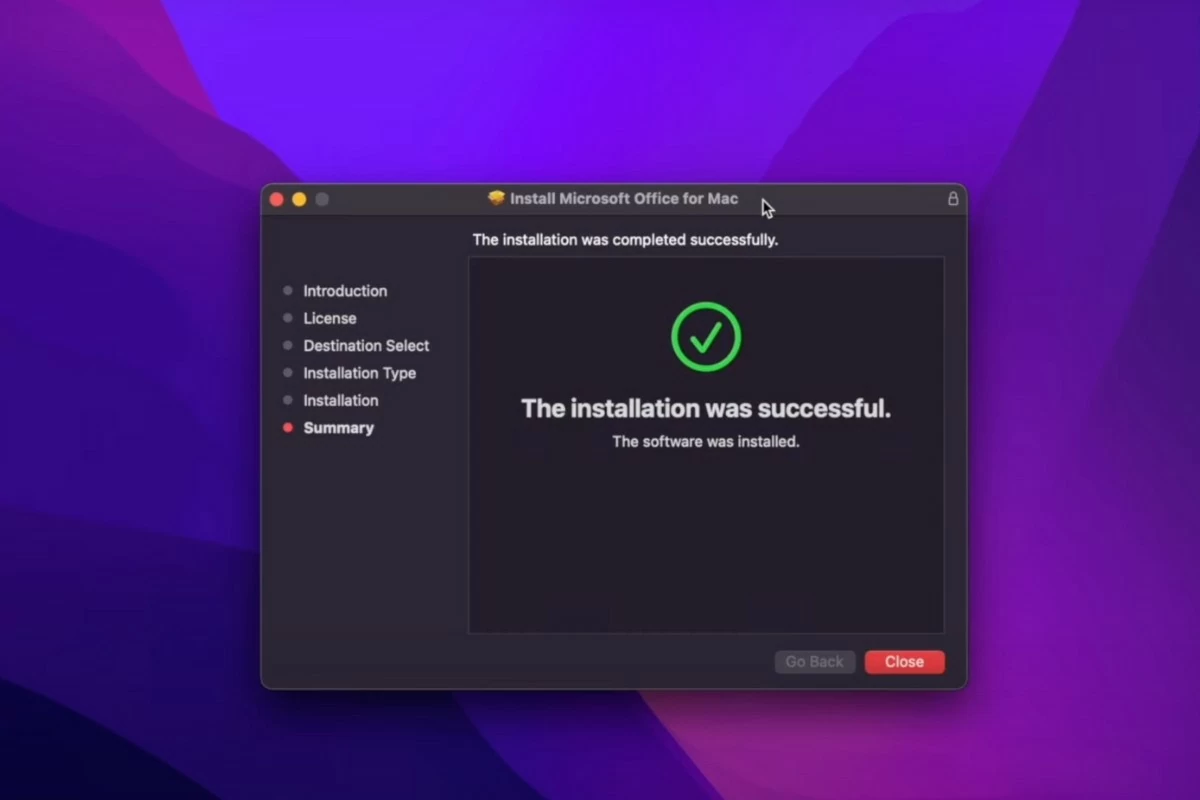
Step 4: Next, wait for the installation process to complete. When finished, the screen will display the message "The installation was successful."
 |
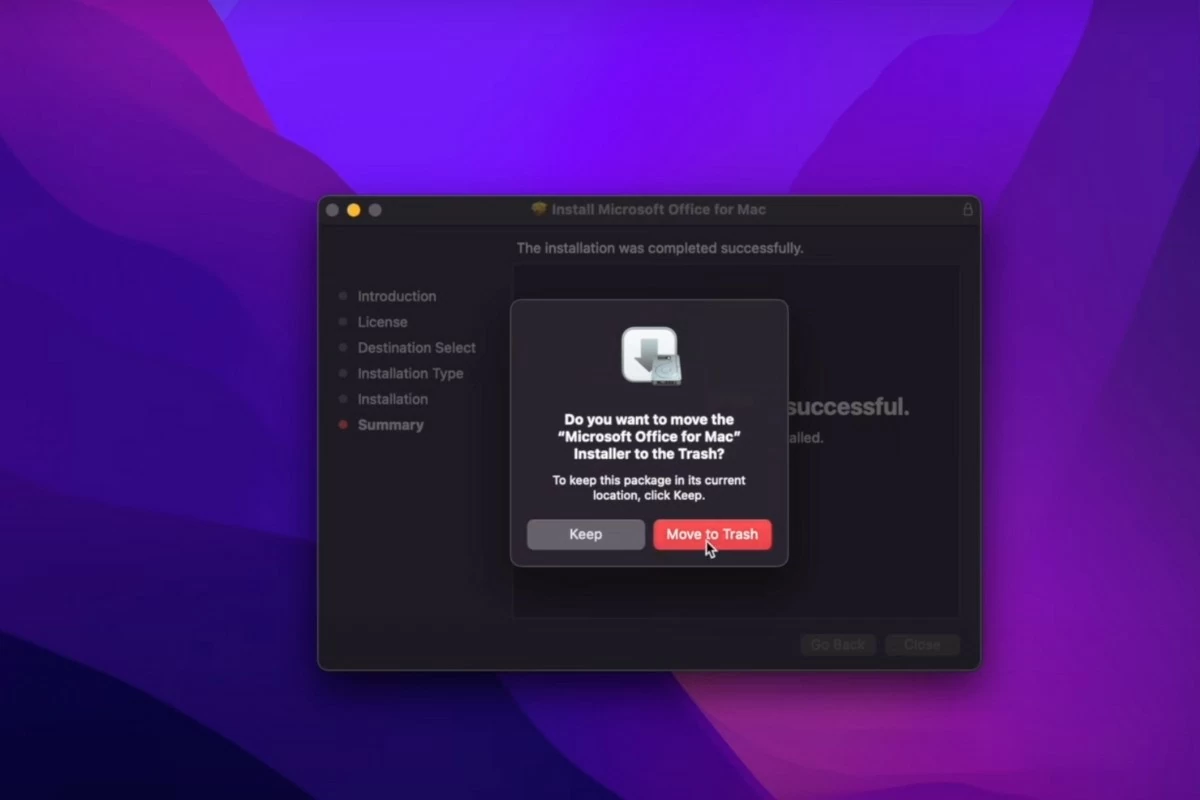
Step 5: Click Close, then select Move to Trash.
 |
Step 6: Open Finder and select Applications. Scroll down to find the Microsoft Office applications.
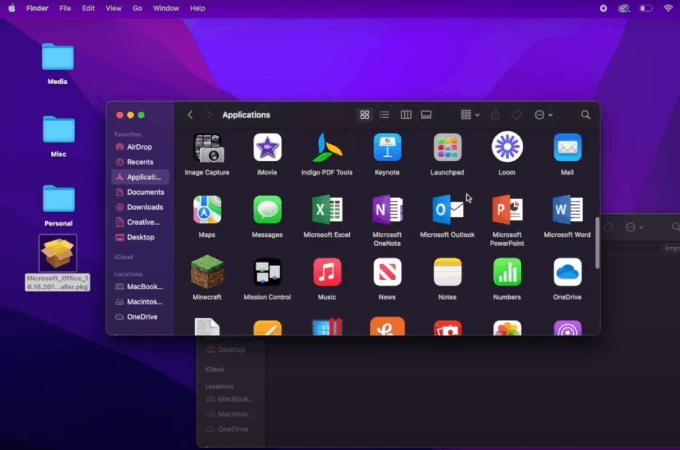 |
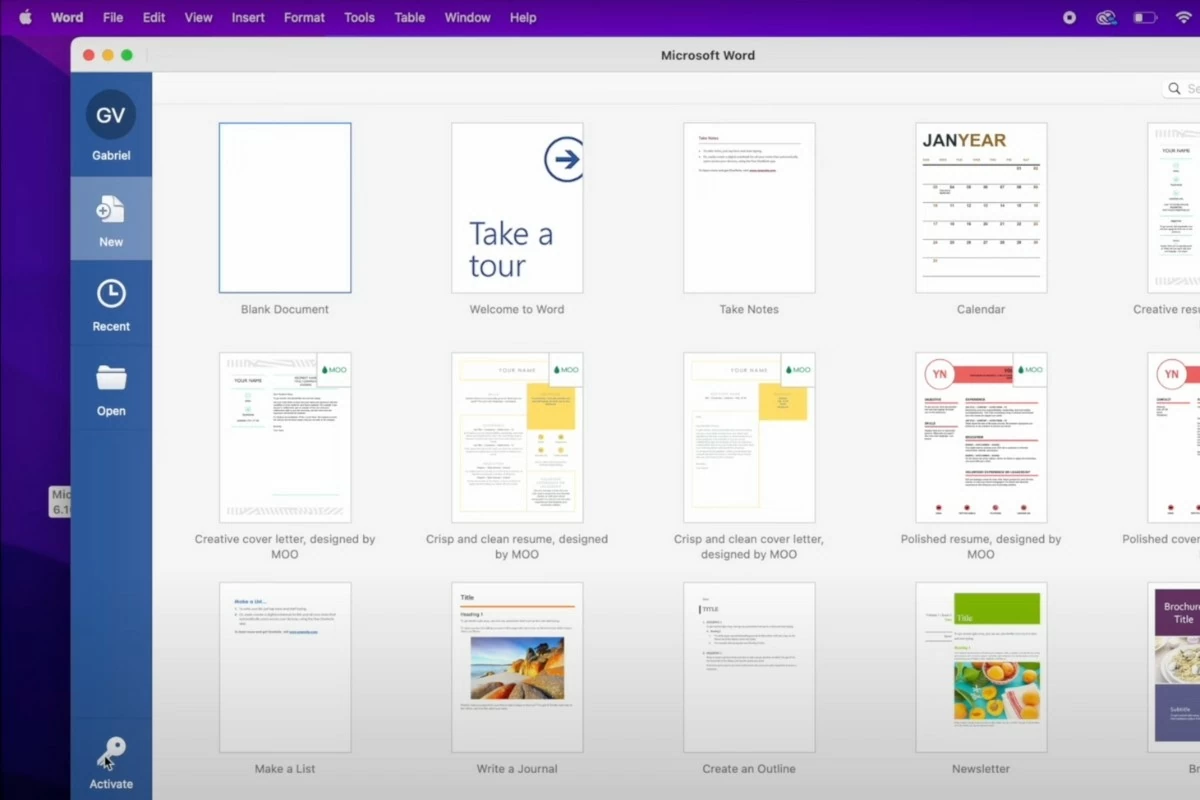
Step 7: Open Word and click the key icon in the bottom left corner of the screen to activate it. You will need to log in to your account again. Enter the code sent to your email and click Sign in.
 |
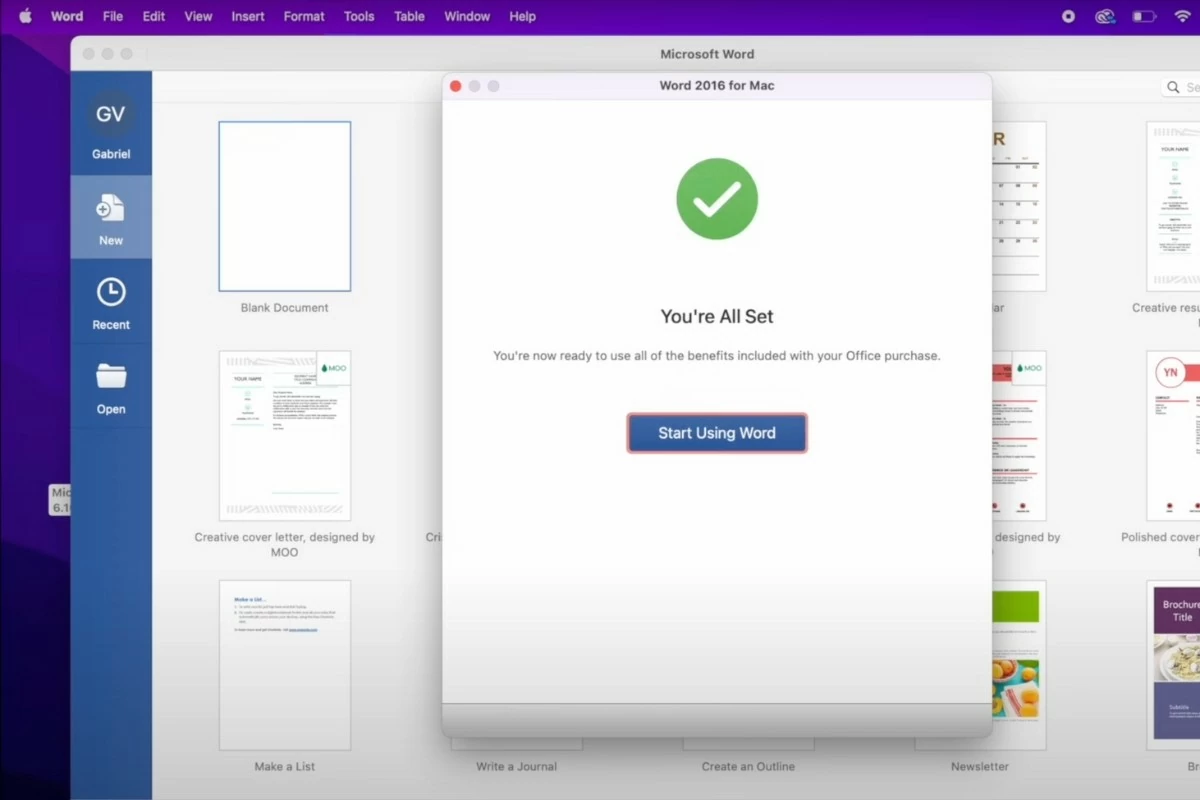
Step 8: After activation, Word will be ready to use immediately. Other applications in Office will also be activated without any further steps.
 |
Above is a guide on how to quickly install free Office on your MacBook. Hopefully, this article will help you successfully download Office for your work and studies. Don't forget to follow us regularly for the latest and most interesting technology news!
Source: https://baoquocte.vn/cach-cai-office-บน-macbook-ban-quyen-2024-don-gian-va-thu-vi-287620.html

![[Photo] Prime Minister Pham Minh Chinh receives the Governor of Tochigi Province (Japan)](/_next/image?url=https%3A%2F%2Fvphoto.vietnam.vn%2Fthumb%2F1200x675%2Fvietnam%2Fresource%2FIMAGE%2F2025%2F12%2F16%2F1765892133176_dsc-8082-6425-jpg.webp&w=3840&q=75)
![[Live] 2025 Community Action Awards Gala](/_next/image?url=https%3A%2F%2Fvphoto.vietnam.vn%2Fthumb%2F1200x675%2Fvietnam%2Fresource%2FIMAGE%2F2025%2F12%2F16%2F1765899631650_ndo_tr_z7334013144784-9f9fe10a6d63584c85aff40f2957c250-jpg.webp&w=3840&q=75)
![[Photo] Prime Minister Pham Minh Chinh receives Lao Minister of Education and Sports Thongsalith Mangnormek](/_next/image?url=https%3A%2F%2Fvphoto.vietnam.vn%2Fthumb%2F1200x675%2Fvietnam%2Fresource%2FIMAGE%2F2025%2F12%2F16%2F1765876834721_dsc-7519-jpg.webp&w=3840&q=75)

![[Image] Leaked images ahead of the 2025 Community Action Awards gala.](/_next/image?url=https%3A%2F%2Fvphoto.vietnam.vn%2Fthumb%2F1200x675%2Fvietnam%2Fresource%2FIMAGE%2F2025%2F12%2F16%2F1765882828720_ndo_br_thiet-ke-chua-co-ten-45-png.webp&w=3840&q=75)
































































![[Photo] Prime Minister Pham Minh Chinh attends the Vietnam Economic Forum 2025](https://vphoto.vietnam.vn/thumb/402x226/vietnam/resource/IMAGE/2025/12/16/1765893035503_ndo_br_dsc-8043-jpg.webp)


































Comment (0)