

Nowadays, many households have switched to using smart cameras to ensure the security of their homes, children, and property while they are at work or traveling . But like most other devices, smart cameras can still be hacked.
However, hacking security cameras is not something just anyone can do; it requires experts with knowledge of network security cameras. And attacking cameras remotely requires a lot of effort.
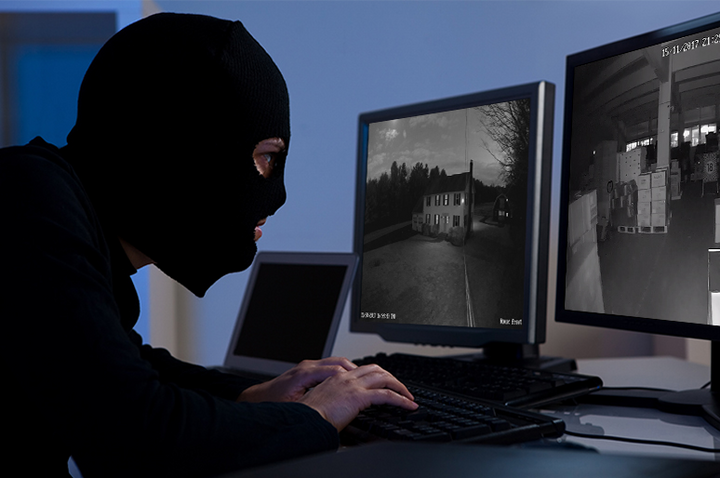
Here are 7 ways to tell if your home security camera has been hacked. (Illustrative image)
In addition, several other user-related factors can make home security cameras vulnerable to attacks, such as: not changing the default password, installing the camera in a location that is too low for easy tampering, granting full management control of the camera to multiple people (camera technicians, network providers, etc.), logging into the camera account on a device other than the user's own, etc.
Users can minimize the risk of being attacked by changing their access passwords regularly. If the default password provided by the installer is not changed, attackers can easily guess the password and gain access to your home camera system.
How to recognize if your surveillance camera has been hacked.
Here are 7 ways to tell if your home security camera has been hacked:
Unusual noises coming from the camera.
One of the signs that your surveillance camera has been compromised or attacked is when strange voices or unusual noises emanate from the camera. Hackers or cybercriminals may be watching and recording your activities, and they may have inadvertently leaked audio through the camera's two-way audio feature.
The camera angle has changed.
Does your surveillance camera have a software-based adjustable angle setting? Does it automatically rotate to different positions in your home without your prior settings? It's highly likely that hackers are controlling the camera to gather information inside your home.
The LED light on the camera is blinking.
If you're using a camera in your security system, check it. Whenever you see the LED light flashing, it means hackers are trying to access your home camera.
The LED lights on the camera serve to indicate the camera's status (operating, settings being changed, data being downloaded, software update, etc.). Therefore, if there is any tampering, these lights will flash as an alarm. You can pay attention to this situation to easily identify whether the camera has been attacked.
The camera turns on automatically after it has been turned off.
Even though you've turned off all your security cameras, one of them automatically turns on and its LED light illuminates. This confirms that your security system has been hacked.
The camera settings have been changed.
Check the security settings on your camera. If you see that the alarm mode or other parameters have been changed, this could be due to hackers tampering with your system.
Unable to access the camera even after entering the correct password.
Suddenly, one day you are logged out of your camera account on the software and when you try to access it again, you can't, even though you've entered the correct information and security camera password. This indicates that a hacker has changed your camera password, preventing you from accessing your home camera system.
Mobile data traffic or network traffic is fluctuating erratically.
Another way to check if your security camera system is still secure is to monitor the internet traffic of the network the security cameras are using.
If you notice an unusual amount of traffic or a sudden surge in network usage, it could mean that hackers are infiltrating your camera system and trying to leak camera data, which explains the sudden spike in network data.
Khanh Son (Compiled)
Source



![[Photo] General Secretary and President To Lam meets with National Assembly delegates from ethnic minorities.](https://vphoto.vietnam.vn/thumb/1200x675/vietnam/resource/IMAGE/2026/04/20/1776696701056_a1-bnd-8331-3342-jpg.webp)
![[Image] National Assembly discusses the implementation of the socio-economic development plan.](https://vphoto.vietnam.vn/thumb/1200x675/vietnam/resource/IMAGE/2026/04/20/1776696707422_ndo_br_img-20260420-185419-jpg.webp)

































































































Comment (0)