

 |
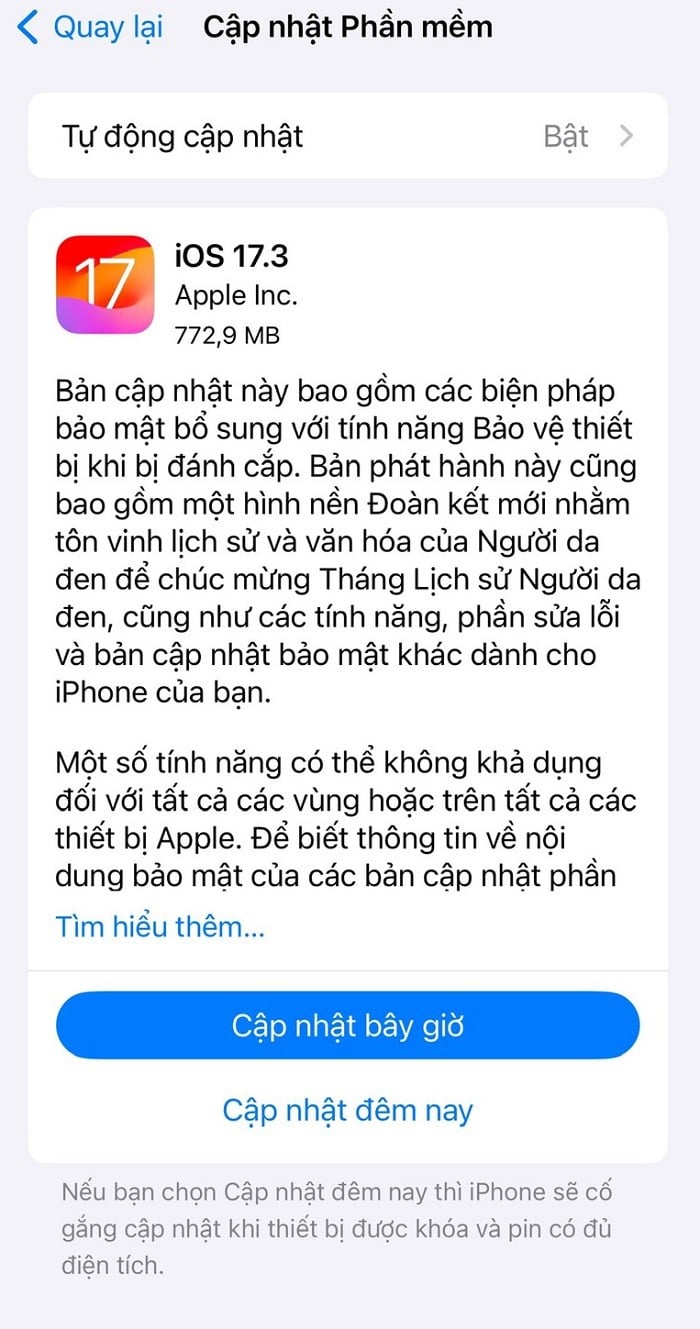
| iOS 17.3 includes many useful features integrated by Apple. |
The new security feature Apple integrated into iOS 17.3 will help prevent malicious actors from taking control of iPhones and accessing anything stored in iCloud, as well as other important accounts such as bank or email accounts. Instead of using a lock screen password for security, the stolen device protection feature will require Face ID or Touch ID to perform certain tasks.
Additionally, the security deferral feature requires Face ID or Touch ID to wait an hour, and then biometric authentication must be successful again before sensitive tasks such as changing the device passcode or Apple ID password can be performed.
According to Apple, iPhones only activate this security feature when users are away from "familiar locations like home or work." To enable iPhone theft protection, go to Settings, select Face ID and Passcode. From there, enter your device passcode and select Activate.
In addition to security features, the iOS 17.3 update also introduces several other features such as playlist collaboration, allowing you to invite your friends to join a playlist to add, sort, or delete songs; AirPlay support in hotels, allowing content to be streamed directly to the TV in your room at certain hotels; and collision optimization and detection.
To update your iPhone to iOS 17.3, go to Settings > General > Software Update and select Update Now or Update Tonight.
Source

![[Photo] Prime Minister Pham Minh Chinh receives Lao Minister of Education and Sports Thongsalith Mangnormek](/_next/image?url=https%3A%2F%2Fvphoto.vietnam.vn%2Fthumb%2F1200x675%2Fvietnam%2Fresource%2FIMAGE%2F2025%2F12%2F16%2F1765876834721_dsc-7519-jpg.webp&w=3840&q=75)
![[Image] Leaked images ahead of the 2025 Community Action Awards gala.](/_next/image?url=https%3A%2F%2Fvphoto.vietnam.vn%2Fthumb%2F1200x675%2Fvietnam%2Fresource%2FIMAGE%2F2025%2F12%2F16%2F1765882828720_ndo_br_thiet-ke-chua-co-ten-45-png.webp&w=3840&q=75)
![[Live] 2025 Community Action Awards Gala](/_next/image?url=https%3A%2F%2Fvphoto.vietnam.vn%2Fthumb%2F1200x675%2Fvietnam%2Fresource%2FIMAGE%2F2025%2F12%2F16%2F1765899631650_ndo_tr_z7334013144784-9f9fe10a6d63584c85aff40f2957c250-jpg.webp&w=3840&q=75)

![[Photo] Prime Minister Pham Minh Chinh receives the Governor of Tochigi Province (Japan)](/_next/image?url=https%3A%2F%2Fvphoto.vietnam.vn%2Fthumb%2F1200x675%2Fvietnam%2Fresource%2FIMAGE%2F2025%2F12%2F16%2F1765892133176_dsc-8082-6425-jpg.webp&w=3840&q=75)





















































![[Photo] Prime Minister Pham Minh Chinh attends the Vietnam Economic Forum 2025](https://vphoto.vietnam.vn/thumb/402x226/vietnam/resource/IMAGE/2025/12/16/1765893035503_ndo_br_dsc-8043-jpg.webp)

























Comment (0)