

When using mobile data, users typically use it for browsing Facebook or reading news, as using data for other purposes would consume a significant amount of space.
However, the emergence of games and other applications that use network data to connect to servers or perform other tasks causes a significant and difficult-to-control consumption of mobile data, leading to a rapid decrease in available data allowances.
This article will share with you the most effective ways to prevent Android apps from using your mobile data.

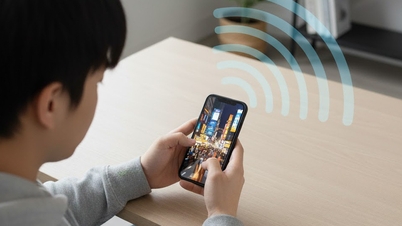
How to prevent Android apps from consuming excessive mobile data. (Illustrative image)
Typically, users delete apps or software that drain their device's battery quickly and consume excessive data. However, this method isn't the most effective way to remove software from your device.
With just a few simple taps on the screen, you can prevent background apps from using mobile data on your device.
First, go to "Settings" and select "Mobile Data". There you will see a list of applications that consume your mobile data, showing how many MB each application uses. Now, simply tap on the applications you want to prevent from using mobile internet in the background.
However, there are some things to keep in mind, such as notifications from Facebook or Messenger, which may not be effective when limiting mobile data. With the methods described above for preventing Android apps from using mobile data, you can completely control your mobile data usage.
Khanh Son (Compiled)
Source

![[Image] The tenacious fighting spirit of Vietnamese women's football](/_next/image?url=https%3A%2F%2Fvphoto.vietnam.vn%2Fthumb%2F1200x675%2Fvietnam%2Fresource%2FIMAGE%2F2025%2F12%2F17%2F1765990260956_ndo_br_4224760955870434771-copy-jpg.webp&w=3840&q=75)

![[Live] 2025 Community Action Awards Gala](/_next/image?url=https%3A%2F%2Fvphoto.vietnam.vn%2Fthumb%2F1200x675%2Fvietnam%2Fresource%2FIMAGE%2F2025%2F12%2F16%2F1765899631650_ndo_tr_z7334013144784-9f9fe10a6d63584c85aff40f2957c250-jpg.webp&w=3840&q=75)
![[Photo] Prime Minister Pham Minh Chinh receives the Governor of Tochigi Province (Japan)](/_next/image?url=https%3A%2F%2Fvphoto.vietnam.vn%2Fthumb%2F1200x675%2Fvietnam%2Fresource%2FIMAGE%2F2025%2F12%2F16%2F1765892133176_dsc-8082-6425-jpg.webp&w=3840&q=75)

















































































Comment (0)