

 |
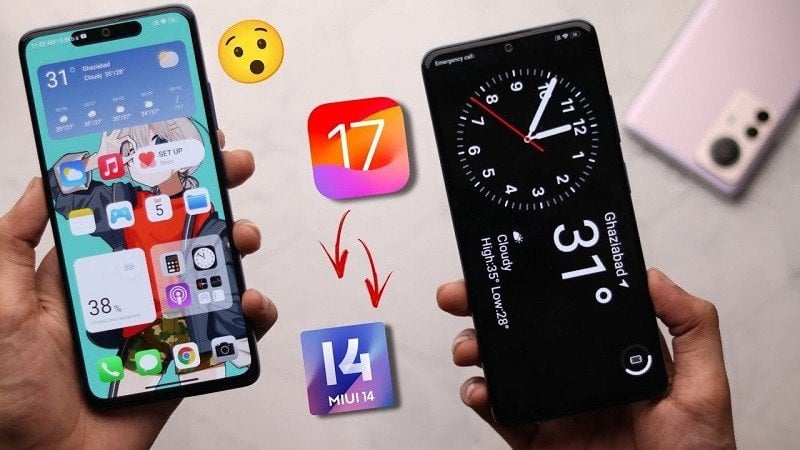
To use the iOS 17 interface on your Xiaomi device, follow these steps:
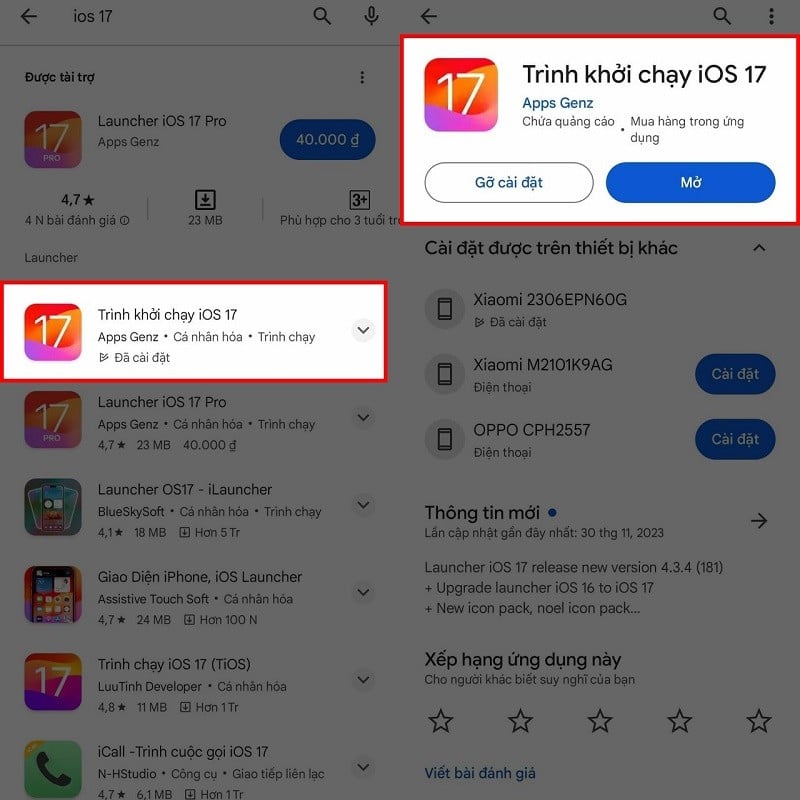
Step 1: To use the iOS 17 interface on Xiaomi phones, we will use a third-party launcher. You can access the Google Play Store, search for "iOS 17 Launcher," and download it.
 |
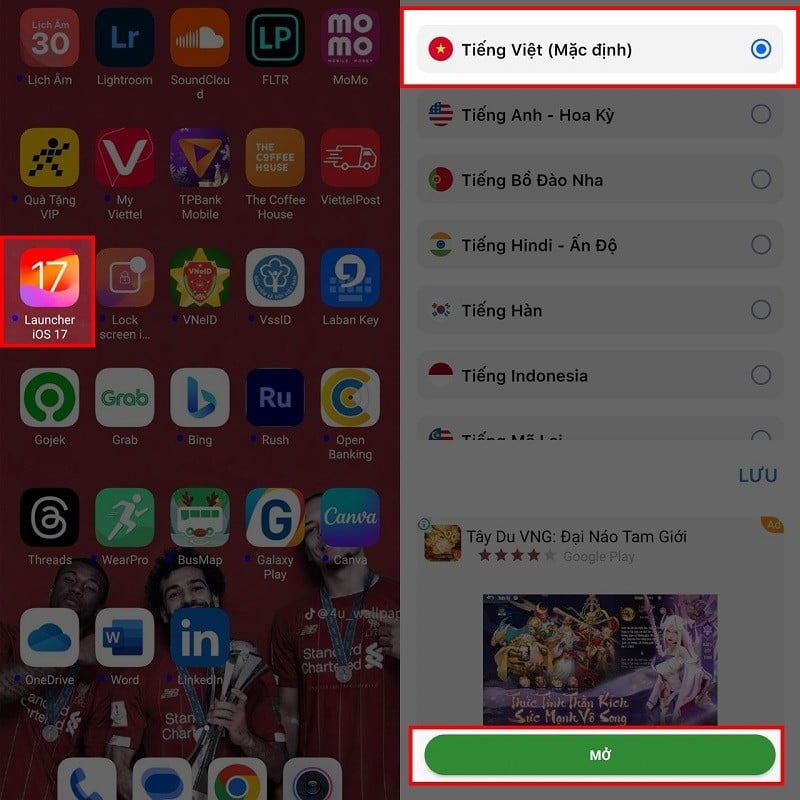
Step 2: After successfully downloading, open the launcher. The launcher icon will look similar to the image below. Open it, select your desired language, and wait a moment for the launcher to download. Once the download is complete, you can experience the iOS 17 interface on your Xiaomi device.
 |
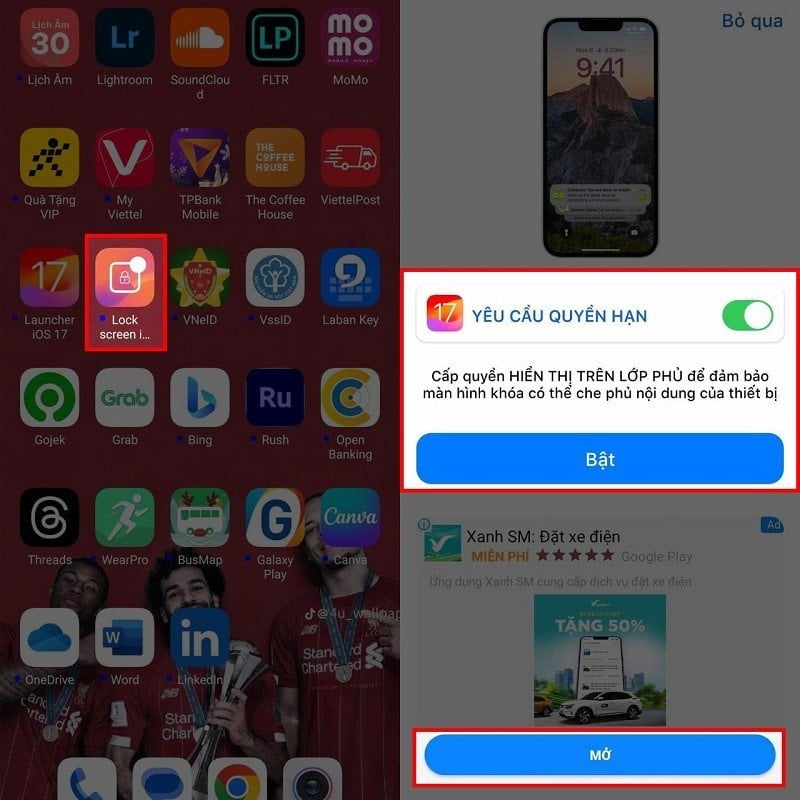
Step 3: Additionally, there's an iOS 17 Lock Screen app that will automatically change your phone's lock screen to the iOS 17 lock screen. If you want to use it, open it, grant the app access permissions, and then activate it to use it.
 |
Above is a guide on how to use the iOS 17 interface on Xiaomi. We hope you successfully implement it and enjoy a new and unique interface.
Source

![[Photo] Prime Minister Pham Minh Chinh receives Lao Minister of Education and Sports Thongsalith Mangnormek](/_next/image?url=https%3A%2F%2Fvphoto.vietnam.vn%2Fthumb%2F1200x675%2Fvietnam%2Fresource%2FIMAGE%2F2025%2F12%2F16%2F1765876834721_dsc-7519-jpg.webp&w=3840&q=75)

![[Photo] Prime Minister Pham Minh Chinh receives the Governor of Tochigi Province (Japan)](/_next/image?url=https%3A%2F%2Fvphoto.vietnam.vn%2Fthumb%2F1200x675%2Fvietnam%2Fresource%2FIMAGE%2F2025%2F12%2F16%2F1765892133176_dsc-8082-6425-jpg.webp&w=3840&q=75)
![[Live] 2025 Community Action Awards Gala](/_next/image?url=https%3A%2F%2Fvphoto.vietnam.vn%2Fthumb%2F1200x675%2Fvietnam%2Fresource%2FIMAGE%2F2025%2F12%2F16%2F1765899631650_ndo_tr_z7334013144784-9f9fe10a6d63584c85aff40f2957c250-jpg.webp&w=3840&q=75)
![[Image] Leaked images ahead of the 2025 Community Action Awards gala.](/_next/image?url=https%3A%2F%2Fvphoto.vietnam.vn%2Fthumb%2F1200x675%2Fvietnam%2Fresource%2FIMAGE%2F2025%2F12%2F16%2F1765882828720_ndo_br_thiet-ke-chua-co-ten-45-png.webp&w=3840&q=75)





































![[Photo] Prime Minister Pham Minh Chinh attends the Vietnam Economic Forum 2025](https://vphoto.vietnam.vn/thumb/402x226/vietnam/resource/IMAGE/2025/12/16/1765893035503_ndo_br_dsc-8043-jpg.webp)


















Comment (0)