

Microsoft's decision marks a significant turning point in the development of Windows. While many long-time users may feel disappointed, this is a necessary change to bring a better and more modern user experience to the Windows operating system.
First introduced in 1985 with Windows 1.0, the Control Panel has accompanied Windows users through many generations of the operating system. It's where most system settings are located, from basic customizations to advanced configurations.
However, with the development of Windows, Microsoft gradually moved features from the Control Panel to the Settings app, providing a more modern and user-friendly experience. Settings is designed to be easier to use, especially on touch devices, and provides a unified interface for managing system settings.
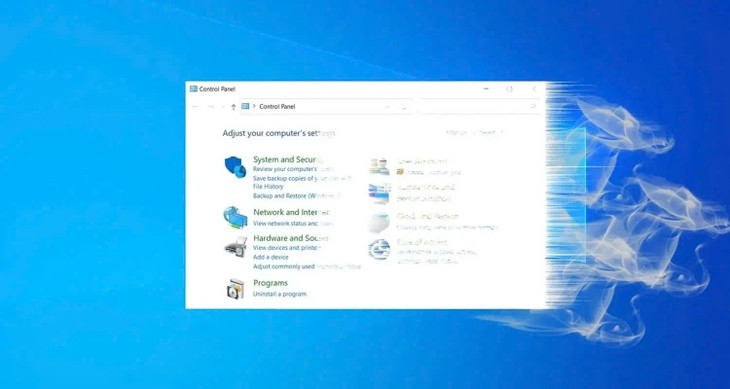 |
Why did Microsoft remove the Control Panel from Windows after more than 30 years? (Illustrative image) |
One of the main reasons Microsoft stopped supporting the Control Panel was to switch to a more modern interface. Settings was first introduced in Windows 8 and continued to be improved in Windows 10 and Windows 11. With its user-friendly interface, Settings provides a better user experience, integrating new features such as Microsoft account management, security, and smart device-related settings.
The Control Panel, over three decades old, has become outdated in meeting the security and performance requirements of modern operating systems. Integrating all settings into a single application like Settings not only optimizes performance but also enhances security, minimizing the risk of malware attacks.
Microsoft has been very careful in implementing the transition. Instead of removing features immediately, they chose to move them gradually, allowing users time to get used to them, minimizing unnecessary difficulties, and ensuring that important features are available before the Control Panel is completely removed.
Source: https://khoahocdoisong.vn/vi-sao-microsoft-xoa-so-control-panel-trong-windows-sau-hon-30-nam-post245900.html
![[Photo] Prime Minister Pham Minh Chinh receives Lao Minister of Education and Sports Thongsalith Mangnormek](/_next/image?url=https%3A%2F%2Fvphoto.vietnam.vn%2Fthumb%2F1200x675%2Fvietnam%2Fresource%2FIMAGE%2F2025%2F12%2F16%2F1765876834721_dsc-7519-jpg.webp&w=3840&q=75)
![[Live] 2025 Community Action Awards Gala](/_next/image?url=https%3A%2F%2Fvphoto.vietnam.vn%2Fthumb%2F1200x675%2Fvietnam%2Fresource%2FIMAGE%2F2025%2F12%2F16%2F1765899631650_ndo_tr_z7334013144784-9f9fe10a6d63584c85aff40f2957c250-jpg.webp&w=3840&q=75)
![[Image] Leaked images ahead of the 2025 Community Action Awards gala.](/_next/image?url=https%3A%2F%2Fvphoto.vietnam.vn%2Fthumb%2F1200x675%2Fvietnam%2Fresource%2FIMAGE%2F2025%2F12%2F16%2F1765882828720_ndo_br_thiet-ke-chua-co-ten-45-png.webp&w=3840&q=75)


![[Photo] Prime Minister Pham Minh Chinh receives the Governor of Tochigi Province (Japan)](/_next/image?url=https%3A%2F%2Fvphoto.vietnam.vn%2Fthumb%2F1200x675%2Fvietnam%2Fresource%2FIMAGE%2F2025%2F12%2F16%2F1765892133176_dsc-8082-6425-jpg.webp&w=3840&q=75)























































Comment (0)