

You've probably often encountered situations where you open many work tabs at once, sometimes leading to your computer freezing. In fact, this significantly impacts battery life, and some browsers are now working to integrate intelligent management and optimization features to ensure a smooth experience and reduce battery strain for users.
The following web browsers are rated as consuming the least energy, extending your laptop's battery life. (These ratings are for reference only, as they may vary depending on device condition and other factors.)
1. Microsoft Edge
Microsoft Edge has seen significant improvements since switching to the Chromium platform, demonstrating impressive battery saving capabilities. Edge is optimized for the Windows operating system, significantly reducing energy consumption compared to other browsers. According to some recent tests, Edge can extend battery life by 30 minutes to 1 hour compared to Google Chrome, especially when watching online videos or running multiple tabs simultaneously.

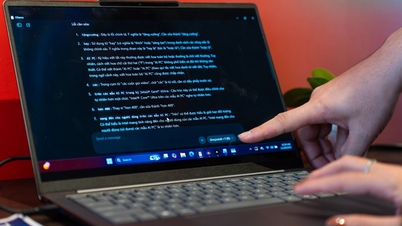
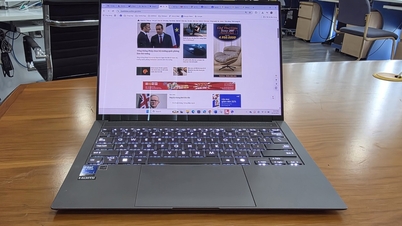
The web browser that consumes the least laptop battery power currently available. (Illustrative image)
2. Firefox
Firefox has always been known for its security and high level of customization. Over the past few years, Mozilla has focused on optimizing Firefox's performance and energy efficiency. The browser incorporates several modern technologies to reduce battery consumption, such as "Enhanced Tracking Protection," which reduces CPU load and therefore saves energy.
3. Opera
Opera is a name that cannot be overlooked when it comes to battery-saving browsers. With its built-in "Battery Saver" mode, Opera effectively extends laptop battery life. This mode reduces background activity, optimizes refresh rates, and minimizes unnecessary resource usage, thereby prolonging battery life.
4. Brave
Brave is a relatively new browser but has received a lot of attention for its ad-blocking and security features. Thanks to its default ad and tracking blocking, Brave consumes fewer resources, resulting in significant energy savings. The browser has a similar interface to Chrome but is lighter, making it ideal for those who frequently browse the web on laptops without a charger nearby.
5. Safari
If you use a MacBook, Safari is definitely the top choice. Optimized for macOS, Safari not only runs smoothly but also consumes less power than its competitors. Apple regularly updates Safari to improve performance and battery life, especially when watching online videos and using demanding graphics.
Source

![[Photo] Prime Minister Pham Minh Chinh receives Lao Minister of Education and Sports Thongsalith Mangnormek](/_next/image?url=https%3A%2F%2Fvphoto.vietnam.vn%2Fthumb%2F1200x675%2Fvietnam%2Fresource%2FIMAGE%2F2025%2F12%2F16%2F1765876834721_dsc-7519-jpg.webp&w=3840&q=75)
![[Photo] Prime Minister Pham Minh Chinh receives the Governor of Tochigi Province (Japan)](/_next/image?url=https%3A%2F%2Fvphoto.vietnam.vn%2Fthumb%2F1200x675%2Fvietnam%2Fresource%2FIMAGE%2F2025%2F12%2F16%2F1765892133176_dsc-8082-6425-jpg.webp&w=3840&q=75)
![[Live] 2025 Community Action Awards Gala](/_next/image?url=https%3A%2F%2Fvphoto.vietnam.vn%2Fthumb%2F1200x675%2Fvietnam%2Fresource%2FIMAGE%2F2025%2F12%2F16%2F1765899631650_ndo_tr_z7334013144784-9f9fe10a6d63584c85aff40f2957c250-jpg.webp&w=3840&q=75)
![[Image] Leaked images ahead of the 2025 Community Action Awards gala.](/_next/image?url=https%3A%2F%2Fvphoto.vietnam.vn%2Fthumb%2F1200x675%2Fvietnam%2Fresource%2FIMAGE%2F2025%2F12%2F16%2F1765882828720_ndo_br_thiet-ke-chua-co-ten-45-png.webp&w=3840&q=75)



























































![[Photo] Prime Minister Pham Minh Chinh attends the Vietnam Economic Forum 2025](https://vphoto.vietnam.vn/thumb/402x226/vietnam/resource/IMAGE/2025/12/16/1765893035503_ndo_br_dsc-8043-jpg.webp)




































Comment (0)