

 |
To fix the issue of not being able to download videos from Google Photos, you can try one of the following methods.
1. Check memory access permissions.
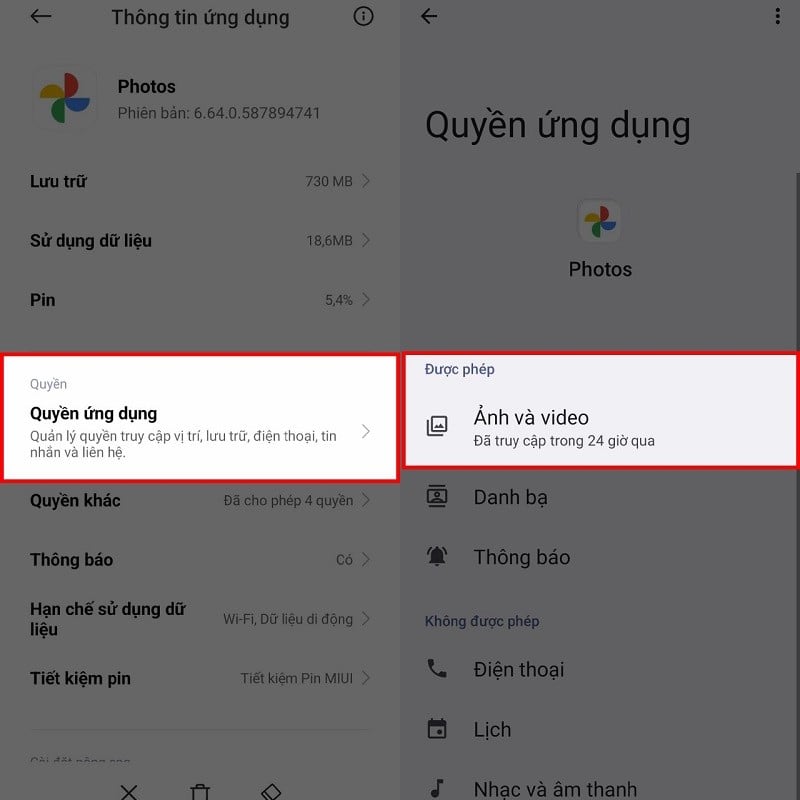
If you suddenly find yourself unable to download videos from Google Photos, it might be because you accidentally disabled access to your photos and videos during use. Therefore, open the app settings and find the App Permissions section. Check if access to photos and videos is granted. If not, grant it, and you should be able to download videos normally again.
 |
2. Clear the cache.
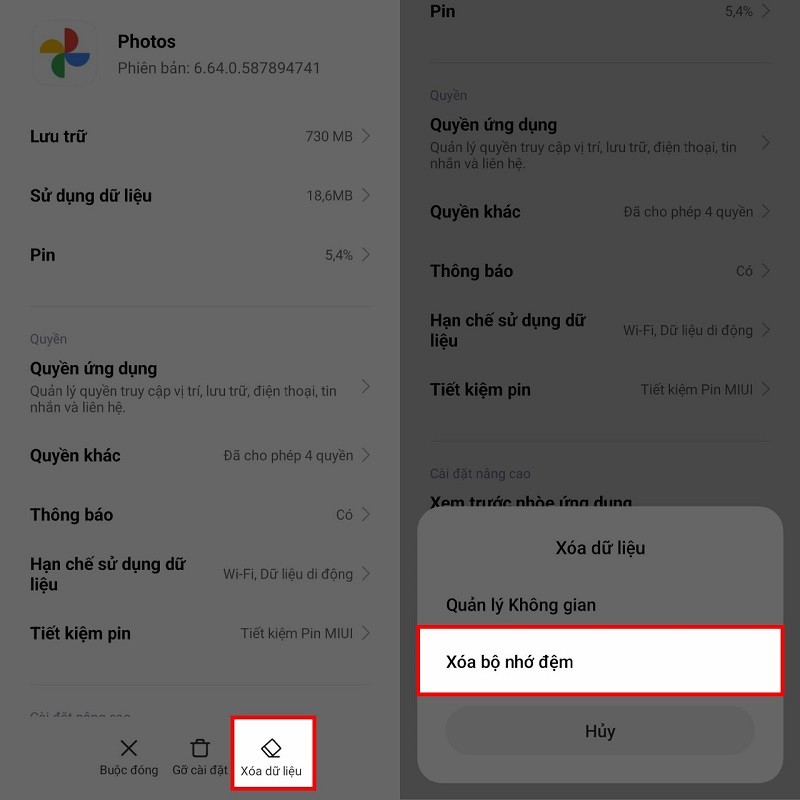
The next solution is to clear the cached data. Similar to other applications, Google Photos can encounter errors due to the amount of data generated during use. In the application's settings, tap the "Clear data" button. Then, select "Clear cache" to clear the application's cache and fix the error.
 |
3. Update the application
Another common reason for video download failure is that you haven't updated your app to the latest version in a long time. Please go to your phone's app store and update it to the newest version.
 |
Above are the steps to fix the issue of not being able to download videos from Google Photos on your phone. Thank you for watching.
Source


































































Comment (0)