

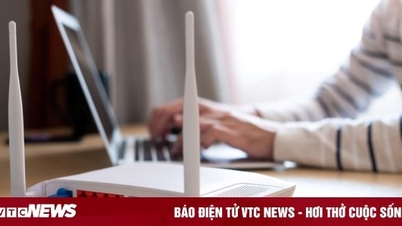
There are many ways to effectively and quickly boost your Wi-Fi signal. This article will introduce you to a very useful and simple method to easily improve your Wi-Fi signal.
Boost your WiFi signal using a beer can.
Many people find it strange to hear about using beer cans to boost Wi-Fi signals. However, this is extremely effective because all objects with metal surfaces directly affect Wi-Fi signals. To improve your Wi-Fi signal, you can create your own signal-directing dishes from beer or soda cans.
First, you'll need to prepare some tools such as scissors, empty beer or soda cans, a utility knife, and double-sided tape. Once you have the tools ready, you can begin the process.
Step 1: Remove the pull tab from the can, then thoroughly wash the can with water to remove any dirt or remaining water.
Step 2: Carefully use a craft knife to cut off the bottom of the can, avoiding crushing it. The bottom surface is completely removed.
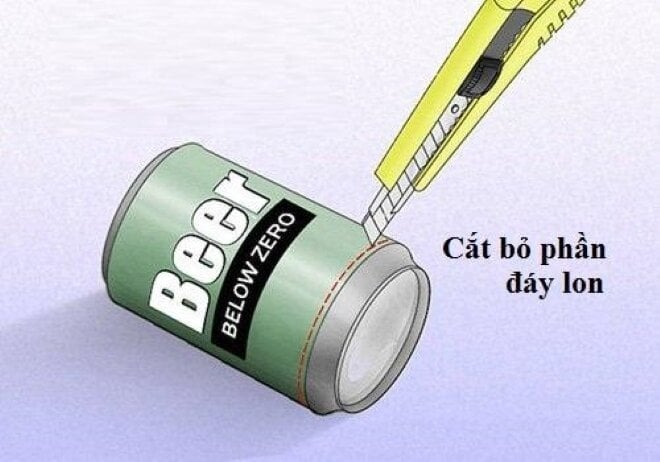
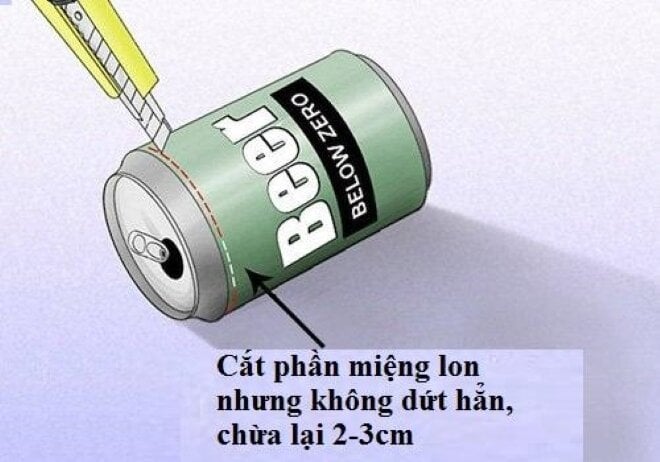
Step 3: Cut off the top and bottom of the can, but don't cut all the way through, leaving about 2 to 3 cm near the opening. (Don't cut through the can completely; the top should still be attached to the body of the can).
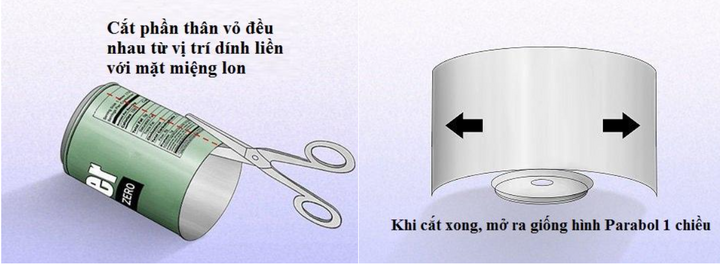
Step 4: Use scissors to cut the can in half lengthwise, at an equal distance from the point where it meets the can's mouth. Then, widen the can; you will see that it resembles a one-dimensional parabola.
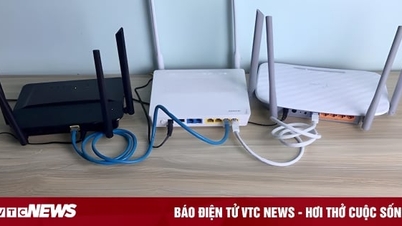
Step 5: Use double-sided tape to attach the can's opening to the Wi-Fi modem. Remember that the antenna will be placed inside the can's opening. Then, fix the parabolic antenna's orientation towards the direction where you want to broadcast the Wi-Fi signal.
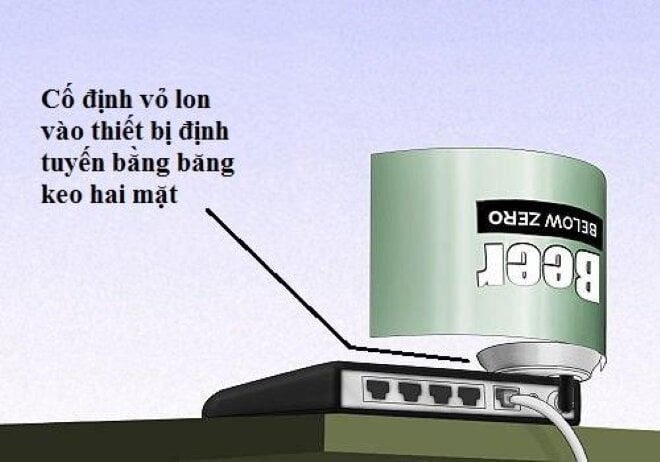
This is how you create a satellite dish similar to a parabolic antenna. This allows the Wi-Fi signal to quickly reach the desired location. This improves transmission speed and signal strength, resulting in a superior internet experience.
Note that for modems with two antennas, you should also create a homemade parabolic antenna to increase the signal direction and help the signal travel further.
Khanh Son (Compiled)
Source
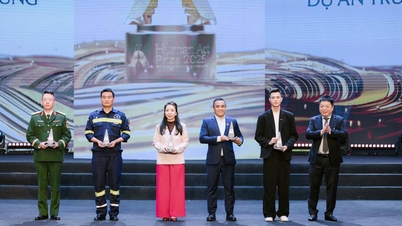
![[Image] Leaked images ahead of the 2025 Community Action Awards gala.](/_next/image?url=https%3A%2F%2Fvphoto.vietnam.vn%2Fthumb%2F1200x675%2Fvietnam%2Fresource%2FIMAGE%2F2025%2F12%2F16%2F1765882828720_ndo_br_thiet-ke-chua-co-ten-45-png.webp&w=3840&q=75)

![[Photo] Prime Minister Pham Minh Chinh receives Lao Minister of Education and Sports Thongsalith Mangnormek](/_next/image?url=https%3A%2F%2Fvphoto.vietnam.vn%2Fthumb%2F1200x675%2Fvietnam%2Fresource%2FIMAGE%2F2025%2F12%2F16%2F1765876834721_dsc-7519-jpg.webp&w=3840&q=75)
![[Photo] Prime Minister Pham Minh Chinh receives the Governor of Tochigi Province (Japan)](/_next/image?url=https%3A%2F%2Fvphoto.vietnam.vn%2Fthumb%2F1200x675%2Fvietnam%2Fresource%2FIMAGE%2F2025%2F12%2F16%2F1765892133176_dsc-8082-6425-jpg.webp&w=3840&q=75)

![[Live] 2025 Community Action Awards Gala](/_next/image?url=https%3A%2F%2Fvphoto.vietnam.vn%2Fthumb%2F1200x675%2Fvietnam%2Fresource%2FIMAGE%2F2025%2F12%2F16%2F1765899631650_ndo_tr_z7334013144784-9f9fe10a6d63584c85aff40f2957c250-jpg.webp&w=3840&q=75)





























































Comment (0)