

Immediately after iPhone 17 users updated to iOS 26, numerous reports emerged of issues related to Wi-Fi and CarPlay — affecting the user experience, especially when needing to connect to the internet or car.
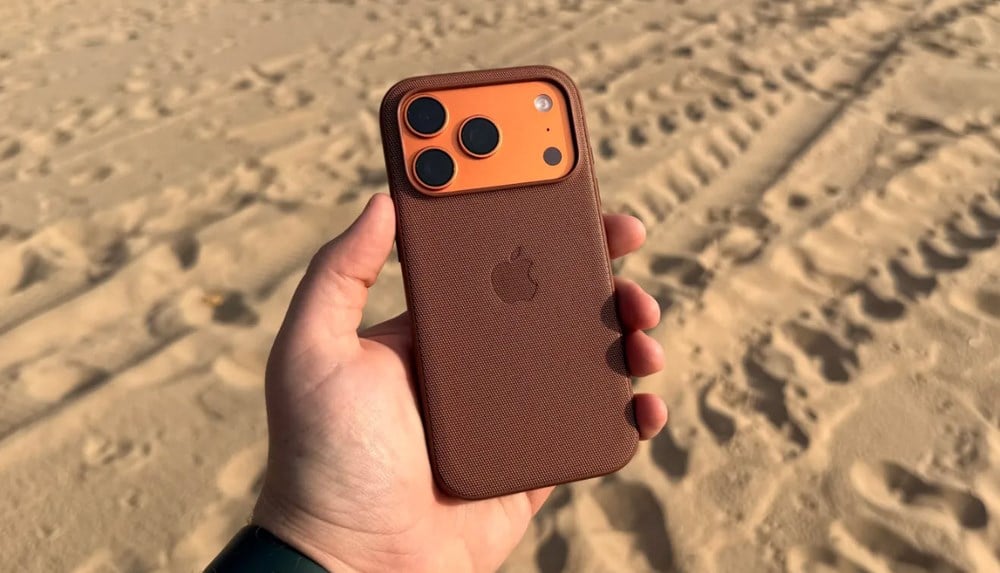
Unstable Wi-Fi and sudden connection loss.
One of the common issues reported by many iPhone 17 users is Wi-Fi disconnecting unexpectedly or experiencing intermittent connection problems. Specifically:
During use, some iPhone 17 devices have automatically dropped out of Wi-Fi networks, even with strong signals and no change in location.
Users tried turning Wi-Fi on and off, forgetting the network and reconnecting, and restarting the device multiple times, but the connection remained unstable.
This bug isn't common on other devices, so it might be related to compatibility issues between the iPhone 17 and iOS 26.
Unstable Wi-Fi significantly impacts users' ability to browse the web, watch videos , download apps, or use online services.
CarPlay is also affected — losing connection or not receiving a signal.
Along with the Wi-Fi issue, many users also complained that CarPlay on iPhone 17 was not working properly after updating to iOS 26:
When connecting an iPhone 17 to a car's CarPlay system — via USB-C cable or Bluetooth — CarPlay sometimes fails to launch or becomes "unresponsive".
In some cases, CarPlay works for a while and then suddenly stops, or the car's screen flashes, switching between the CarPlay interface and the default interface of the car's infotainment system.
In some cases, users are forced to unplug the cable, restart the iPhone, and reconnect CarPlay to get it working again.
The CarPlay bug causes significant inconvenience for users who frequently drive long distances or use CarPlay for navigation, music playback, and hands-free calling.
Underlying causes & temporary solutions
Possible causes
This is due to software compatibility between iOS 26 and the Wi-Fi/network chip/system processing logic of the iPhone 17.
As Apple adds new security features (like Stolen Device Protection) or expands software access, some network/communication related modules may be affected.
Software bug in iOS 26 — possibly lost in beta testing but still made it into the final version.
Temporary solution
Go to Settings → Wi-Fi: forget the network that failed and reconnect.
Restart your iPhone 17.
Go to Settings → General → Software Update to check for new patches; if available, update as soon as possible.
When using CarPlay, try unplugging and reconnecting the cable, and try using Bluetooth if it's supported.
If the bug is serious, temporarily avoid updating to iOS 26 until Apple releases a more stable fix.
Advice for those considering updating to iOS 26
If your iPhone 17 is working fine, consider waiting a few days to see feedback from other users before updating.
Back up your data before updating — if needed, you can restore to the previous version.
Watch for Apple's minor updates (e.g., iOS 26.0.1, 26.1) to receive patches to fix Wi-Fi/CarPlay bugs.
According to 9to5mac
Source: https://baovanhoa.vn/nhip-song-so/iphone-17-gap-loi-wifi-va-carplay-after-iOS-26-update-169932.html

























![[Video] The craft of making Dong Ho folk paintings has been inscribed by UNESCO on the List of Crafts in Need of Urgent Safeguarding.](https://vphoto.vietnam.vn/thumb/402x226/vietnam/resource/IMAGE/2025/12/10/1765350246533_tranh-dong-ho-734-jpg.webp)



































































Comment (0)