

 |
1. What is an electronic identity account?
An electronic identity account is a collection of username, password, or other authentication methods created by the Electronic Identification and Authentication System of the Ministry of Public Security, as stipulated in Clause 7, Article 2 of Decision 34/2021/QD-TTg.
2. Level of electronic identity verification
According to Article 5 of Decision 34/2021/QD-TTg, electronic identification accounts are classified into two levels as follows:
- Level 1: An account is created when the citizen's declared information has been automatically compared and matched with the information in the National Population Database.
An account is created when the foreigner's information has been compared and matched with the information in the National Database on Immigration, except for the portrait photo and fingerprints;
- Level 2: An account is created when the personal information declared has been verified using a portrait photo or fingerprint that matches the information in the National Population Database, the Citizen Identity Card Database, or the National Immigration Database.
Furthermore, the choice of using the level of electronic identity verification is at the discretion of the service user.
3. Register for an electronic identity account.
The registration of an electronic identity account is regulated in Article 6 of Decision 34/2021/QD-TTg as follows:
- Individuals aged 14 and above can register for an electronic identity account through the electronic identity application.
- Individuals under 14 years of age must register using the electronic identification account of their parent or guardian.
- For other ward-related individuals, registration should be done using the guardian's electronic identification account.
- The information that needs to be declared electronically when an individual registers for an electronic identity account includes:
+ Personal identification number; passport number or other valid international travel document (for foreigners);
+ Surname, middle name, and given name;
+ Date of birth (day, month, year);
+ Gender;
+ Nationality (for foreigners);
+ Phone number, email address;
+ In the case of registration for individuals under 14 years of age, individuals lacking legal capacity, or individuals with difficulties in understanding and controlling their behavior, additional information regarding the personal identification number; passport number or other valid international travel document must be provided;
Surname, middle name and given name; date of birth; gender; nationality (for foreigners);
4. How to register for an electronic identity account
4.1. Register for a Level 1 electronic identity verification account on the VNeID application.
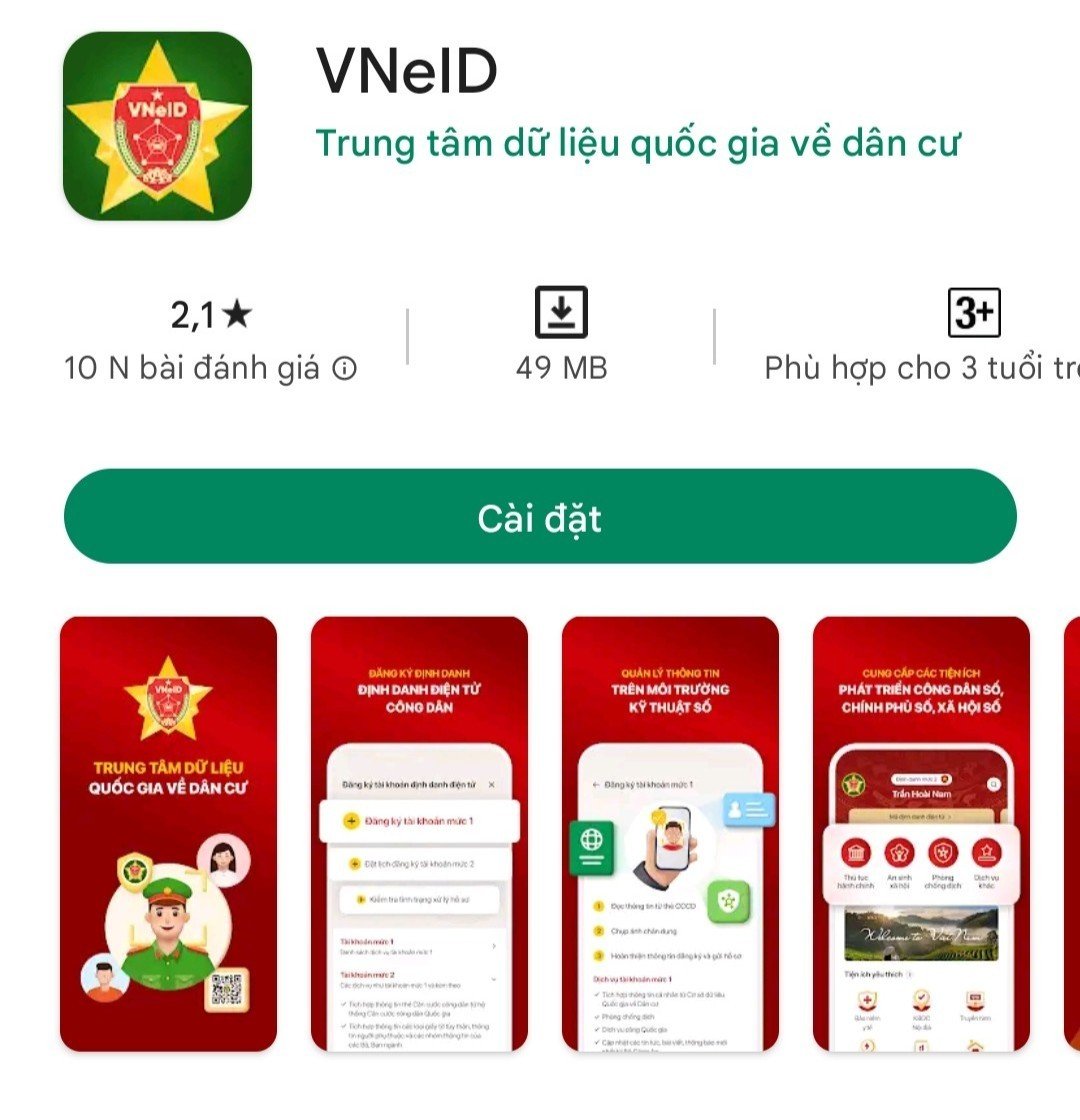
Step 1: Download the app
Download the National Electronic Identification (VNeID) application from the App Store or Google Play to your phone.
 |
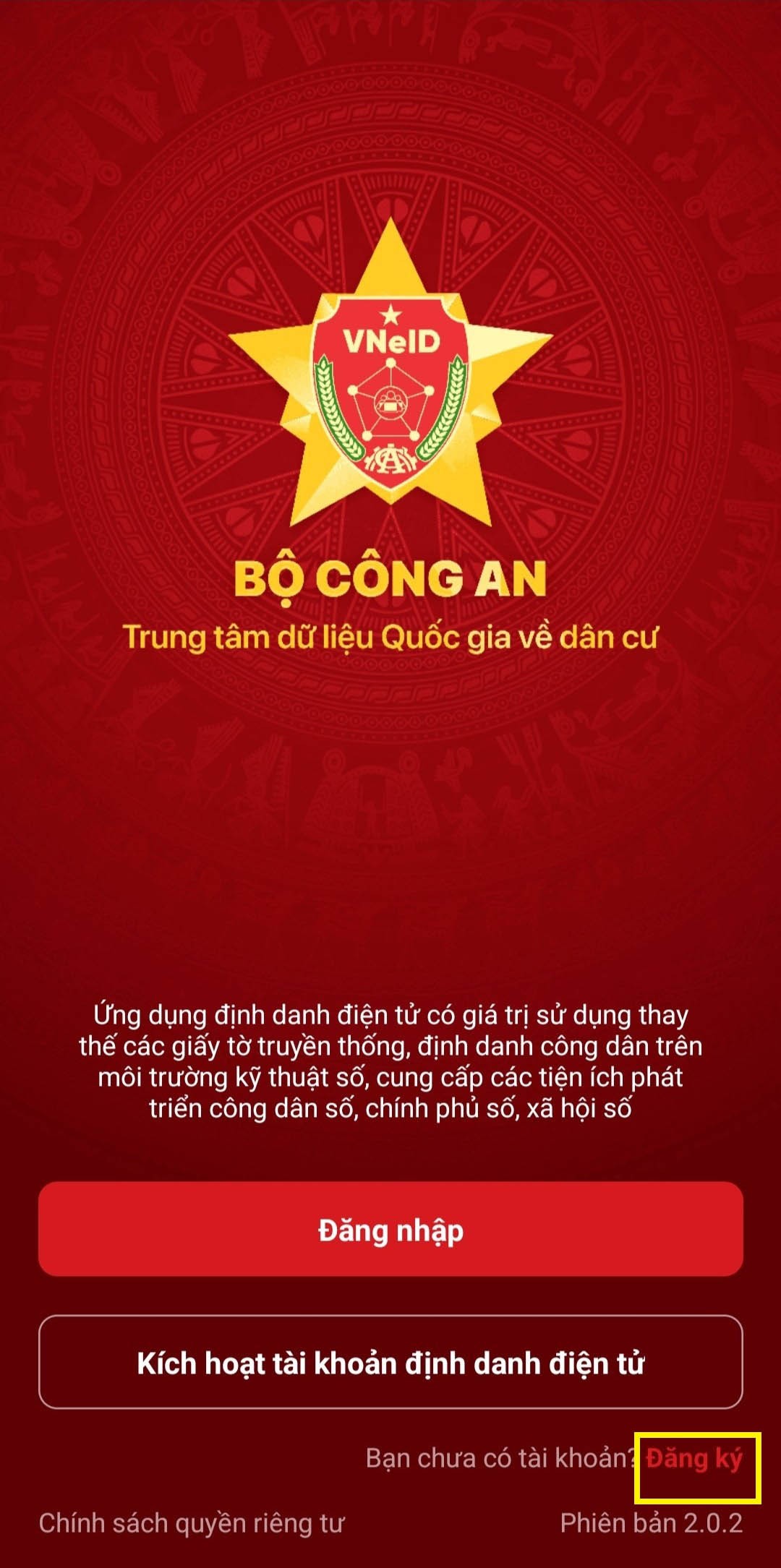
Step 2: Register
After downloading the app, select the " Register " button in the bottom right corner of the screen.
 |
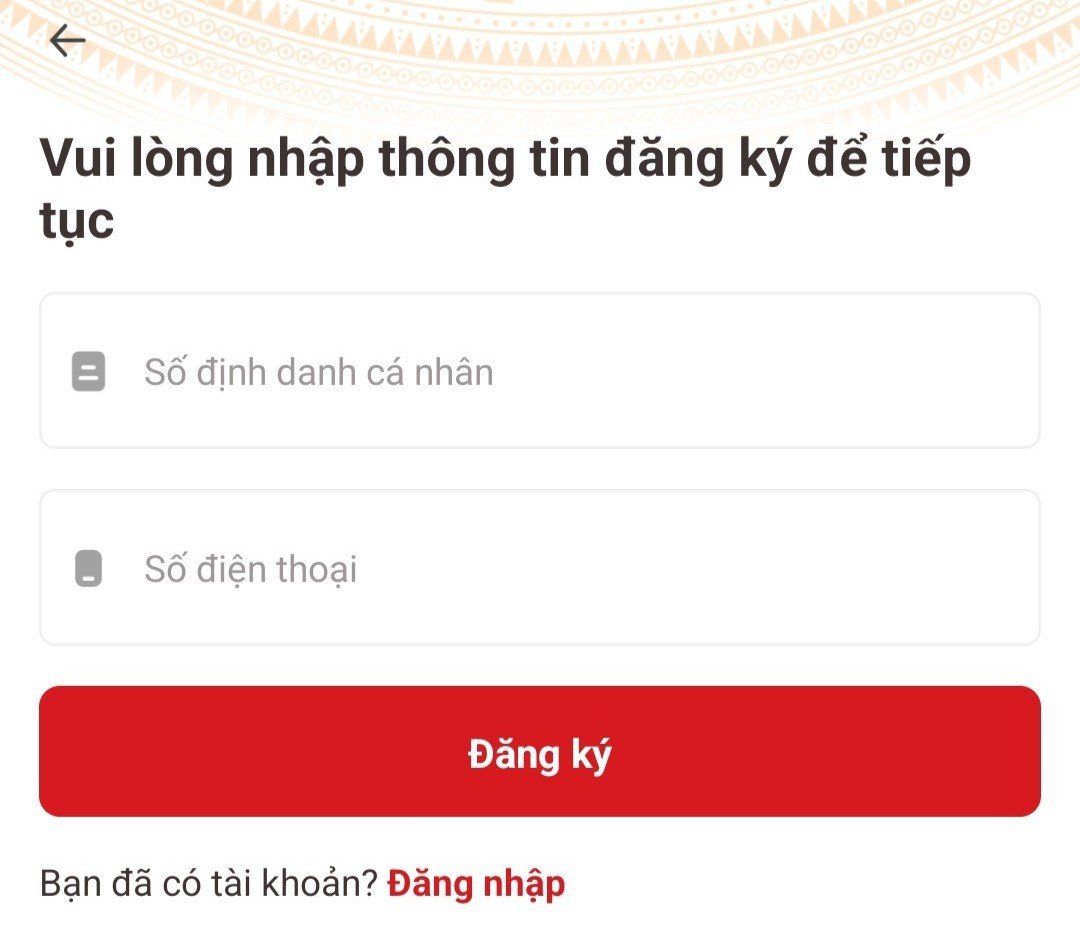
Enter the following information:
- Personal identification number;
- Phone number.
And then click on the " Register " button.
 |
*Step 3: Scan the QR code and check your registration information
In this step 3, the system will send a request to use the camera and scan the QR code on your ID card.
 |
The system will display your personal information that you need to check, including:
- Personal identification number;
- Phone number;
- Full name at birth;
- Gender;
- Date of birth;
- Place of permanent residence;
- House number, street, neighborhood/village/team;
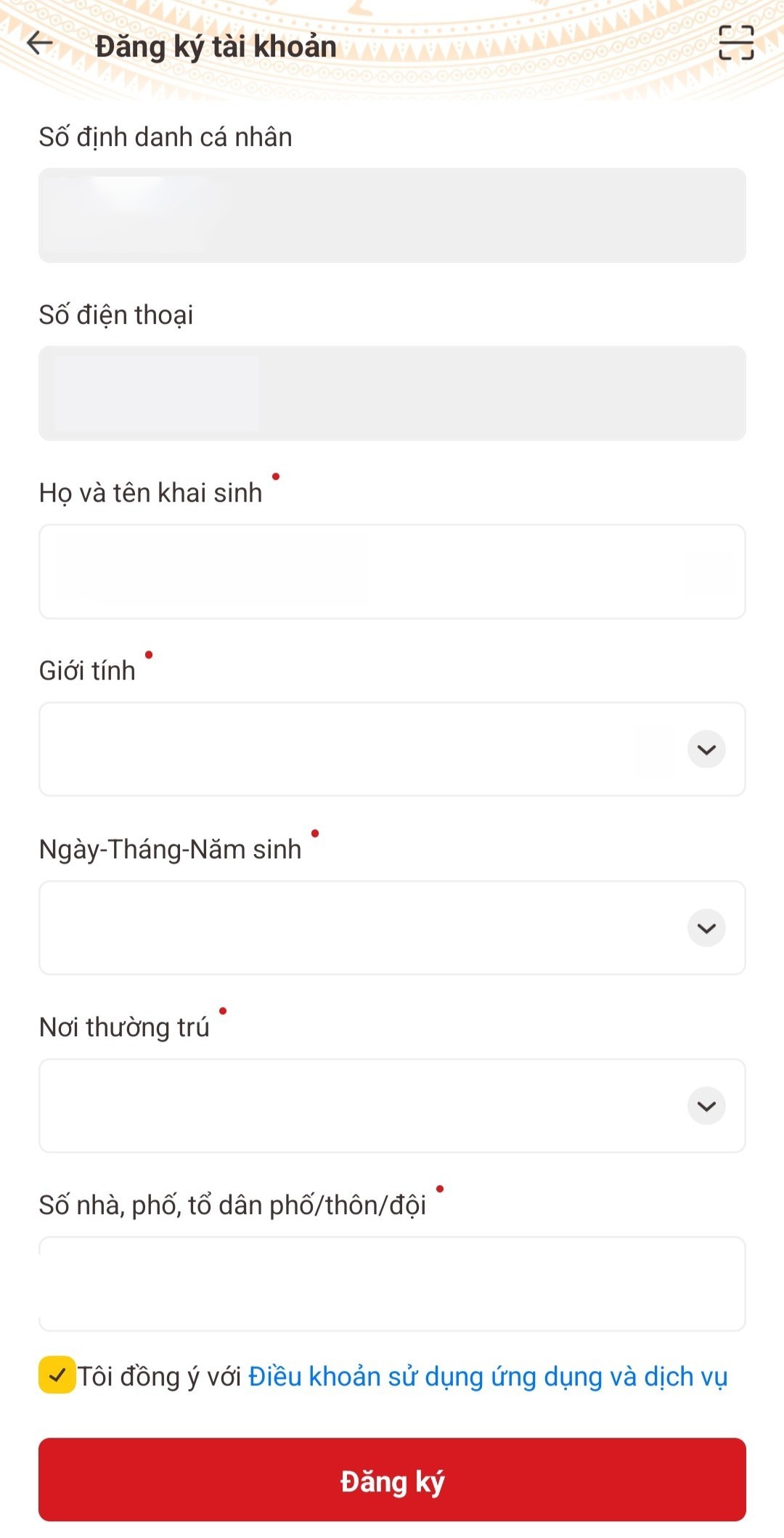 |
If all the information is correct, select the " Register " button.
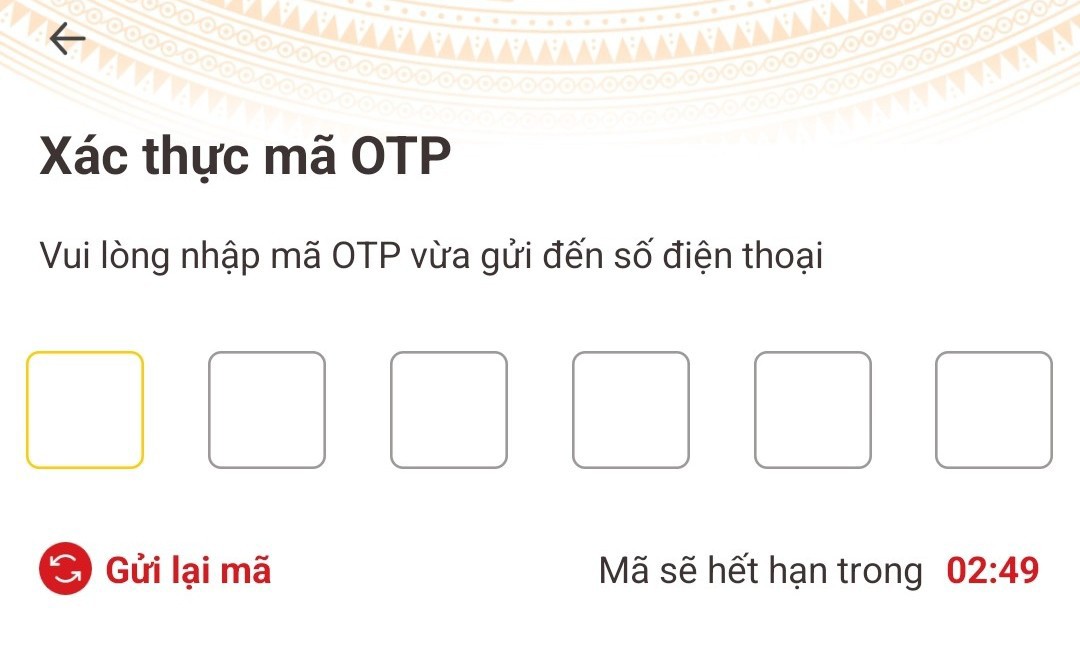
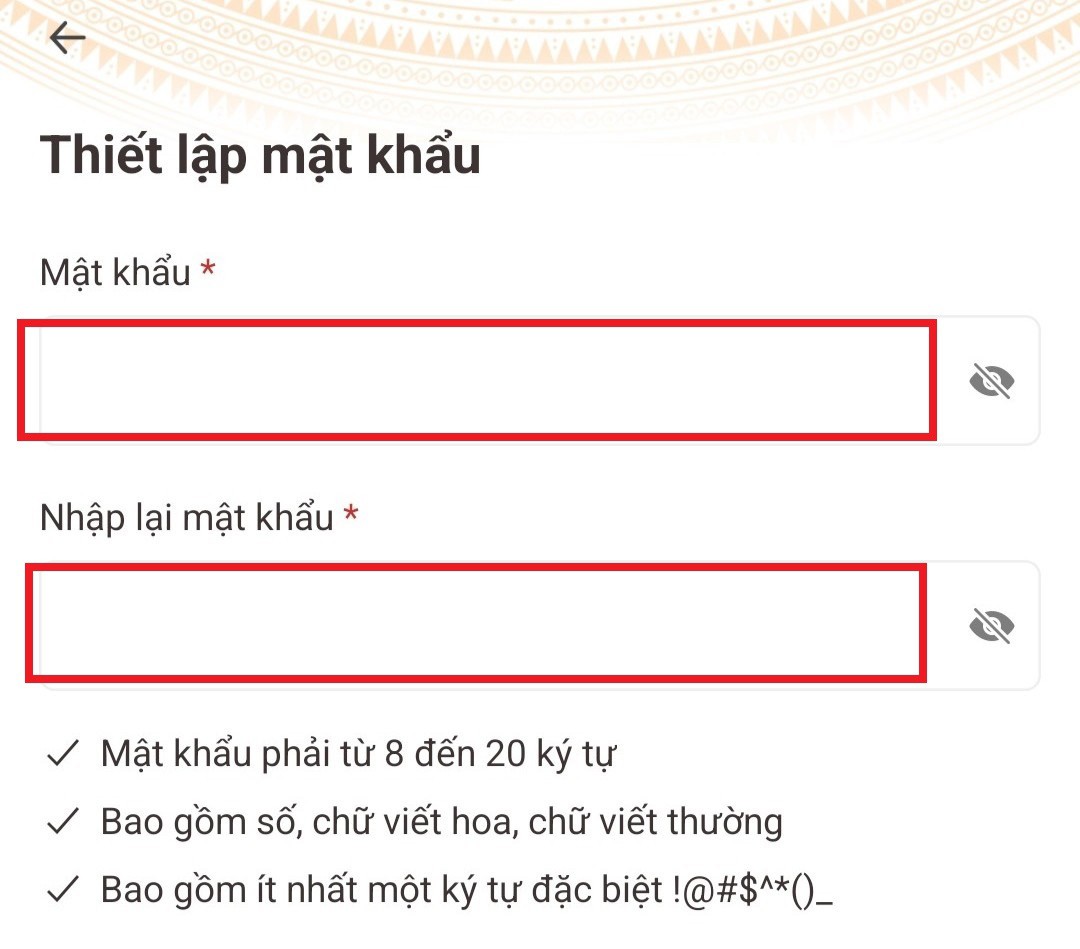
Step 4: Enter the OTP code and set a password.
If all the information matches and is accurate, the system will send an OTP code via SMS to activate account registration and create a login password.
 |
 |
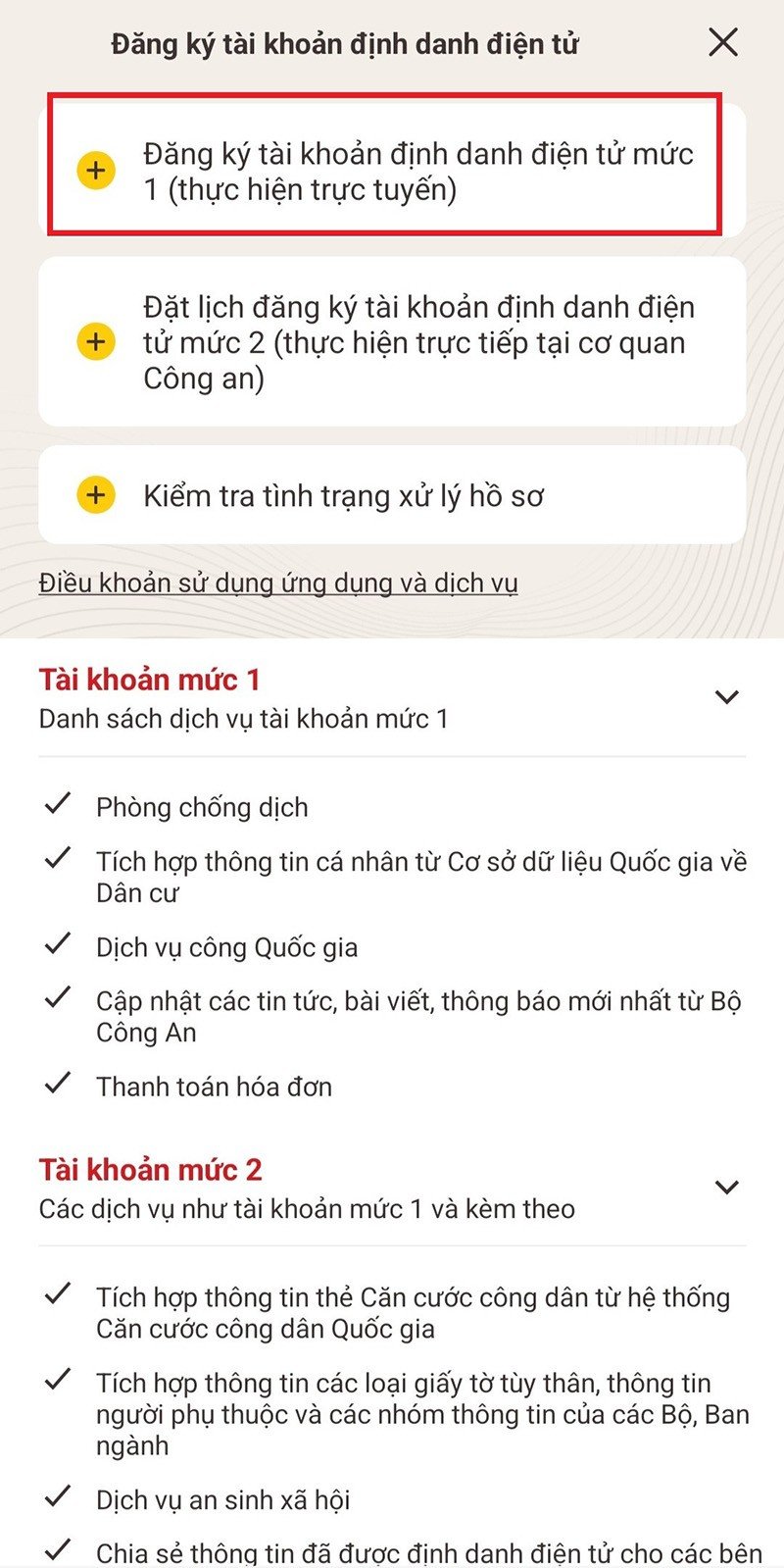
*Step 5: Register for a Level 1 electronic identity verification account
After logging in, users select the option " Register for a Level 1 Electronic Identity Account (online) ".
 |
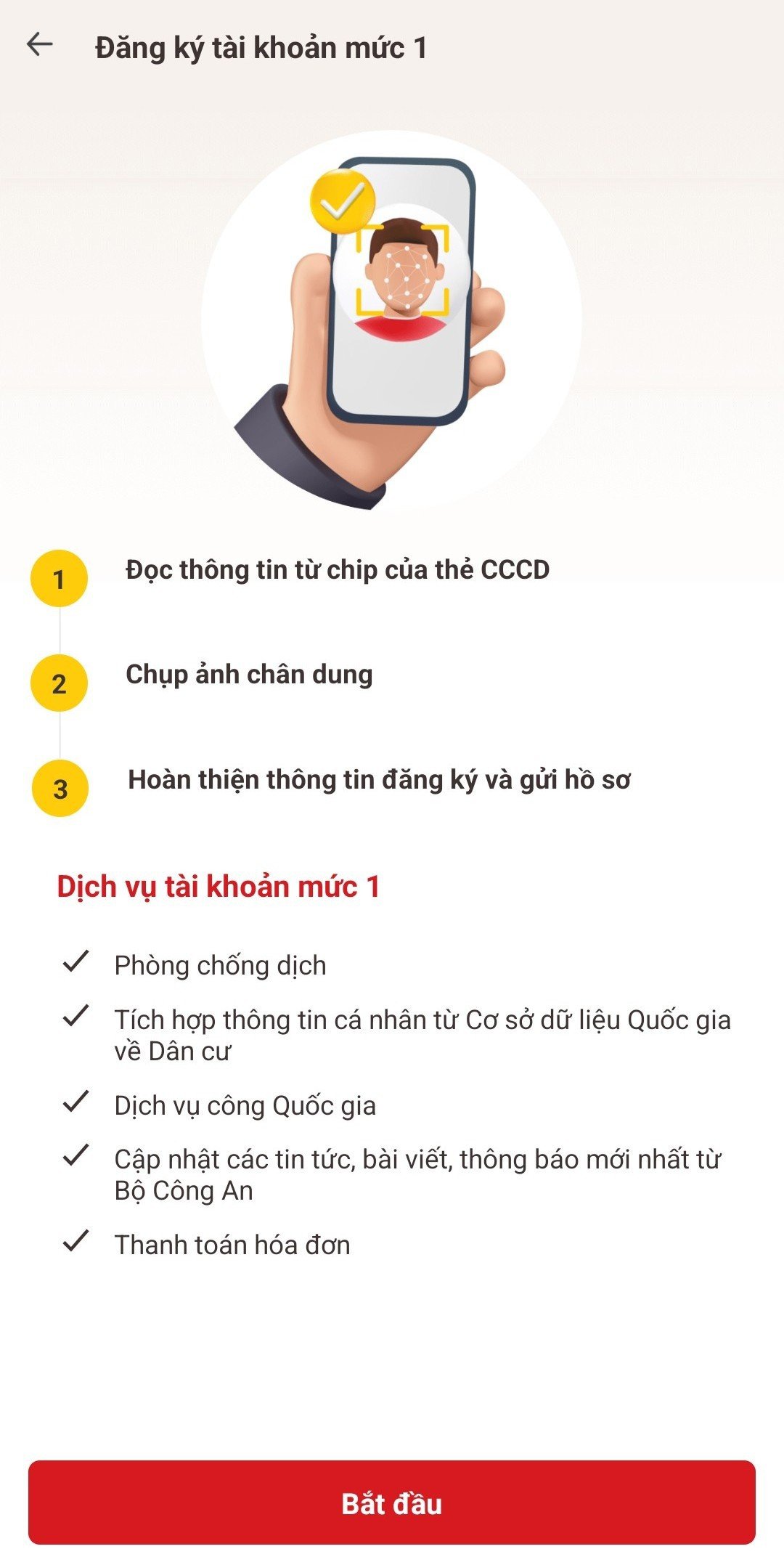
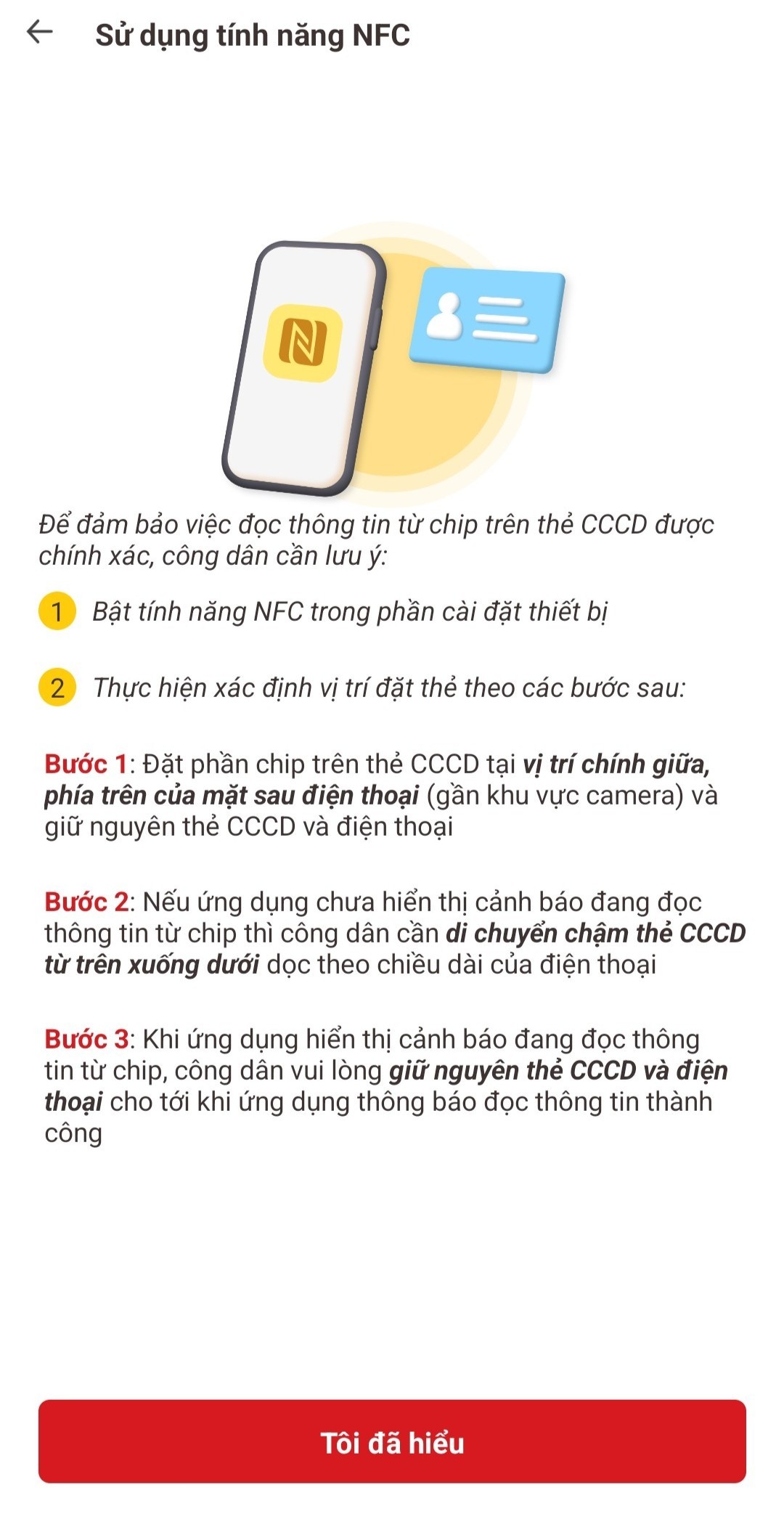
Step 6: Use the NFC feature
In the interface under " Register for Level 1 Electronic Identity Account (online) ", select the " Start " button.
 |
After reading the important notes on using NFC, click the " I understand " box and follow the system's instructions.
 |
4.2. Register for a Level 2 electronic identity verification account directly at the Police Department (if you already have a chip-embedded citizen identity card or are going through the procedures for issuing, exchanging, or reissuing a chip-embedded citizen identity card).
* Step 1: Citizens inform the officer about applying for an electronic identity account. Registration information includes: phone number, email address.
Citizens can provide additional information about dependents along with supporting documents (if they wish to integrate this information into their electronic identity account registration profile).
In cases where citizens wish to integrate information displayed on the national electronic identification application with documents such as driver's licenses, vehicle registration, social insurance, health insurance, etc., they must bring the original documents for verification.
* Step 2: Citizens submit applications for issuance, exchange, or re-issuance of electronic chip-embedded citizen identification cards, including personal/relative information and biometric information.
* Step 3: The officer continues to process the application for issuing, exchanging, or reissuing the chip-embedded citizen identification card according to the correct citizen identification card issuance procedure.
* Step 4: Citizens check and compare their personal information and information from the integrated registration documents, and sign the electronic identity registration form and citizen identification information collection form.
Source



































































































Comment (0)