

Reasons why the S21 Ultra screen has lines
Screen lines on the S21 Ultra typically appear as straight lines or unusual colored streaks stretching across the screen, causing distortion in the displayed content. This issue can occur due to various reasons, from hardware to software errors, and needs to be addressed promptly to prevent the situation from worsening.
Hardware failure
● Screen damage due to impact or drop: Strong impacts or drops from a height can deform or crack the screen, leading to lines appearing on the display. This impact creates pressure on the screen, affecting the pixels and causing lines to appear.
● Loose or damaged cable connecting the monitor to the motherboard: This cable transmits signals from the motherboard to the monitor. When the cable is loose or damaged, the signal transmission is interrupted, causing screen lines. Loose or damaged cables can also occur due to careless use of the device, causing the cable to be stretched or compressed.
● Faulty display control IC: The display control IC is responsible for processing signals and displaying images on the screen. When the IC fails, the signal is distorted, leading to the appearance of abnormal streaks on the screen. This error is often due to manufacturing defects or use of the device in harsh environments, causing the IC to malfunction.
Software error
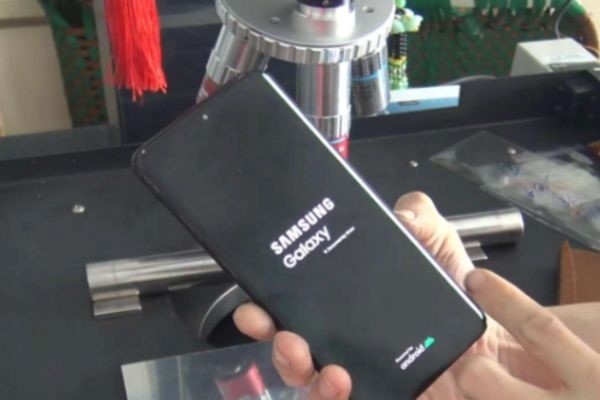
● Android operating system errors: The Android operating system can encounter errors, leading to display distortion and creating streaks on the screen. Operating system errors can be caused by errors during updates or by virus attacks.
● Application Errors: Application errors or conflicts with the operating system can cause display problems, including screen lines. Application errors are often due to mistakes that occur during installation or updates.
● Faulty display settings: Incorrect screen resolution settings, faulty display modes, or conflicting display settings can also lead to screen lines. This error is often caused by users accidentally changing display settings or by system settings errors.
How to fix screen lines on S21 Ultra
Depending on the cause of the screen lines, you can try some of the following troubleshooting methods:
Check your display settings:
● Ensure the screen resolution is appropriate: The correct screen resolution will help display sharp images and avoid screen lines. Set the appropriate screen resolution by going to Settings -> Display -> Screen Resolution.
● Check display mode: Check your monitor's display mode to ensure that it's not set to modes that could cause screen lines, such as night mode or eye protection mode. Check the display mode by going to Settings -> Display -> Display mode.
Restart your device:
● Clear app cache and data: App cache and data can conflict with the operating system, leading to display errors. Clear app cache and data by going to Settings -> Apps & notifications -> View all apps -> Select the app to clear -> Storage & cache -> Clear cache, Clear data.
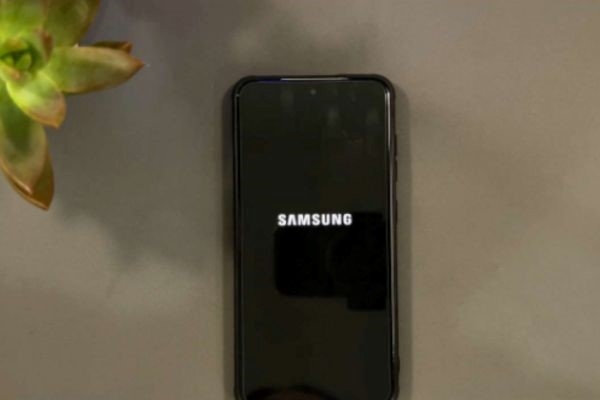
● Restart your device in Safe Mode: Safe Mode allows you to restart your device without running any third-party applications. If the screen lines disappear in Safe Mode, it means the error was caused by an application. To restart your device in Safe Mode, turn off the device -> Press and hold the power button until the Samsung logo appears -> Press and hold the volume down button until the Safe Mode screen appears.
Software update:
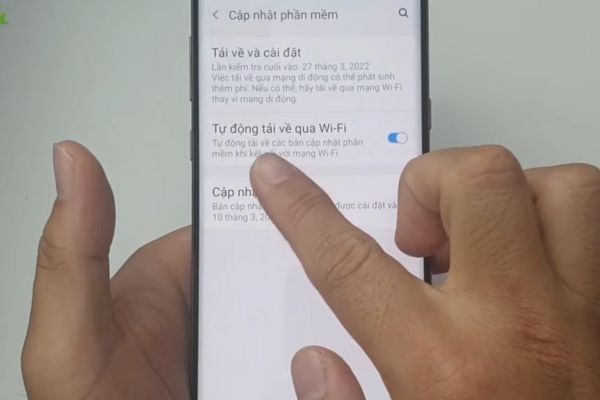
Check for new updates for your Android operating system: New updates can fix bugs and improve system performance, including display issues. Check for software updates by going to Settings -> Software Update -> Check for updates.
Repair:
● If the above troubleshooting methods are ineffective, you need to contact a reputable Samsung service center or repair shop for assistance. Choose a reputable service center or repair shop by researching information, reading customer reviews, and checking their operating license.
● Samsung S21 Ultra screen replacement: If there is a hardware fault, you may need a new screen replacement. Get your screen replaced at authorized service centers or reputable repair shops to ensure the quality and durability of the new screen.
A striped screen on the S21 Ultra is a common problem, but it can be fixed. You can try simple home remedies before taking the device to a service center or repair shop. Remember to choose a reputable place and request a warranty after repair to ensure your rights are protected. Regular maintenance and avoiding impacts and drops are the best ways to protect your S21 Ultra screen.
Source

































































































Comment (0)