

iOS 18 brings a host of improvements to AirPods. Siri interaction allows users to accept or mute calls and notifications by nodding or shaking their head. Noise cancellation is also implemented across all AirPods models. Notably, surround sound upgrades are exclusive to AirPods 3, AirPods Pro, and AirPods Max.
Typically, AirPods will automatically receive updates when within Bluetooth range of an iPhone, iPad, or Mac. Once updated, users will hear a welcome message the next time they use the headphones.
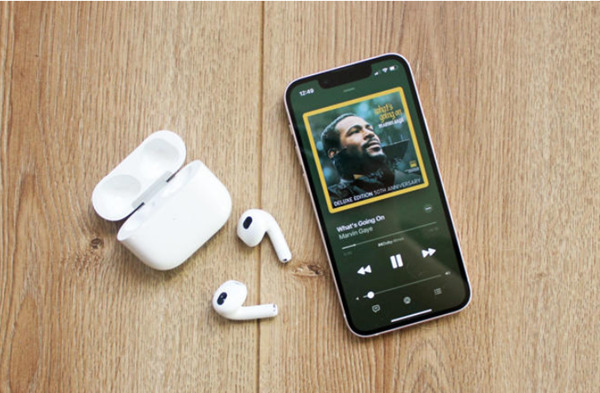
TechRadar reports that AirPods (from AirPods Pro 2 onwards) have begun receiving some important new updates to the iOS 18 operating system.
However, if you want to check if your AirPods have been updated, follow the steps below.
On iPhone or iPad
Open Settings.
Select Bluetooth.
Find the name of your AirPods in the list and tap the information icon (the letter "i") next to it.
Scroll down and find the "About" section to see the current software version of your AirPods.
On Mac
Open the Apple menu in the top left corner of the screen.
Select System Information.
Select Bluetooth from the list on the left.
Find the name of your AirPods and check the software version information.
The latest version for AirPods Pro 2 is likely 7A294. If your AirPods aren't receiving the update, you can connect them to your Mac. For AirPods Max, connect directly using a Lightning to USB cable. For AirPods and AirPods Pro, place the earbuds in the charging case and connect the case to your computer.
Source: https://www.congluan.vn/cach-kiem-tra-airpods-da-cap-nhat-tinh-nang-cua-ios-18-hay-chua-post312889.html

































![[Video] The craft of making Dong Ho folk paintings has been inscribed by UNESCO on the List of Crafts in Need of Urgent Safeguarding.](https://vphoto.vietnam.vn/thumb/402x226/vietnam/resource/IMAGE/2025/12/10/1765350246533_tranh-dong-ho-734-jpg.webp)


































































Comment (0)