

Are you wondering how to keep your Messenger and Facebook accounts online even when the screen is off? If you don’t know how, don’t miss this article!
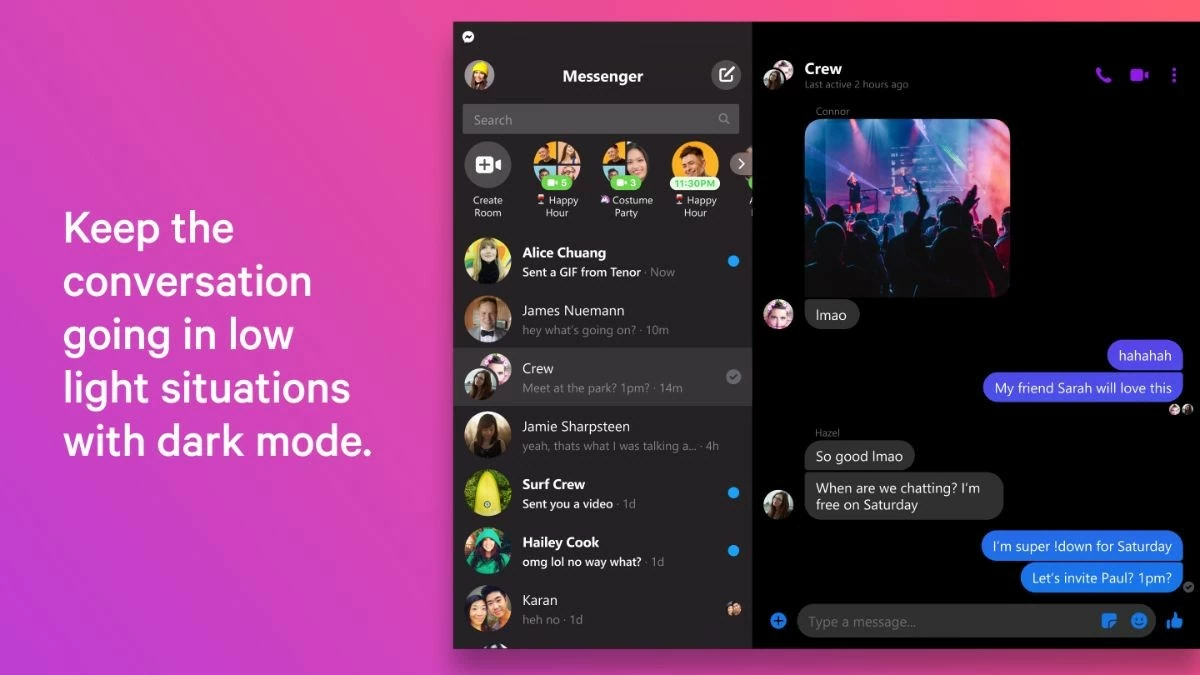 |
If you don't know how to keep your Messenger account online when your phone screen is off, don't worry. Just follow the instructions below, you can easily keep your Facebook account online using Messenger on both Android and iPhone.
Instructions on how to keep your Messenger account online on your phone
Here are some ways to suspend Messenger account quickly and effectively. They are:
How to do it on Android phone easily
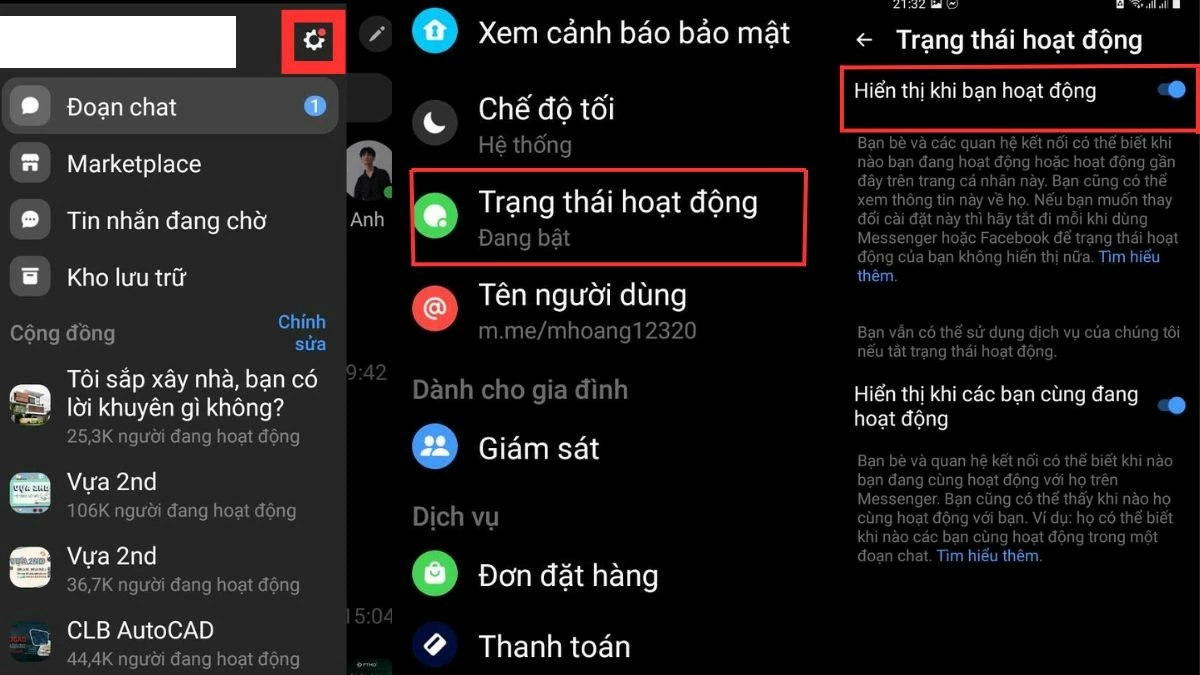
You can easily keep your Messenger account "active" 24/7 with the following way to keep your Messenger account online:
Step 1: First, open the Messenger app and tap on the gear icon (Settings).
Step 2: Go to "Active Status" under your avatar and check if the feature is enabled.
Step 3: Turn on the "Show when you're active" switch to complete keeping your Facebook Messenger account online 24/7.
 |
How to do it on iPhone quickly
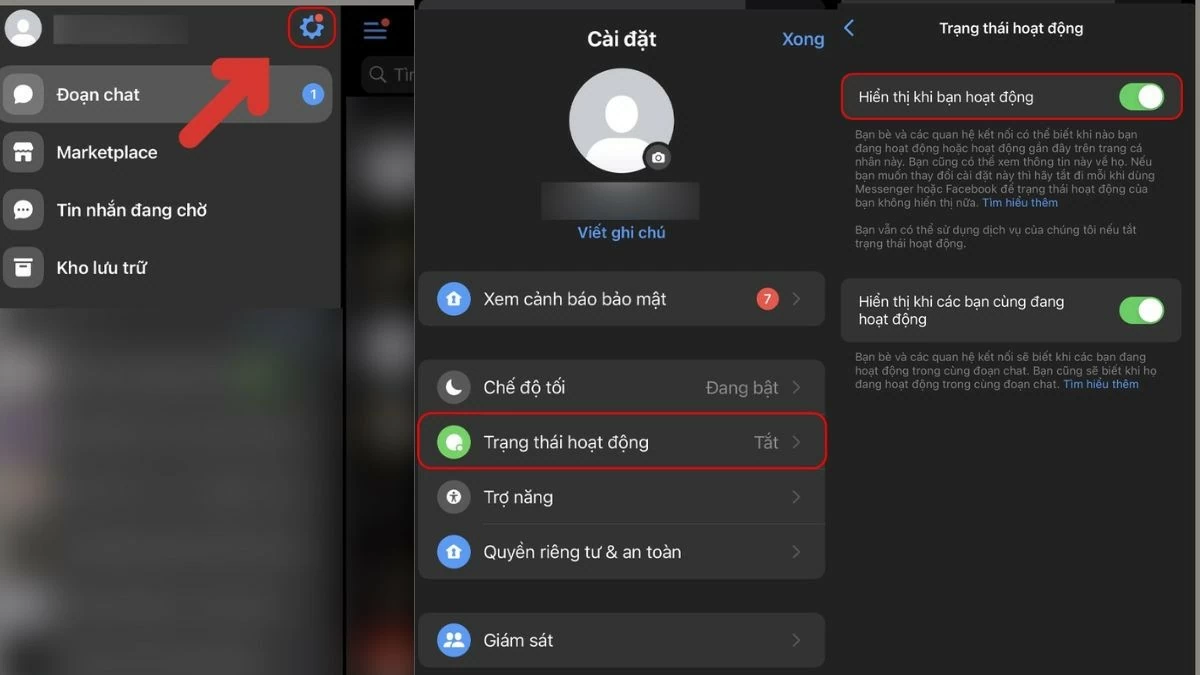
Step 1: Log in to the account you want to keep your Messenger account online and look for the 3-dash icon in the left corner. Then, click on the gear icon to go to the settings section in Messenger.
Step 2: In the Settings menu, scroll down and look for “Active Status” to check if it is on or off.
Step 3: Next, turn on the switch next to "Show active status" to enable the feature to keep your Facebook Messenger account online 24/7 on your iPhone.
 |
Instructions on how to keep your Messenger account online 24/7 on your computer
If you already know how to keep your Messenger account online on your phone, rest assured, this article will guide you how to do the same on your computer. Refer now to know how to keep your Messenger account online when your computer screen is off.
Instructions on how to keep your Messenger account online when Active Status is turned on
Just like on the phone, to keep your Facebook Messenger account online on your computer, you just need to turn on "Active Status" to maintain the status 24/7.
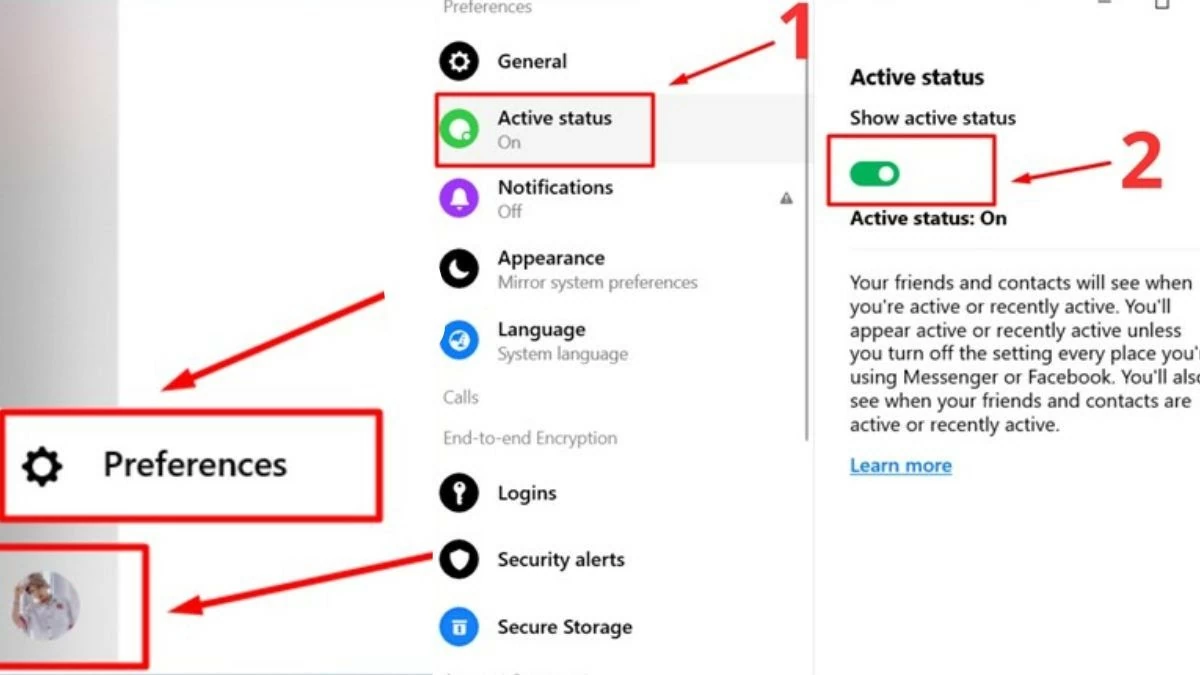
Step 1: Open Messenger on the app or web, then tap the gear icon to access "Preferences".
Step 2: Go to "Active Status" in the "Preferences" menu.
Step 3: Finally, just slide the switch to the right to turn on "Active" mode, and you will activate the feature to keep your Messenger account online 24/7.
 |
Hopefully, the information above has helped you understand how to keep your Messenger and Facebook accounts online. Apply these methods to stay online even when your phone and computer screens are off so you don't miss any messages from customers. This will make your sales strategy more effective and improve the quality of your service.
Source: https://baoquocte.vn/mach-ban-cach-treo-nick-messenger-luon-online-2424-don-gian-281285.html


![[Photo] Explore the US Navy's USS Robert Smalls warship](/_next/image?url=https%3A%2F%2Fvphoto.vietnam.vn%2Fthumb%2F1200x675%2Fvietnam%2Fresource%2FIMAGE%2F2025%2F12%2F10%2F1765341533272_11212121-8303-jpg.webp&w=3840&q=75)

![[Photo] The captivating scenery of the fragrant maple forest in Quang Tri](/_next/image?url=https%3A%2F%2Fvphoto.vietnam.vn%2Fthumb%2F1200x675%2Fvietnam%2Fresource%2FIMAGE%2F2025%2F12%2F10%2F1765353233198_lan09046-jpg.webp&w=3840&q=75)



























![[Video] The craft of making Dong Ho folk paintings has been inscribed by UNESCO on the List of Crafts in Need of Urgent Safeguarding.](https://vphoto.vietnam.vn/thumb/402x226/vietnam/resource/IMAGE/2025/12/10/1765350246533_tranh-dong-ho-734-jpg.webp)





























































Comment (0)