

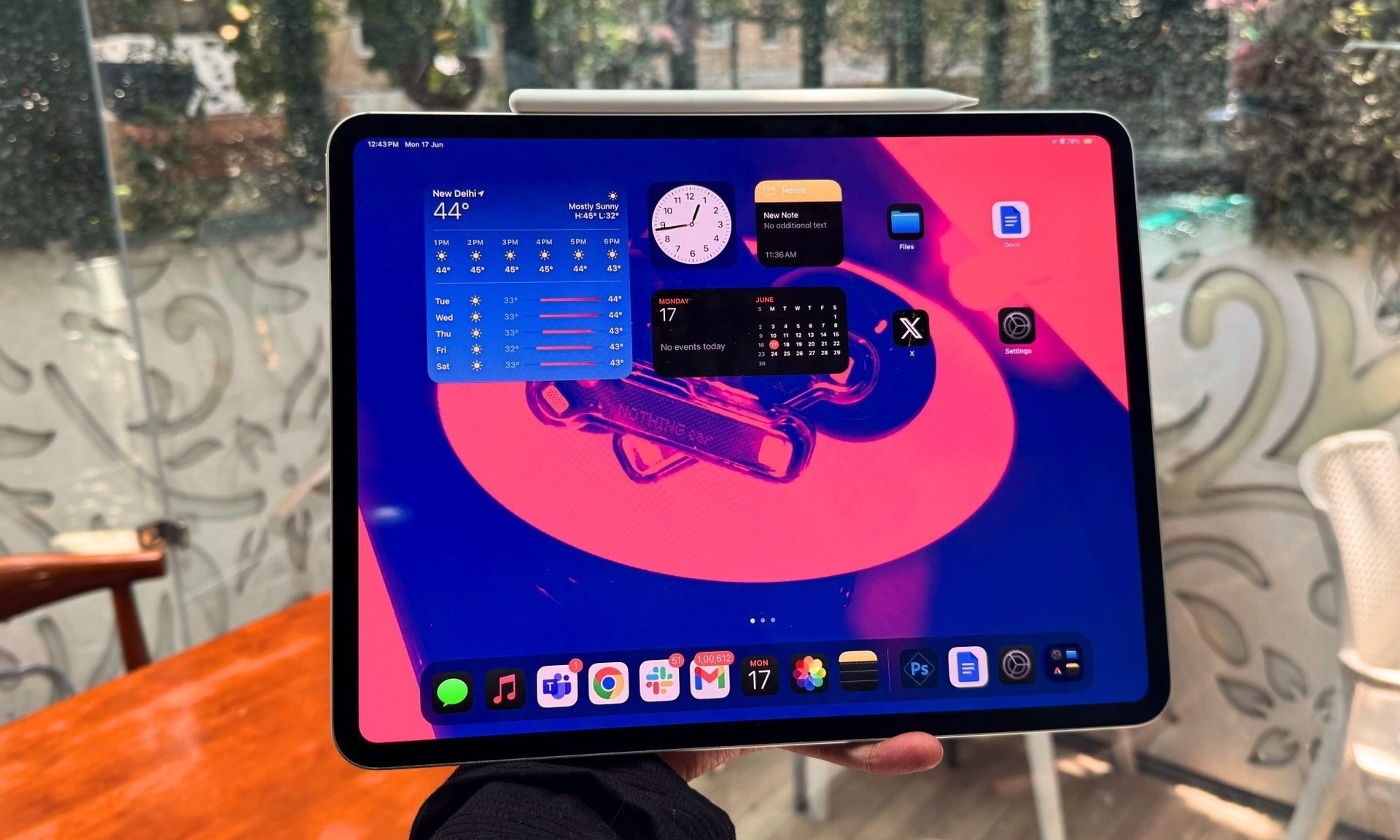
“This is what you’ve been waiting for.” That’s what Apple’s Vice President of Software Engineering, Craig Federighi, declared with a beaming smile as he introduced the latest changes to the iPad at the WWDC 2025 event.
This past week, many experts have given their latest comments on iPadOS 26 with the public beta version. Most of them said that the new operating system brings the iPad experience closer to the Mac computer than ever.
At WWDC 2025, Mr. Federighi wasn't talking about new iPad hardware, new software features, or a not-so-bad AI implementation. Apple's VP of Software Engineering was simply talking about the window interface.
With iPadOS 26, Apple has equipped these tablets with a window multitasking system, which makes the iPad a real computer.
Leaning towards macOS
The desktop-like window multitasking system on the iPad is something that Apple has been missing for a long time, despite it being an upgrade that many users have been waiting for. Because of this omission, the iPad has always been placed between the iPhone and the Mac.
However, with iPadOS 26, Apple chose to lean towards macOS by adding a menu bar that can be swiped down from the top to display different options for the currently open app.
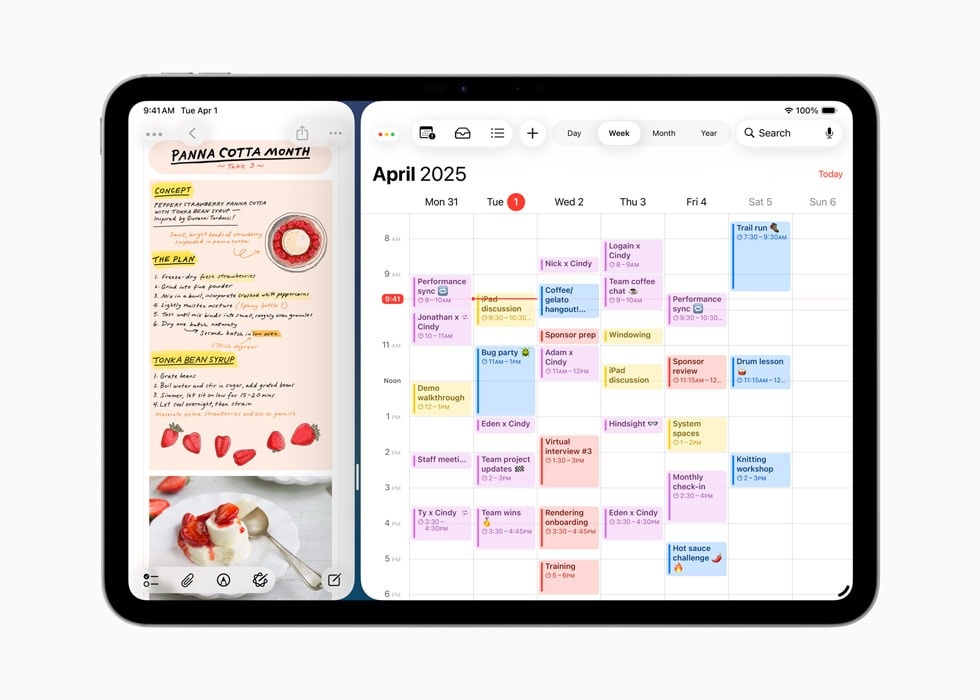 |
The window system on iPadOS 26 allows for “dynamic window resizing” and placement anywhere on the screen. Photo: Apple. |
Additionally, according to Apple, the window system on iPadOS 26 allows for "flexible window resizing" and placement anywhere on the screen. Users can add windows to Stage Manager mode and drag and drop them if using multiple monitors.
Clearly, these windows come with a lot of clutter, so iPadOS 26 also introduces control features to organize and arrange all of them. For example, hovering over the corner of a window brings up the Mac's three-button controls, allowing users to close or minimize the application, or open the window in full screen.
In addition, Apple has added intuitive Mac trackpad gestures, including the ability to close an application to view the desktop or to allow users to select an application from those currently open. This is a classic Mac feature that has been included in Mission Control since 2011.
The window system isn't the only notable upgrade in iPadOS 26. The Preview app is also brought over from macOS to iPadOS 26, allowing you to view and mark up PDF files.
Meanwhile, the Files app supports a detailed list-style file view similar to that on a Mac. Live Activities are integrated into iPadOS to provide updates on background apps.
"Suddenly, many tasks that you were only comfortable doing on a Mac can now be performed almost identically on an iPad. Users truly have a real computer in their hands," Wired commented.
Expecting the tipping point
Initially, the iPad launched as a larger version of the iPhone, and that has always been a major criticism of the product line. Although users later recognized it as a computer replacement for travel , the iPad's long-term growth has slowed.
According to 9to5Mac , the iPad's hardware has outpaced its software for at least four years now, and this is certainly one of the top complaints from tech enthusiasts.
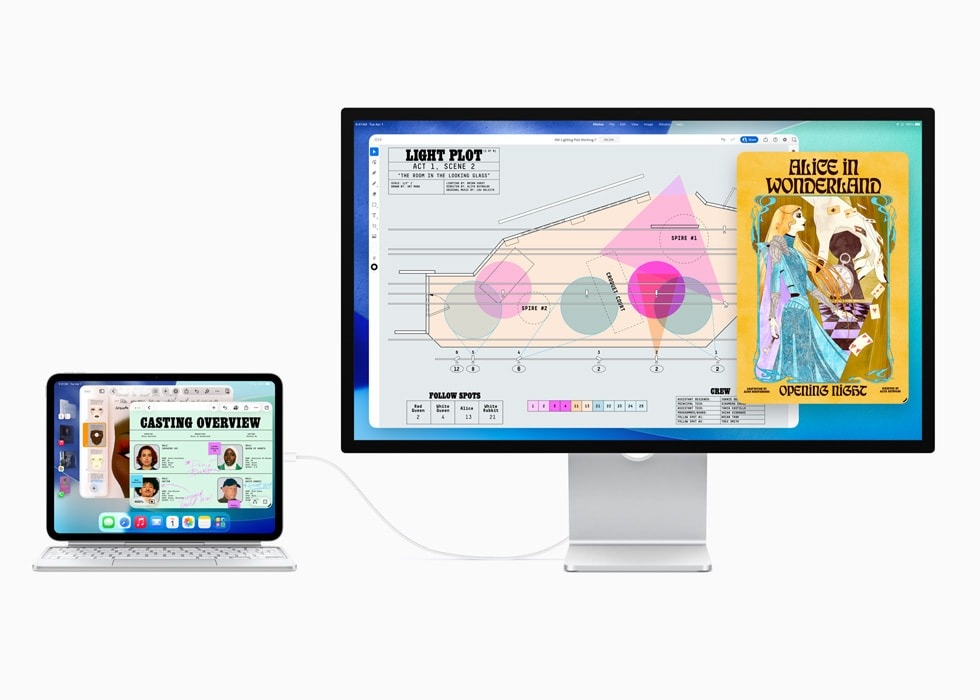 |
Apple has gradually oriented the iPad as a miniature version of a computer. Photo: Apple. |
That's why Apple has been slowly re-positioning the iPad as a miniaturized version of a computer. In 2020, the Magic Keyboard brought an extra port and a full trackpad to the iPad.
Then in 2022, Apple introduced support for external displays, and in the 2024 update for the iPad Pro, the webcam was moved to portrait mode.
Wired noted that the update at WWDC 2025 really felt like the iPad had reached a tipping point, and Apple sold this idea in two notable ways.
First, most iPad users probably never realized the windows feature was there at all. Like many of the deeper iPad features, windows are completely optional and hidden by default.
“It’s likely the average user will never notice the tiny resize icon in the bottom right corner of the app. It’s an important design decision, as it keeps the iPad’s core identity as a simple interface intact,” notes writer Luke Larsen.
Second, according to Larsen, Apple was smart not to call these new upgrades Mac-like during the keynote, instead just calling them "familiar."
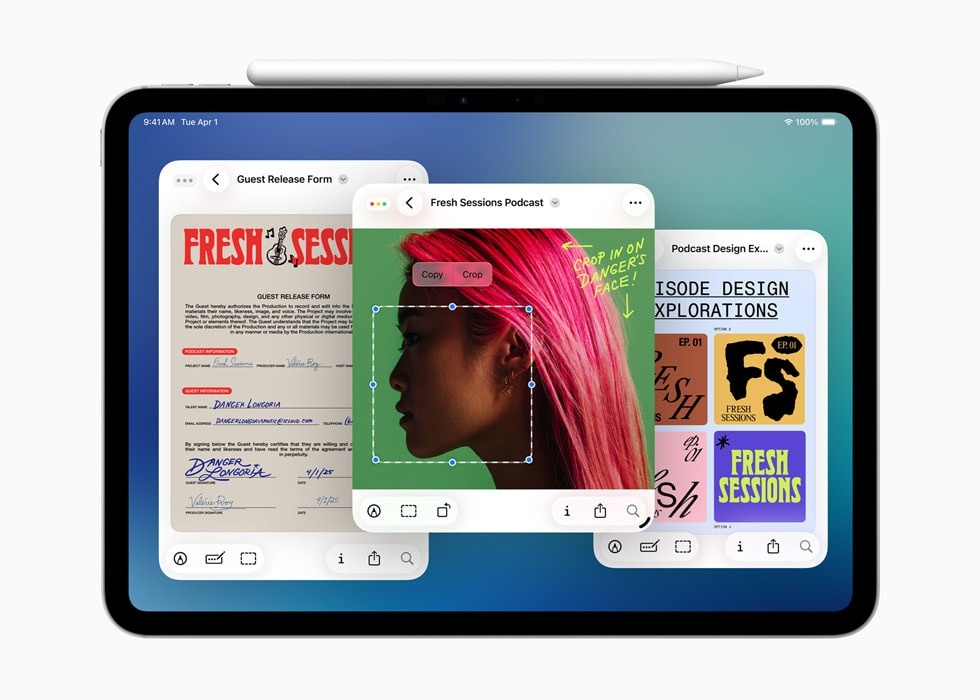 |
The Preview app is also brought from macOS to iPadOS 26, allowing viewing and marking up PDF files. Photo: Apple. |
The company even spaced out the introductions to iPadOS and macOS in the presentation, being careful not to draw attention to how similar the two products had become. Apple never wanted to pit its two products against each other, and always implied that there was a reason for someone to own both an iPad and a Mac.
However, with iPadOS 26, the reality has proven otherwise. The iPad Pro and MacBook Air have consistently had strikingly similar prices and specifications. With iPads becoming more and more like Macs than ever before, this could very well be a hint that a proper merger between iPadOS and macOS is underway.
That makes even more sense given that the iPadOS 26 update will even be available on the base iPad and iPad mini when it officially launches later this fall.
Source: https://znews.vn/voi-ipados-26-ipad-da-buoc-len-mot-tam-cao-moi-post1560102.html



![[Photo] Closing Ceremony of the 10th Session of the 15th National Assembly](/_next/image?url=https%3A%2F%2Fvphoto.vietnam.vn%2Fthumb%2F1200x675%2Fvietnam%2Fresource%2FIMAGE%2F2025%2F12%2F11%2F1765448959967_image-1437-jpg.webp&w=3840&q=75)
![[Photo] Prime Minister Pham Minh Chinh holds a phone call with the CEO of Russia's Rosatom Corporation.](/_next/image?url=https%3A%2F%2Fvphoto.vietnam.vn%2Fthumb%2F1200x675%2Fvietnam%2Fresource%2FIMAGE%2F2025%2F12%2F11%2F1765464552365_dsc-5295-jpg.webp&w=3840&q=75)




































![[OFFICIAL] MISA GROUP ANNOUNCES ITS PIONEERING BRAND POSITIONING IN BUILDING AGENTIC AI FOR BUSINESSES, HOUSEHOLDS, AND THE GOVERNMENT](https://vphoto.vietnam.vn/thumb/402x226/vietnam/resource/IMAGE/2025/12/11/1765444754256_agentic-ai_postfb-scaled.png)


















































Comment (0)