

Activate two-factor authentication (2FA) on Facebook now to protect your account. Check it out and take action immediately to protect your account as soon as possible!
 |
Facebook is the largest social network, a place to share moments and connect with friends and family. However, account security is very important. Therefore, you should set up two-factor authentication (2FA) through the following simple steps:
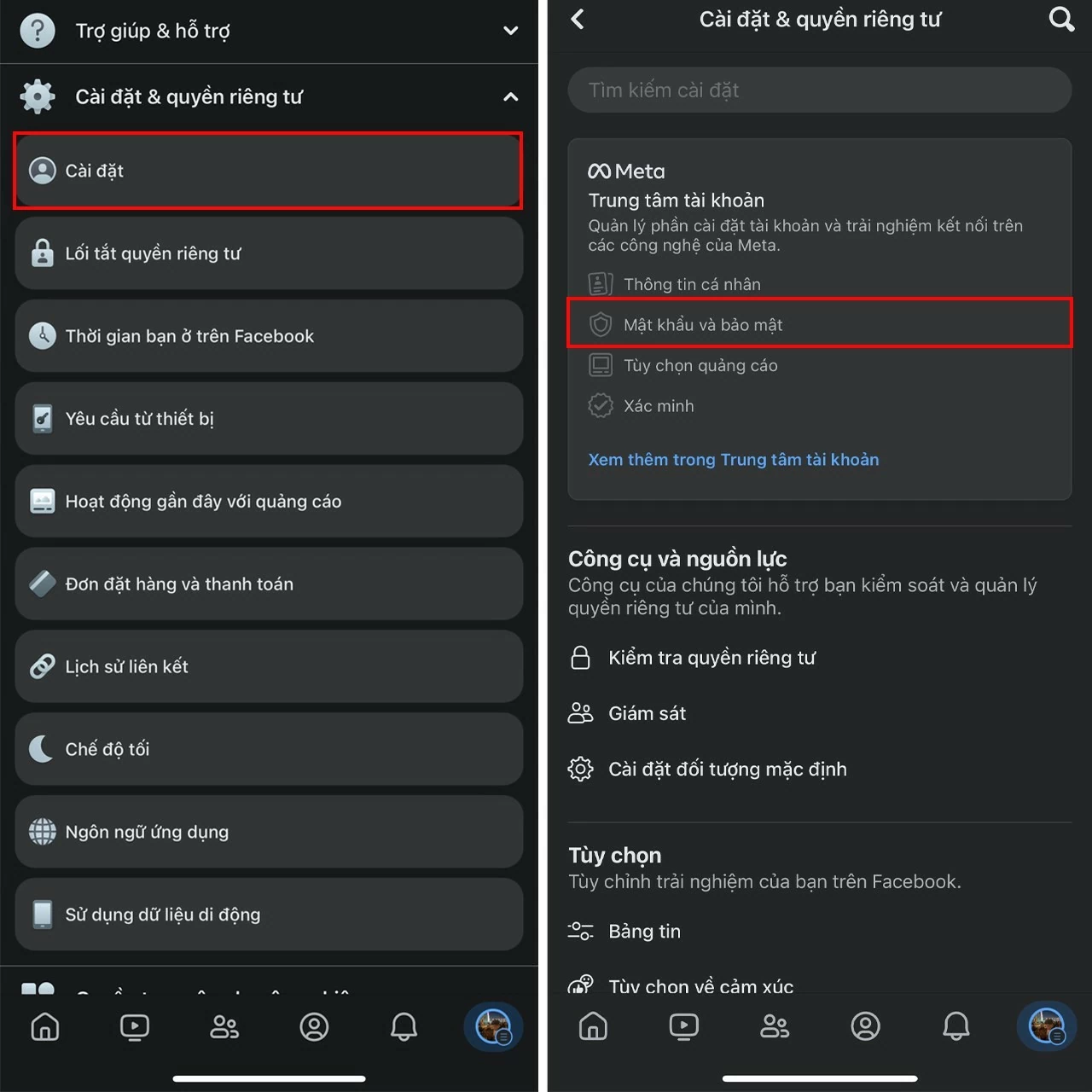
Step 1: Go to Settings & Privacy in your account > Tap Settings > Select Password and security.
 |
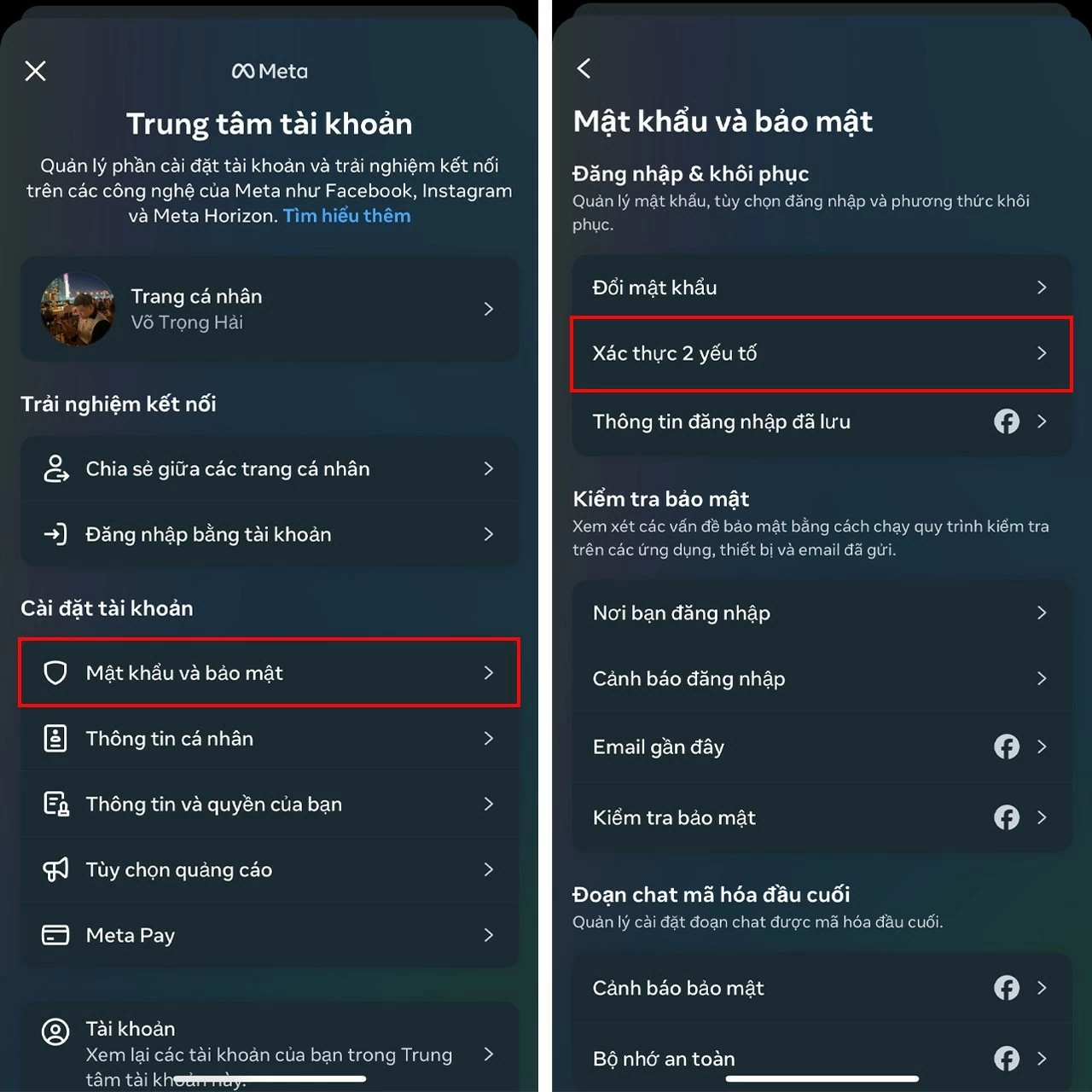
Step 2: Select Password and security > Then select Two-factor authentication .
 |
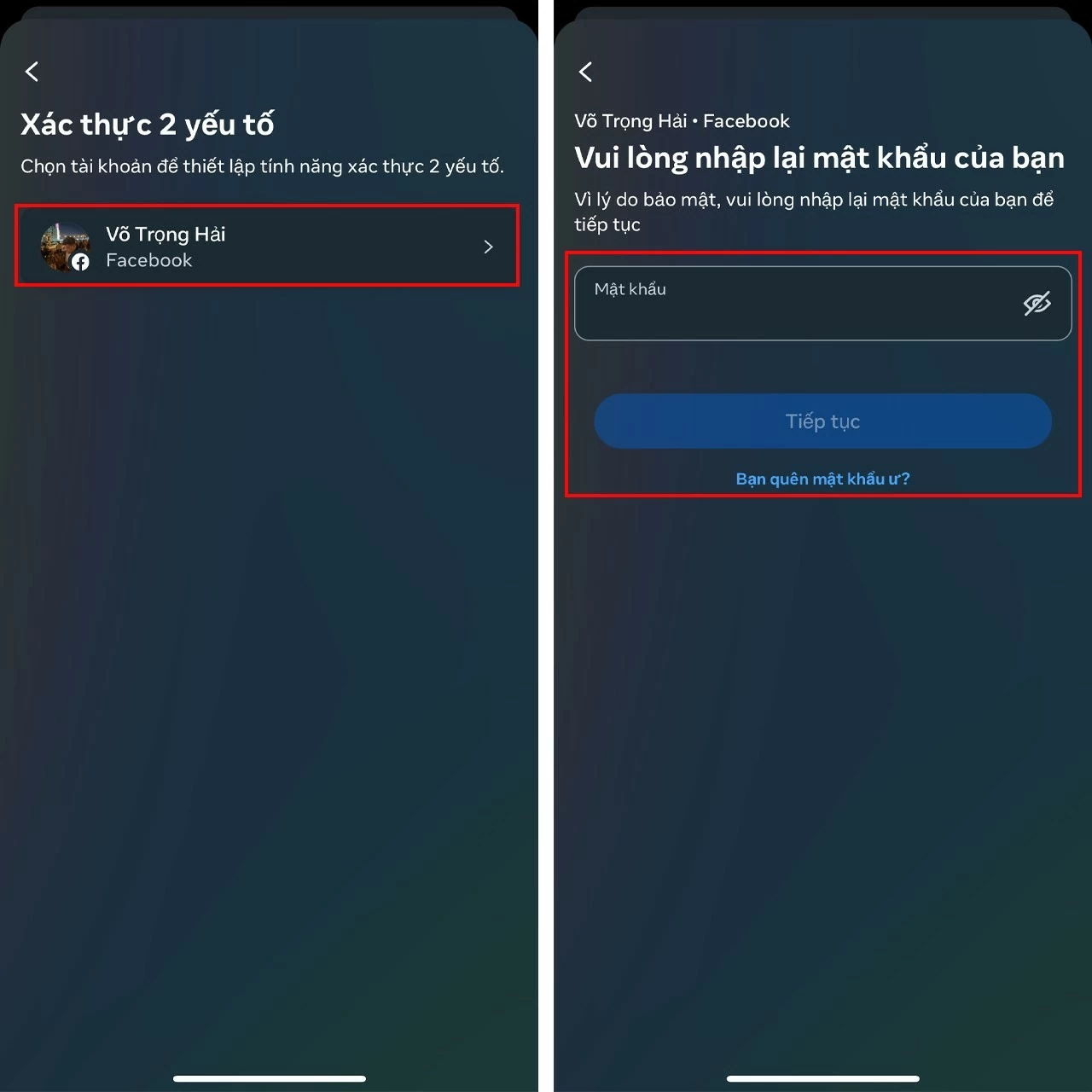
Step 3: Select your Facebook account to activate two-factor authentication, then verify by entering your account password.
 |
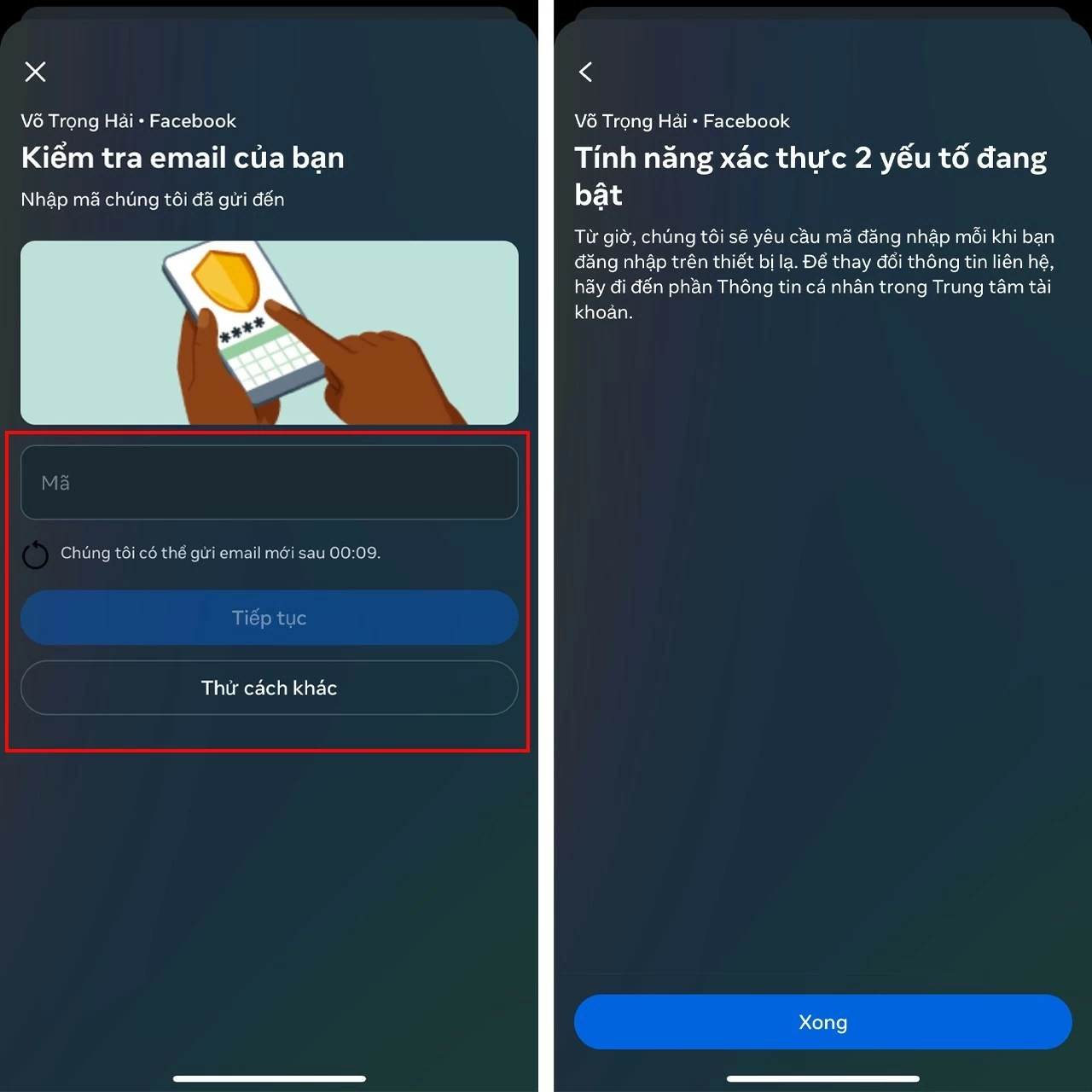
Step 4 : Enter the code that Facebook sent to your email, and you have completed the steps to activate two-factor authentication on your phone.
 |
Setting up two-factor authentication on Facebook is a crucial step in protecting your account from unauthorized access. With a few simple steps, you can significantly enhance your account's security. Take proactive steps to protect your personal information and experience Facebook more safely. Thank you for reading!
Source: https://baoquocte.vn/cai-bao-mat-2-lop-voi-tai-khoan-facebook-280636.html


![[Photo] Prime Minister Pham Minh Chinh holds a phone call with the CEO of Russia's Rosatom Corporation.](/_next/image?url=https%3A%2F%2Fvphoto.vietnam.vn%2Fthumb%2F1200x675%2Fvietnam%2Fresource%2FIMAGE%2F2025%2F12%2F11%2F1765464552365_dsc-5295-jpg.webp&w=3840&q=75)






































































Comment (0)