

 |
The eTax Mobile app allows users to declare, look up, and pay taxes online. Photo: Xuan Sang . |
From January 1st, 2026 (according to Resolution 198/2025/QH15), the lump-sum tax regime for household businesses and individual businesses will be officially abolished completely. All household businesses, regardless of revenue, will have to declare and pay taxes using the declaration method.
At the same time, business license tax will no longer apply to household businesses and individual businesses. Tax calculation will still be based on taxable revenue and the tax rate on revenue will be applied as stipulated in Article 10 of Circular 40/2021/TT-BTC.
From this point onwards, all business households must declare taxes using the declaration method. Citizens can calculate and pay the prescribed tax amount directly at the tax office or online via the eTax Mobile application.
This is an application from the General Department of Taxation of Vietnam, enabling taxpayers to perform tax procedures online directly on their phones. The application supports tax declaration, information lookup, and electronic tax payment through linked banks, as well as sending notifications and legal updates directly on the phone.
Version 3.4.6 of the application adds many upgrades to support tax settlement functions. Taxpayers can create personal income tax return forms using suggested Form No. 02 from data compiled by the Tax Authority from all income sources.
Please note that the application only supports looking up tax settlement information for the current year minus 1 year after March 31st. The tax return creation feature also does not apply to item number 44, meaning the total amount of overpaid tax for the period is less than 10,000 VND.
How to prepare a tax return on eTax Mobile
Step 1: Download and log in to the application. Citizens can use their created account or link it to their VNeID (level 2 verified) to access available information from the National Database.
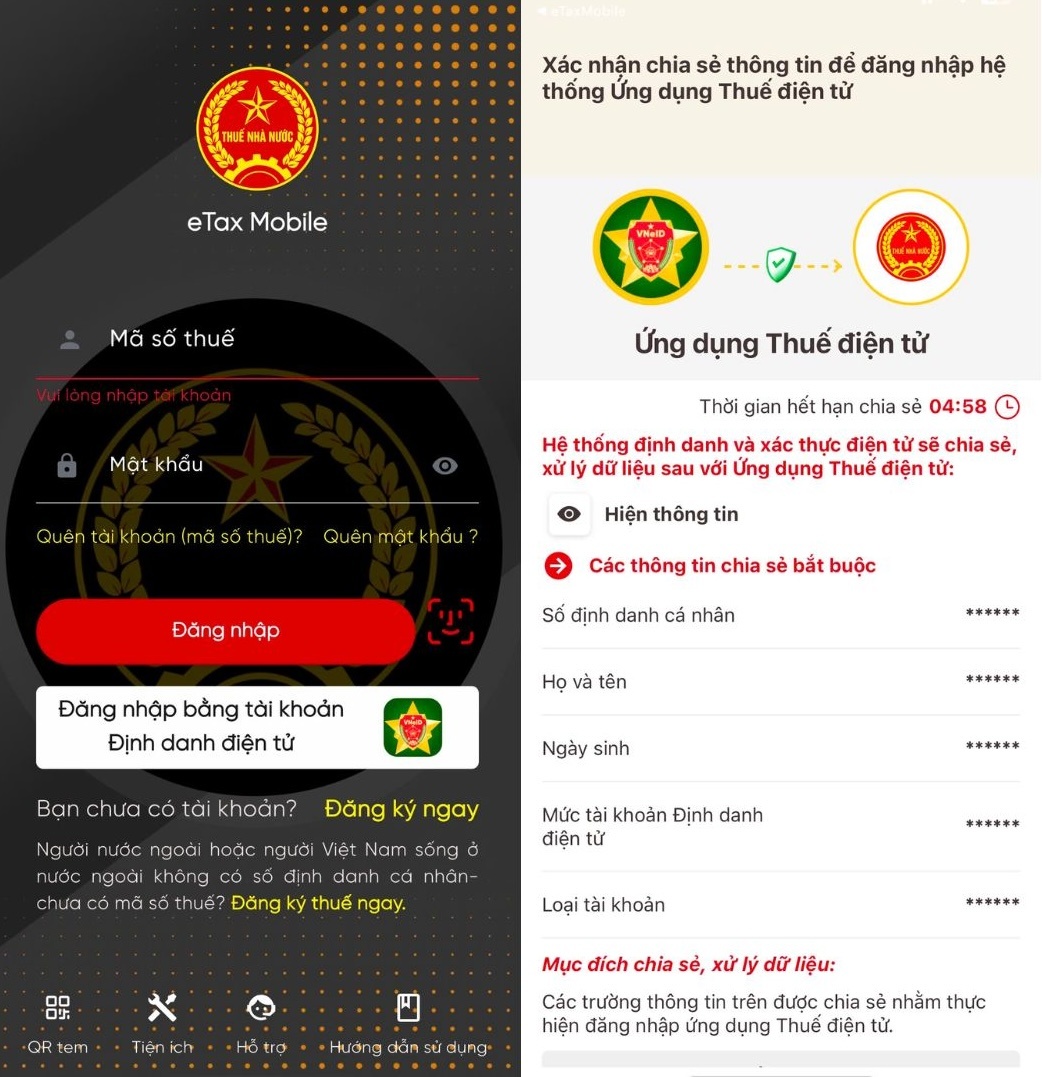 |
Choosing to log in using VNeID utilizes existing data, allowing for quick declaration. |
When you select the link, the system will automatically open VNeID and prompt you to log in to your account. Then, you need to press the accept button to allow data sharing with eTax Mobile.
Step 2: On the main interface, select Personal Income Tax Settlement Support , then select Support for Preparing the Tax Settlement Declaration.
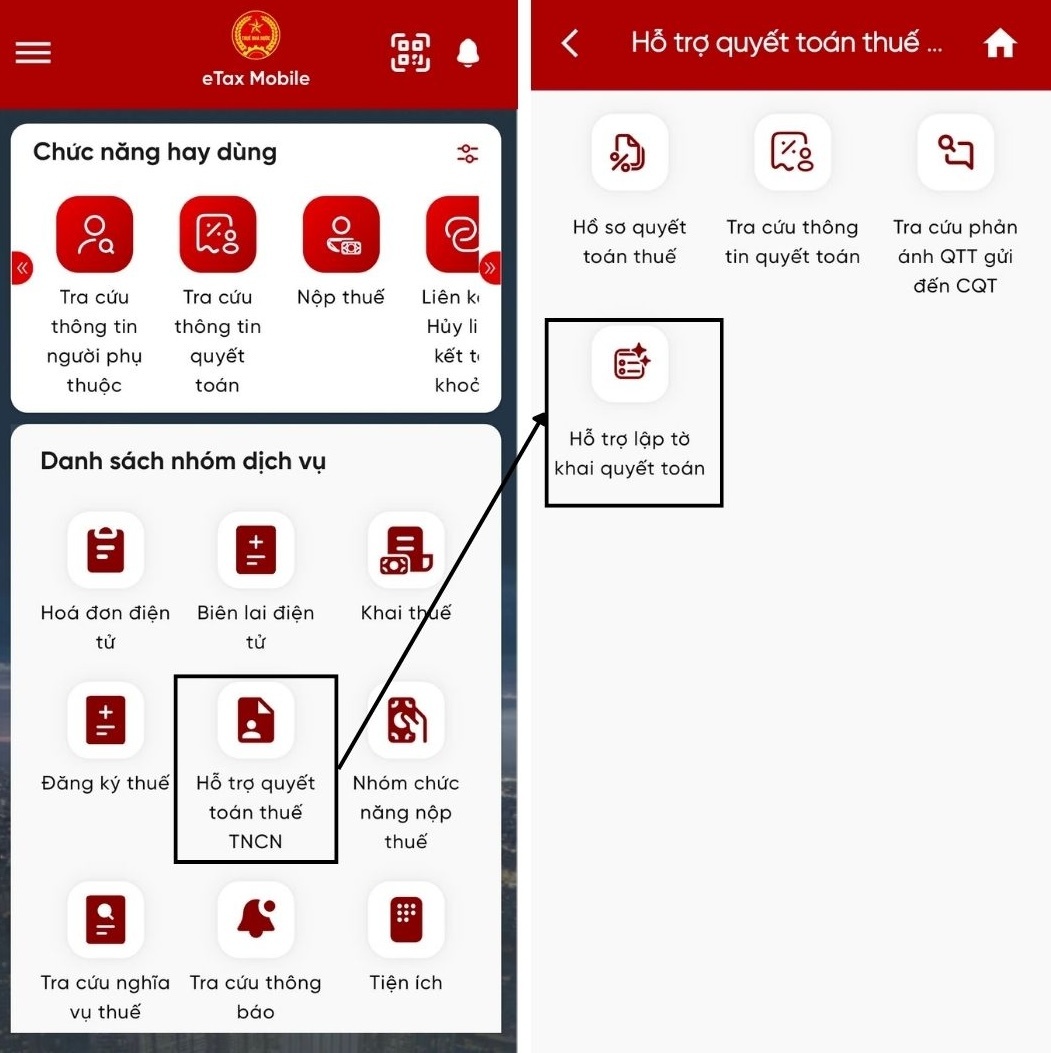 |
The tax settlement support feature has just been upgraded. |
Step 3: On the screen that appears, users can select to search for settlement information for the last 4 years (from 2021-2024) and click Search .
Upon reaching the Form 02 creation interface, the system will default to information such as the form type, year of declaration, and settlement case. Citizens can edit the declaration time as desired by clicking Continue .
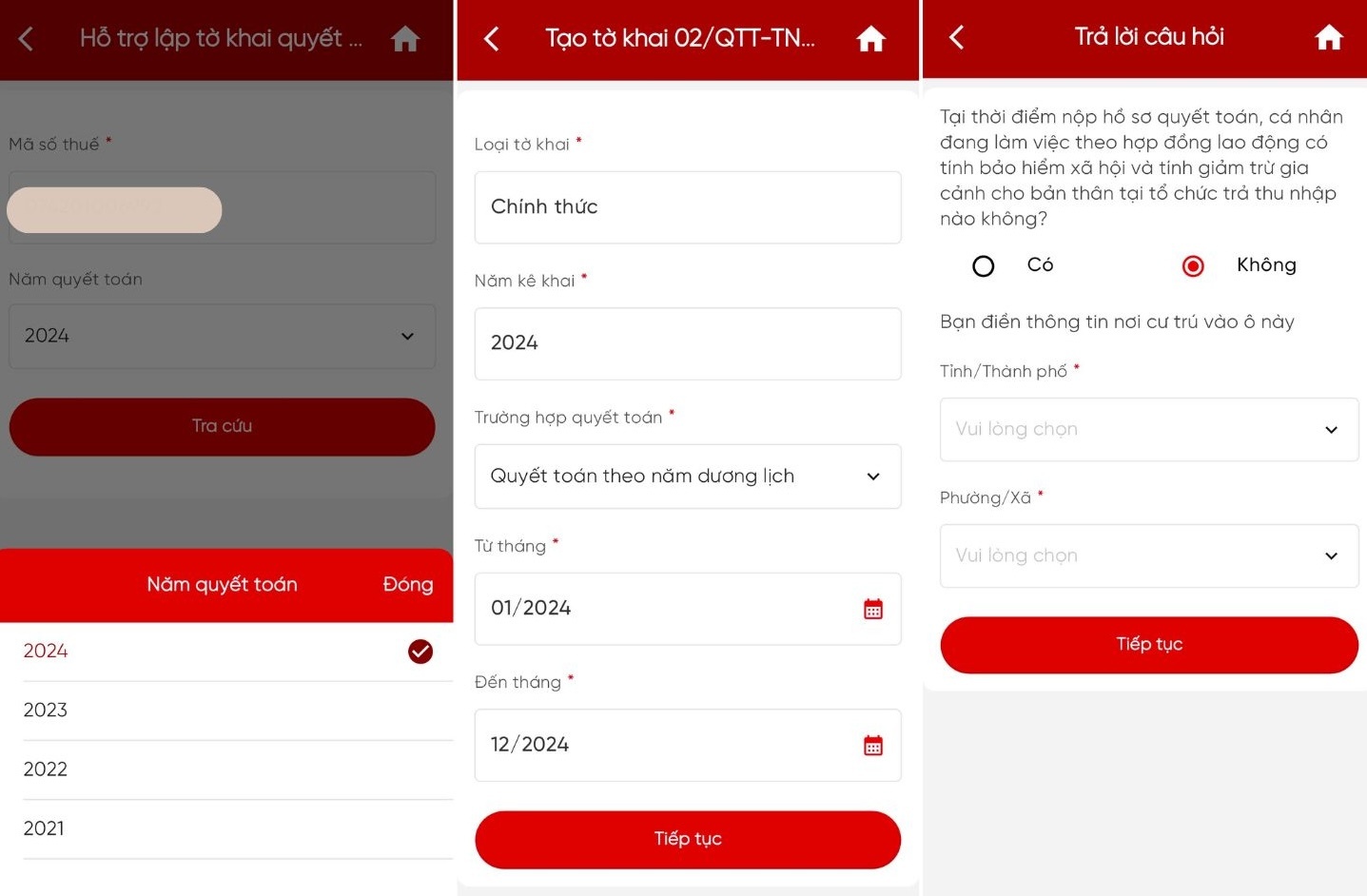 |
Choose the time period for settlement and answer the question. |
The system will ask for answers regarding the taxpayer's situation at the time of filing the tax return. If the individual is working under an employment contract with social insurance contributions and claiming personal deductions at an income-paying organization, the organization's tax identification number (MST) must be filled in.
Otherwise, citizens fill in their residential information, including province/city and ward/commune, and press Continue.
Step 4: Fill in the taxpayer information. Required information includes full name, tax identification number (TIN), and address.
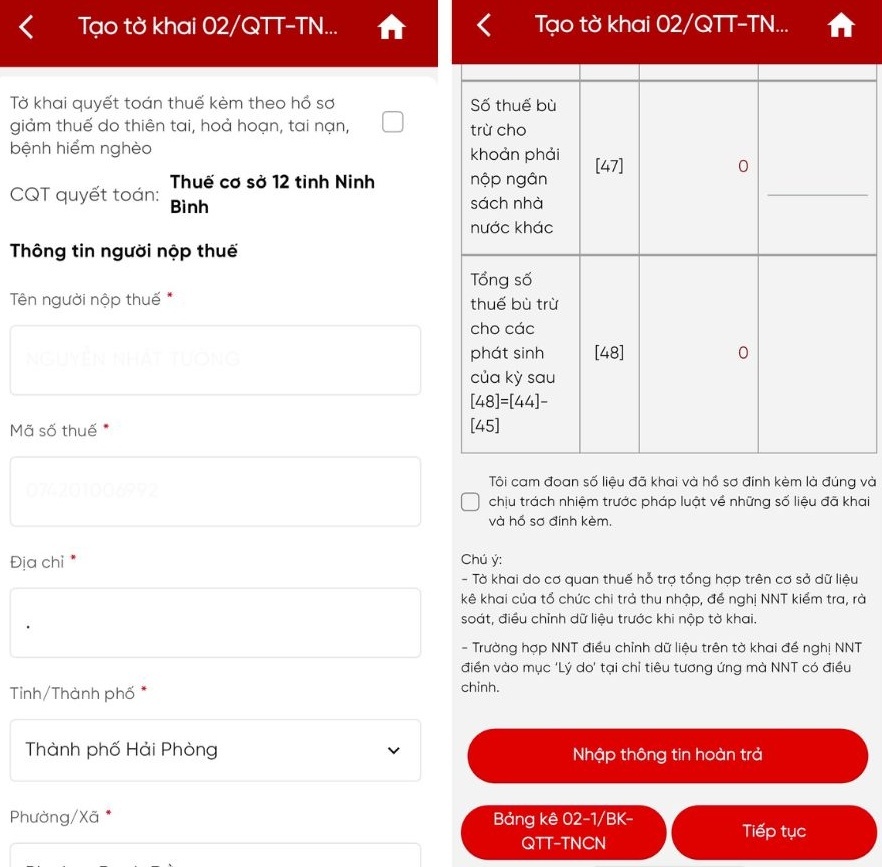 |
Verify the information and correct any errors. |
The system automatically displays the tax return compiled by the tax authority based on the income-paying organization's declaration data. Taxpayers need to check, review, and accept the information; if there are any errors, click "Change Information".
Step 5: If there are adjustments to the declaration data, the taxpayer fills in the "Reason" section under the corresponding adjusted expenditure. If there is an overpayment of tax, the taxpayer clicks "Enter refund information" to request receiving the money via cash or bank transfer with the linked bank.
Press Continue to submit the form.
Source: https://znews.vn/day-la-cach-quyet-toan-thue-thu-nhap-ca-nhan-tren-etax-mobile-post1607874.html
![[Photo] Prime Minister Pham Minh Chinh holds a phone call with the CEO of Russia's Rosatom Corporation.](/_next/image?url=https%3A%2F%2Fvphoto.vietnam.vn%2Fthumb%2F1200x675%2Fvietnam%2Fresource%2FIMAGE%2F2025%2F12%2F11%2F1765464552365_dsc-5295-jpg.webp&w=3840&q=75)






























































Comment (0)