

Midjourney's V1 is an AI model that generates videos from photos. Users simply upload any photo and V1 will generate a set of four 5-second videos based on the photo. Like Midjourney's other models, V1 is currently only available via Discord and on the web at the moment.
With the launch of V1, Midjourney competes directly with other video-generating AI models such as OpenAI Sora, Runway Gen 4, Adobe Firefly, Google Veo 3. While other companies focus on developing commercial video AI models, Midjourney goes its own way, meeting different creative capabilities.
Midjourney also has bigger ambitions for its video AI models. CEO David Holz said this is the next step in the journey to creating AI models that can simulate the real world . The company wants to develop AI models to create 3D renderings and real-time AI models.
Creating videos with Midjourney costs more credits than creating photos. The cheapest way to try V1 is to sign up for Midjourney's Basic plan, which is $10 a month. The Pro plan is $60 a month and the Mega plan is $120 a month, which allows for unlimited video creation in Relax mode. The company will be adjusting its video pricing policy next month.
Some videos created by Midjourney V1. Source: apostraphi
Users can tweak to have more control over the output from V1, for example, describing a motion with a prompt that they want added to the video.
While videos created with V1 are only 5 seconds long, users can choose to extend them by 4 seconds up to 4 times, meaning V1 videos can be 21 seconds long.
Initial reactions to the videos generated by V1 have been positive. However, it’s unclear whether it can keep up with other leading video AI models that have been on the market for months or even years. Midjourney’s most obvious limitation compared to Google Veo 3 is audio. The system doesn’t generate sounds or sound effects on its own like its competitors, but instead requires post-production.
(According to TechCrunch)
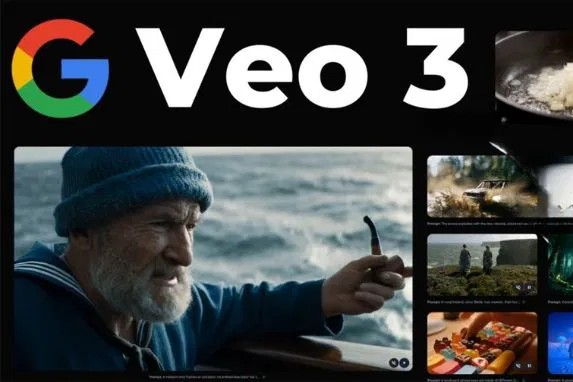
Source: https://vietnamnet.vn/veo-3-da-co-doi-xuat-hien-ai-tao-video-moi-chat-luong-cuc-net-2412888.html
![[Photo] 60th Anniversary of the Founding of the Vietnam Association of Photographic Artists](/_next/image?url=https%3A%2F%2Fvphoto.vietnam.vn%2Fthumb%2F1200x675%2Fvietnam%2Fresource%2FIMAGE%2F2025%2F12%2F05%2F1764935864512_a1-bnd-0841-9740-jpg.webp&w=3840&q=75)


![[Photo] Cat Ba - Green island paradise](/_next/image?url=https%3A%2F%2Fvphoto.vietnam.vn%2Fthumb%2F1200x675%2Fvietnam%2Fresource%2FIMAGE%2F2025%2F12%2F04%2F1764821844074_ndo_br_1-dcbthienduongxanh638-jpg.webp&w=3840&q=75)





















































Comment (0)