

Looking to record your Android screen to capture important moments? Here's the simplest way to record your Android phone screen!
 |
A guide on how to easily and quickly record your Android screen.
Screen recording is a popular feature on Android phones. If you don't know how to use it, check out the Android screen recording guide below!
Instructions on how to record your Android screen using built-in tools.
Most modern Android devices have a built-in screen recording tool. If you don't know how to use this feature, please refer to the following guide with two simple methods:
Enable screen recording from the notification bar.
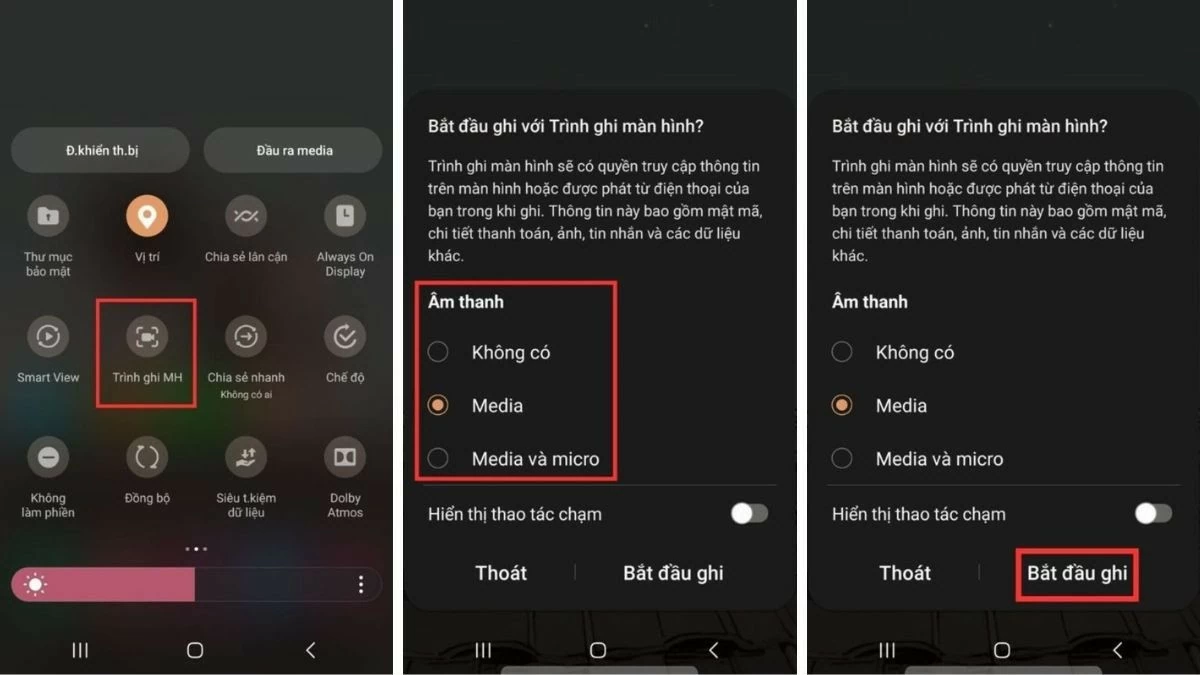
Here are the basic steps to record your Android phone screen via the notification bar:
Step 1: Swipe down from the top of the screen to open the notification bar, then tap the three-line icon and select "Start screen recording."
Step 2: A countdown timer will appear; once it finishes, your phone will automatically begin recording.
Step 3: When you want to end recording, tap the circular icon displaying the time on the screen to save the video.
 |
Activate screen recording from the toolbar.
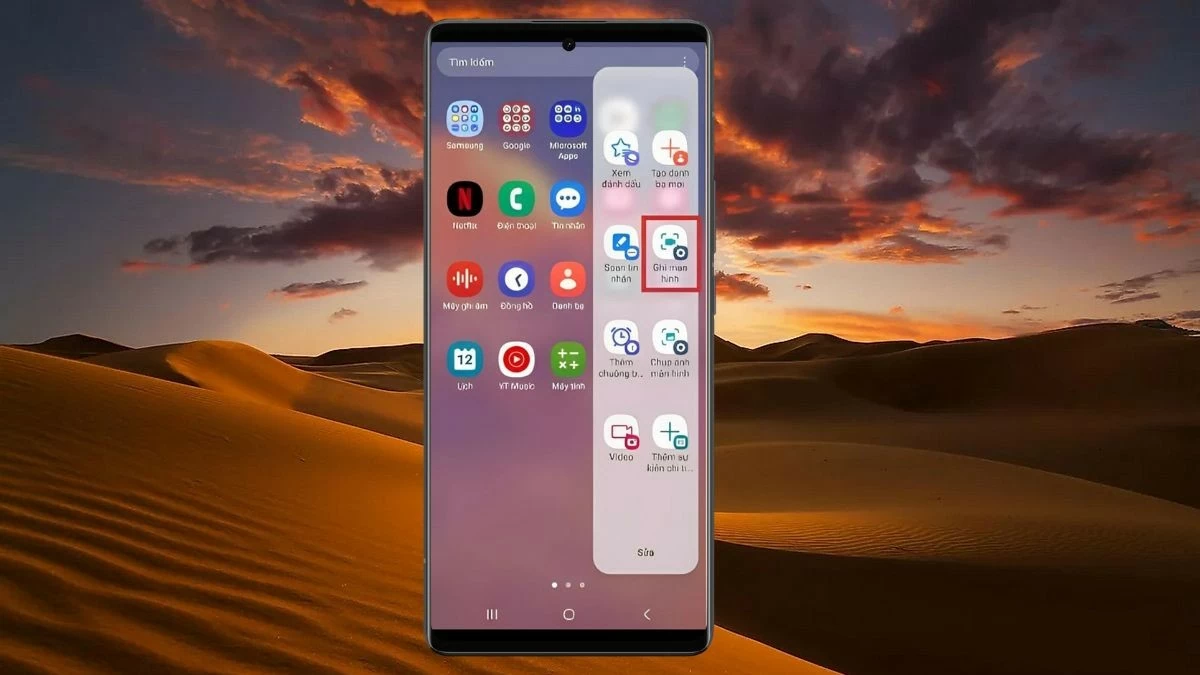
In addition to using the notification bar, you can also record your screen on Android via the toolbar. Simply swipe inward from the edge of your phone screen to open the toolbar, then select the screen recording feature to start recording your desired video.
 |
Instructions on how to record your Android screen using an app.
Not all Android devices have a built-in screen recording feature. Therefore, to record screen videos, you can use third-party applications. One of them is:
Mobizen Screen Recorder
Mobizen Screen Recorder is a popular app with many outstanding features such as video editing, adding effects, and customizing video quality from 240P to 1080P. To record your Android screen using this app, follow these steps:
Step 1: Download and install Mobizen Screen Recorder from the Google Play Store, then open the application.
Step 2: Open the app or video you want to record, tap the Mobizen icon on the right side of the screen, and select the camera icon to start recording.
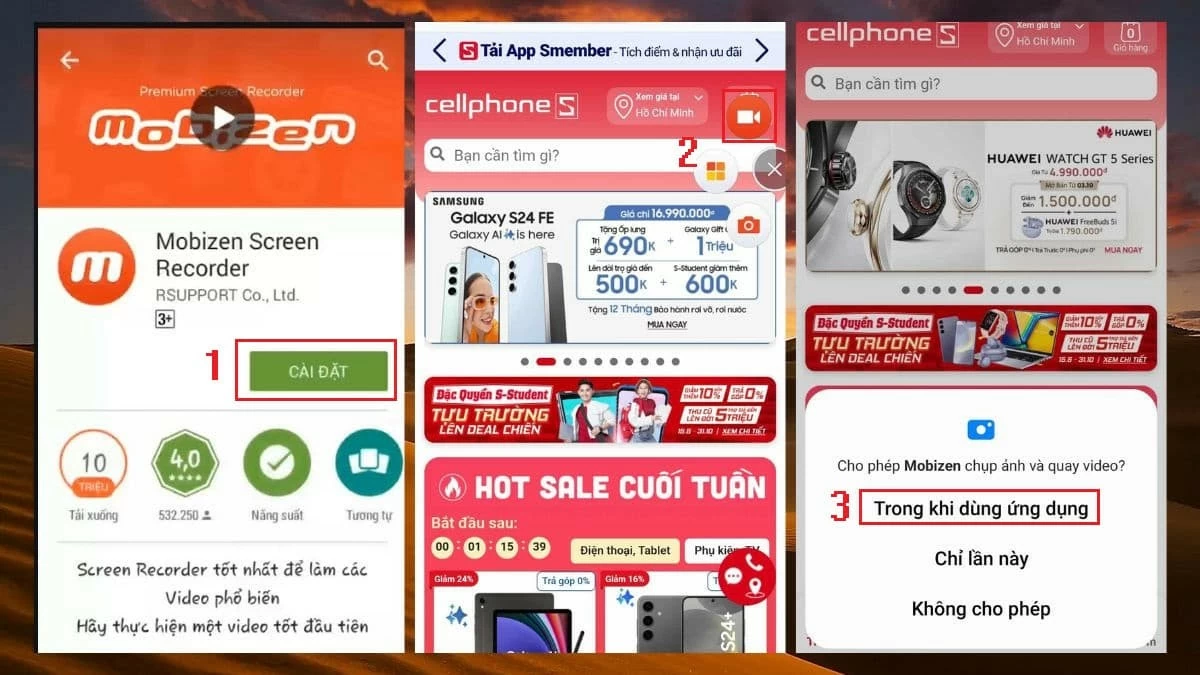 |
Step 3: Tap the option to grant Mobizen access, then select "Start Now" to begin recording.
Step 4: When the countdown timer ends, the app will automatically start recording your screen. To stop recording, simply tap the circular icon displaying the time.
 |
AZ Screen Recorder app
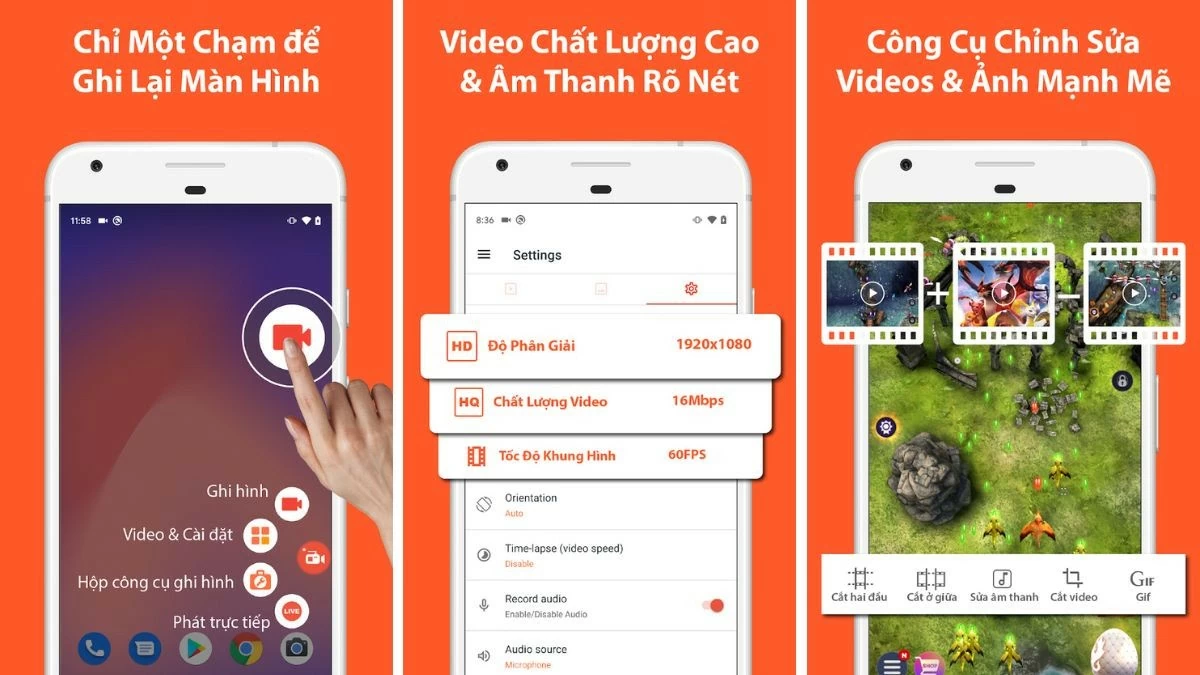
AZ Screen Recorder is a video recording app with many features such as time-lapse recording, adding logos to videos, and adjusting frame rate. This software supports recording your phone screen with sharp quality, from HD to Full HD. After recording, the video will automatically save to your library.
 |
Screen Recorder app
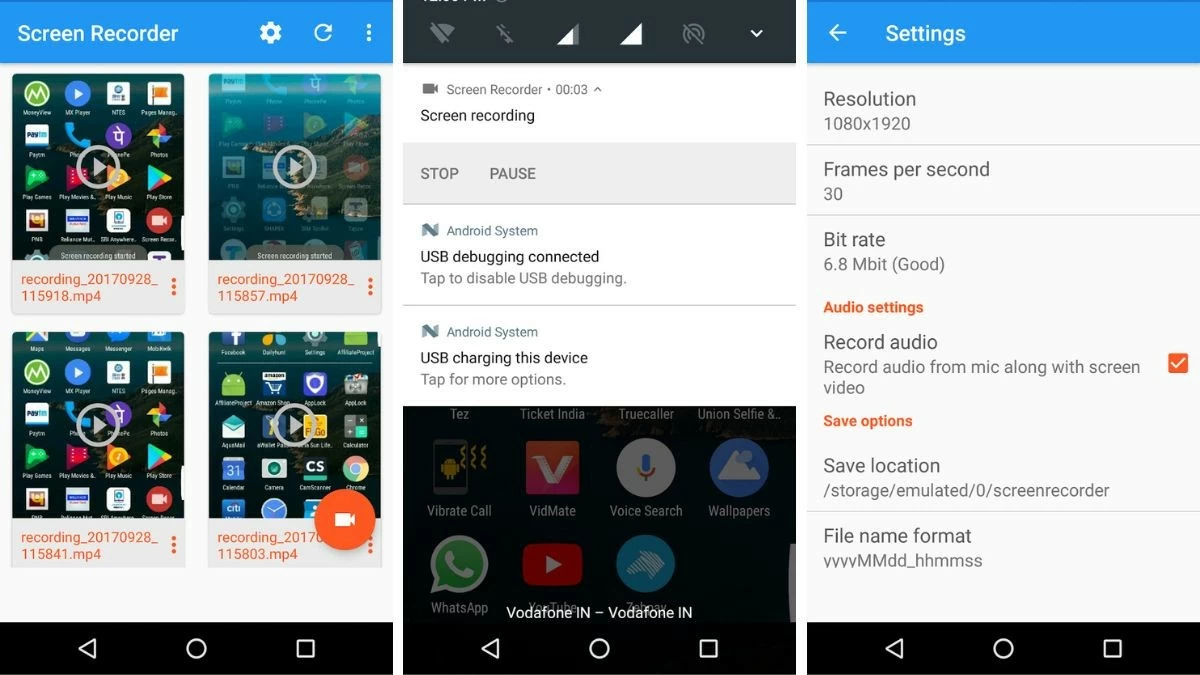
Screen Recorder is a free, unlimited-time video recording app that lets you capture moments during online games or video calls. Recorded videos are neatly organized, making them easy to search and manage.
 |
Above is a detailed guide on how to record your Android screen. Hopefully, with these tips, you will easily record screen videos on your Android phone to preserve your favorite moments.
Source




































































































Comment (0)