

Look up your electronic invoice on the General Department of Taxation's Electronic Invoice System website.
Step 1: Access the Electronic Invoice System website at: https://hoadondientu.gdt.gov.vn/.
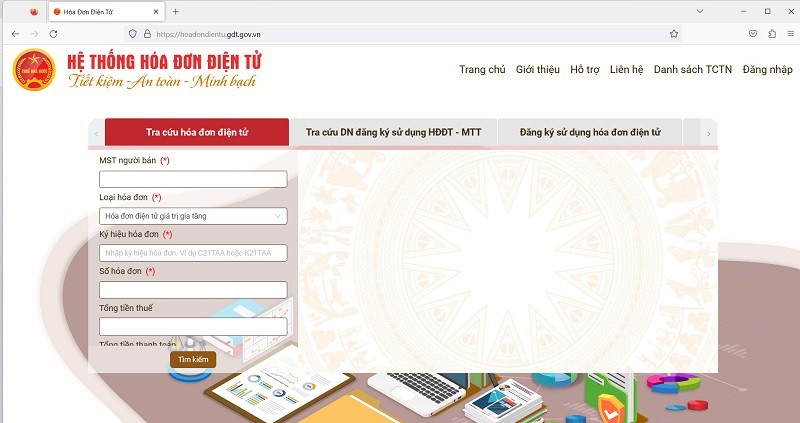 |
| Screenshot |
Step 2: Fill in all the information marked with a red asterisk (*), including: Seller's Tax Identification Number (TIN); Invoice Symbol; Invoice Type; Invoice Number.
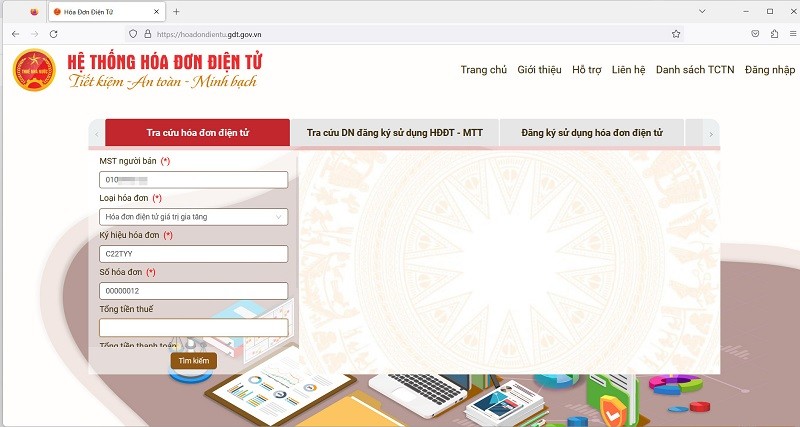 |
| Screenshot |
Note: When entering the "Invoice Symbol," you need to omit the leading digits in the symbol sequence. For example: 1C22TYY >> C22TYY. Also, enter the Total Payment amount .
Step 3: Enter the captcha code and click " Search ".
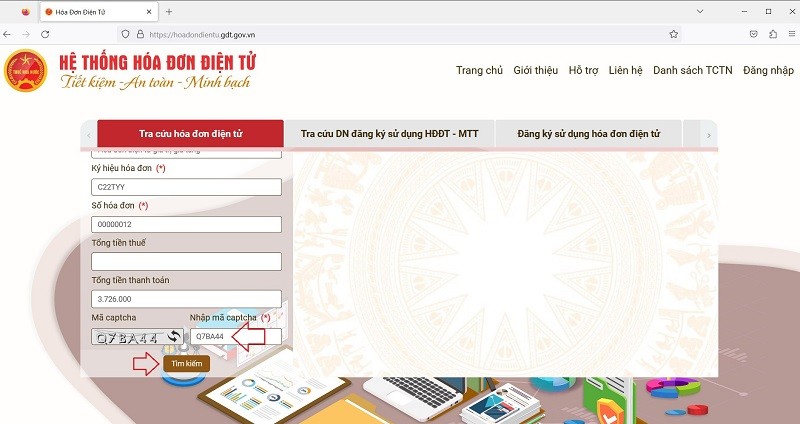 |
| Screenshot |
Step 4: Double-check the results regarding the electronic invoice you are looking up.
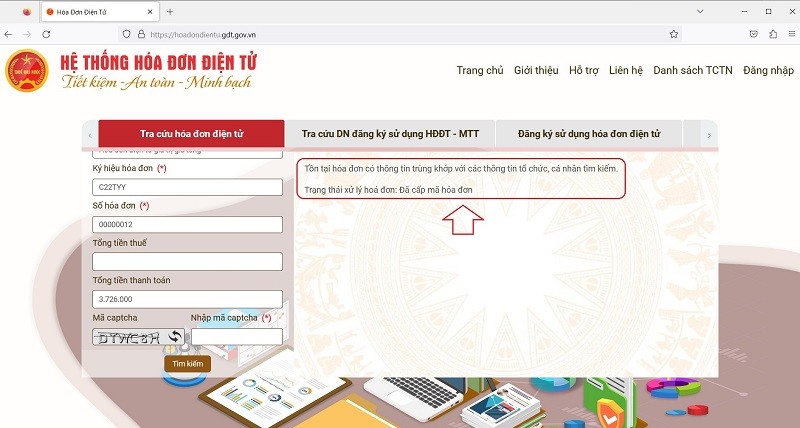 |
| Screenshot |
For valid electronic invoices, the system will display " Invoice code issued" (as shown in the image above).
In the case of an invalid electronic invoice, the system will display "No invoice with information matching the information searched by the organization or individual exists."
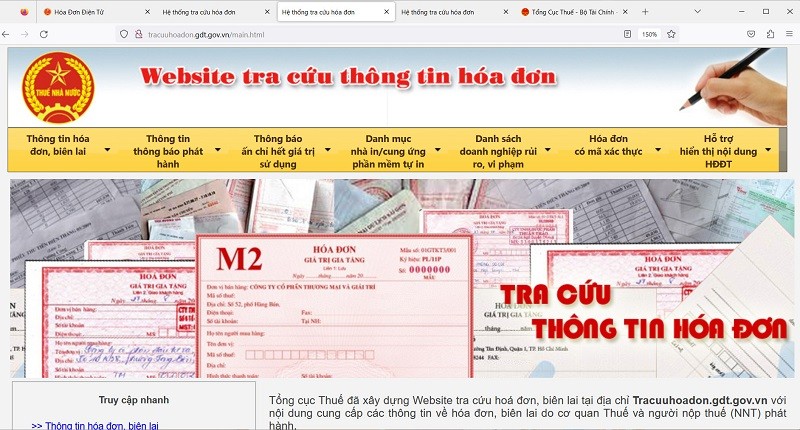
Look up electronic invoices on the General Department of Taxation's portal.
 |
| Screenshot |
Step 1: Access the website address: http://tracuuhoadon.gdt.gov.vn/tc1hd.html.
 |
| Screenshot |
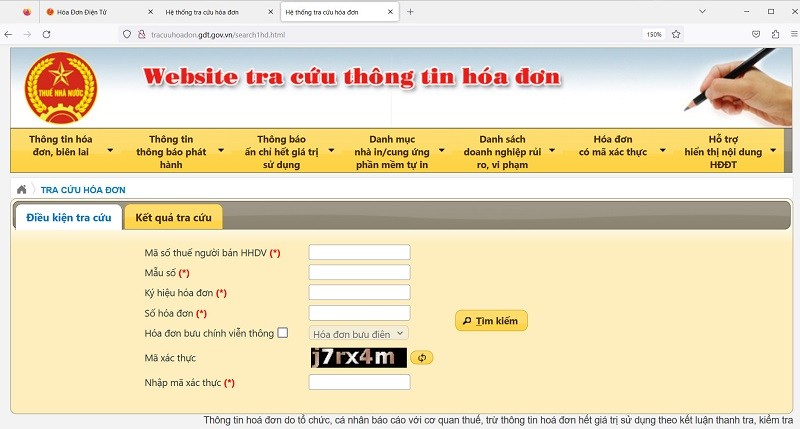
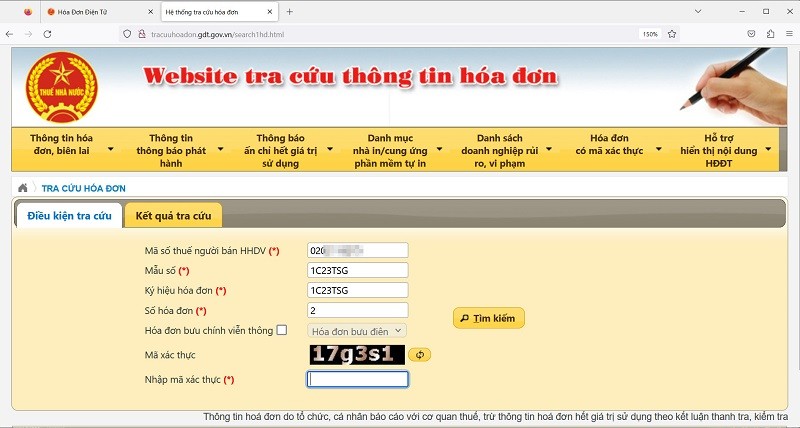
Step 2: Fill in all the information marked with a red asterisk (*), including: Seller's tax code for goods and services; Invoice symbol; Form number; Invoice number .
 |
| Screenshot |
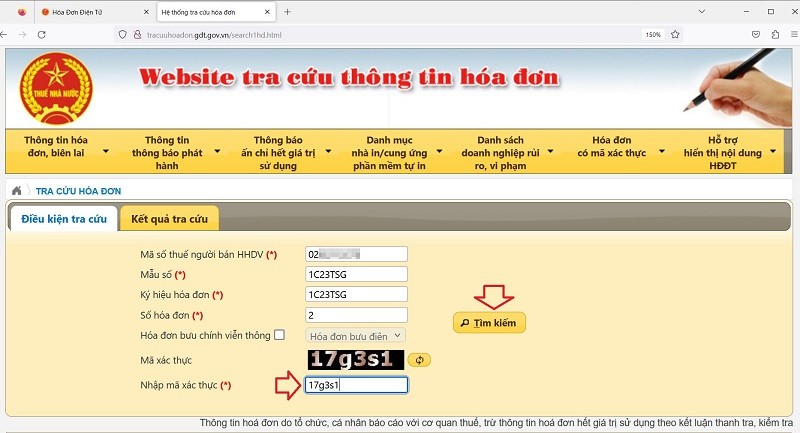
Step 3: Enter the verification code and click " Search ".
 |
| Screenshot |
Step 4: Check the results for the electronic invoice information you are looking for, just like in Method 1.
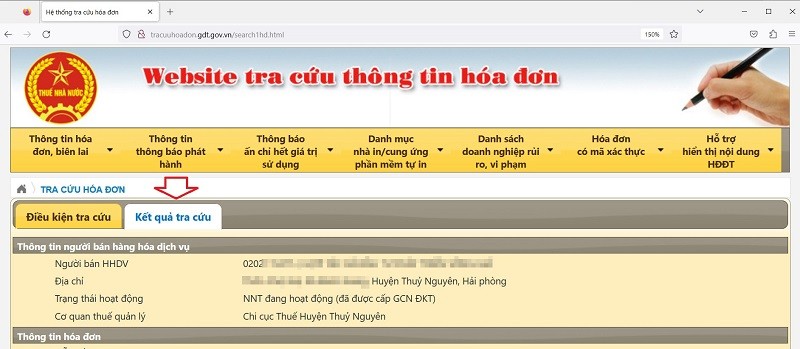 |
| Screenshot |
Source


![[Photo] Closing Ceremony of the 10th Session of the 15th National Assembly](/_next/image?url=https%3A%2F%2Fvphoto.vietnam.vn%2Fthumb%2F1200x675%2Fvietnam%2Fresource%2FIMAGE%2F2025%2F12%2F11%2F1765448959967_image-1437-jpg.webp&w=3840&q=75)


![[Photo] Prime Minister Pham Minh Chinh holds a phone call with the CEO of Russia's Rosatom Corporation.](/_next/image?url=https%3A%2F%2Fvphoto.vietnam.vn%2Fthumb%2F1200x675%2Fvietnam%2Fresource%2FIMAGE%2F2025%2F12%2F11%2F1765464552365_dsc-5295-jpg.webp&w=3840&q=75)


































![[OFFICIAL] MISA GROUP ANNOUNCES ITS PIONEERING BRAND POSITIONING IN BUILDING AGENTIC AI FOR BUSINESSES, HOUSEHOLDS, AND THE GOVERNMENT](https://vphoto.vietnam.vn/thumb/402x226/vietnam/resource/IMAGE/2025/12/11/1765444754256_agentic-ai_postfb-scaled.png)










































Comment (0)