

If you use an iPhone, you've probably encountered that very strange situation where you want to reject a call from someone, but the screen only shows the option "slide to answer".
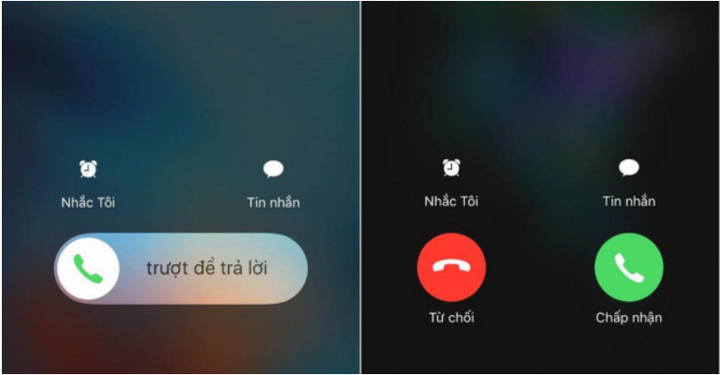
But there are also times when you can choose "Accept" or "Reject." This makes you curious and wonder why that is the case?
Why does my iPhone sometimes not let me reject a call?
The secret behind this phenomenon on the iPhone is the screen lock feature.
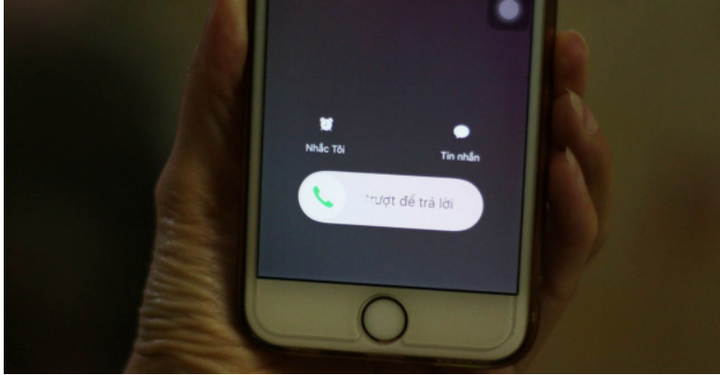
When your phone is locked and a call comes in, you'll only have the option to "slide to answer," but when the phone is unlocked, you can choose to "Accept" or "Reject." Apple actually has its reasons for creating this feature.
When your phone is unlocked, you might be busy replying to messages, emails, using social media, etc., so choosing to decline the call means returning to what you were doing. If your phone is locked, you need to slide to unlock and answer the call.
What are the benefits of this feature?
A more important reason for this iPhone feature is to prevent accidental dialing, which can occur when a user unintentionally performs an unwanted action on their phone while it's in their pocket.
If "Accept" and "Reject" buttons are on the lock screen, you're more likely to accidentally press one of them when your phone is in your pocket without having to hold the button down and slide your finger across it.
However, there's a little-known trick to reject incoming calls on your iPhone even when the screen is locked. Pressing the power button once will mute the call. Pressing the power button twice will reject any call even when the screen is locked.
Khanh Son (Compiled)
Source
![[Photo] Prime Minister Pham Minh Chinh holds a phone call with the CEO of Russia's Rosatom Corporation.](/_next/image?url=https%3A%2F%2Fvphoto.vietnam.vn%2Fthumb%2F1200x675%2Fvietnam%2Fresource%2FIMAGE%2F2025%2F12%2F11%2F1765464552365_dsc-5295-jpg.webp&w=3840&q=75)


![[Photo] Closing Ceremony of the 10th Session of the 15th National Assembly](/_next/image?url=https%3A%2F%2Fvphoto.vietnam.vn%2Fthumb%2F1200x675%2Fvietnam%2Fresource%2FIMAGE%2F2025%2F12%2F11%2F1765448959967_image-1437-jpg.webp&w=3840&q=75)











































![[OFFICIAL] MISA GROUP ANNOUNCES ITS PIONEERING BRAND POSITIONING IN BUILDING AGENTIC AI FOR BUSINESSES, HOUSEHOLDS, AND THE GOVERNMENT](https://vphoto.vietnam.vn/thumb/402x226/vietnam/resource/IMAGE/2025/12/11/1765444754256_agentic-ai_postfb-scaled.png)












































Comment (0)